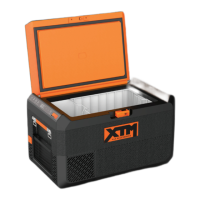
XTM40 Operation
17
Latching the cooler lid
➤ Close the lid.
➤ Press the latch (fig. 2 1, page 9) down, until it latches in place audibly.
6.6 Setting the temperature
A
➤ Press the “SET” button (fig. 3 4, page 10) once.
➤ Use the “UP +” (fig. 3 6, page 10) and “DOWN –” (fig. 3 7, page 10) buttons
to select the cooling temperature.
✓ The cooling temperature appears in the display for a few seconds. The display
flashes several times and then the current temperature is displayed again.
6.7 Using the Emergency Switch
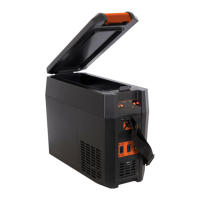
The emergency override switch (fig. 4 4, page 11) is located in the connection
panel.
➤ For normal operation the switch should be in the NORMAL USE position.
➤ In the unlikely event of an electronic control failure slide the switch to
EMERGENCY OVERRIDE.
I
6.8 Switching off the cooler
➤ Empty the cooler.
➤ Switch the cooler off.
➤ Pull out the connection cable.
If you do not want to use the cooler for a longer period of time:
➤ Leave the lid slightly open. This prevents odor build-up.
NOTICE! Danger from excessively low temperature!
Ensure that the only those objects are placed in the cooler that are
intended to be cooled at the selected temperature.
NOTE
In this position the appliance will run all the time and will therefore per-
form as a freezer only.
XTM40-O-AUS.book Seite 17 Montag, 7. Januar 2019 2:30 14


 To Next Page