Cleaning and maintenance XTM40
20
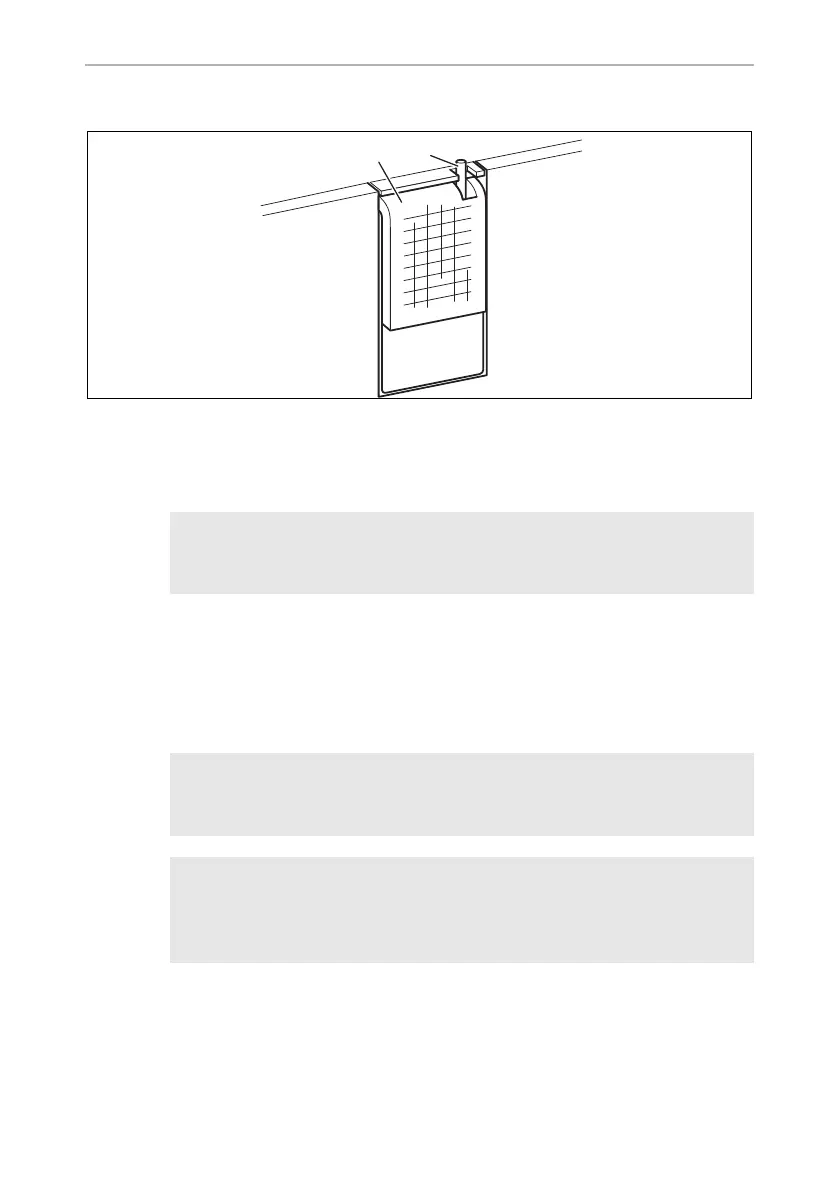
6.12 Replacing the light bulb
➤ Press the switch pin (2) downwards so that the transparent part (1) of the lamp can
be removed at the front.
➤ Replace the light bulb.
I
➤ Press the transparent part of the lamp back into the housing.
7 Cleaning and maintenance
!
A
➤ Occasionally clean the device interior and exterior with a damp cloth.
➤ Make sure that the air inlet and outlet vents on the device are free of any dust and
dirt, so that heat can be released and the device is not damaged.
NOTE
The LEDs in the light bulb must be facing the transparent part of the
lamp.
WARNING!
Always disconnect the device from the power supply before you clean
and service it.
NOTICE! Risk of damage
•
Never clean the cooler under running water or in dish water.
•
Do not use abrasive cleaning agents or hard objects during cleaning
as these can damage the cooler.
XTM40-O-AUS.book Seite 20 Montag, 7. Januar 2019 2:30 14


 To Next Page