Note: Please make sure all the cables are connected tightly; The vehicle’s DLC is not always located under
the dash; for the location of the DLC, please refer to the vehicle’s user manual.
Precautions for Diagnosis
1. The voltage range on the car: +9~+32V DC;
2. When testing some special functions, the operator must operate according to the prompts and meet the test conditions.
For some models [special functions], the conditions that need to be met are: engine water temperature 80 ℃~105 ℃, turn
off headlights and air conditioners, keep the accelerator pedal in the released position, etc.;
3. The electronic control systems of different models are very complicated. If you encounter situations where it is impossible
to test or a large amount of test data is abnormal, you can search for the ECU of the vehicle and select the menu for the
model on the ECU nameplate;
4. If the vehicle type or electronic control system to be tested is not found in the diagnostic function, please upgrade the
vehicle diagnostic software to the latest version using the Updates menu or consult the XTOOL technical service department;
5. Only wiring harnesses provided by XTOOL and designed for the scan tool are permitted to be used with this scan tool to
avoid damage to the vehicle or the scan tool;
6. When running a Diagnostics function, it is forbidden to shut down the scan tool directly. You should cancel the task before
returning to the main interface and then shutting down the scan tool.
The diagnostic application can read ECU information, read and clear DTC (Diagnostic Trouble Codes) and check live data
and freeze frame data. The Diagnostic application can access the ECU of various vehicle control systems, including the
Engine, Transmission, Anti-lock Braking System (ABS), Airbag Safety Restraing System (SRS), Electronic Parking Brake
system (EPB) and perform many types of actuation tests.
BEGINNING DIAGNOSTIC TESTING
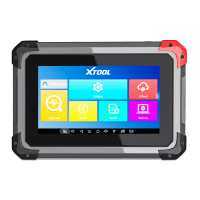
After the tablet device is properly connected to the vehicle, you could start the vehicle diagnosis.
The scan tool supports the following 3 ways to access the smart diagnostics system.
AUTO SCAN
MANUAL INPUT
SELECT VEHICLE BY AREA


 To Next Page
 Loading...