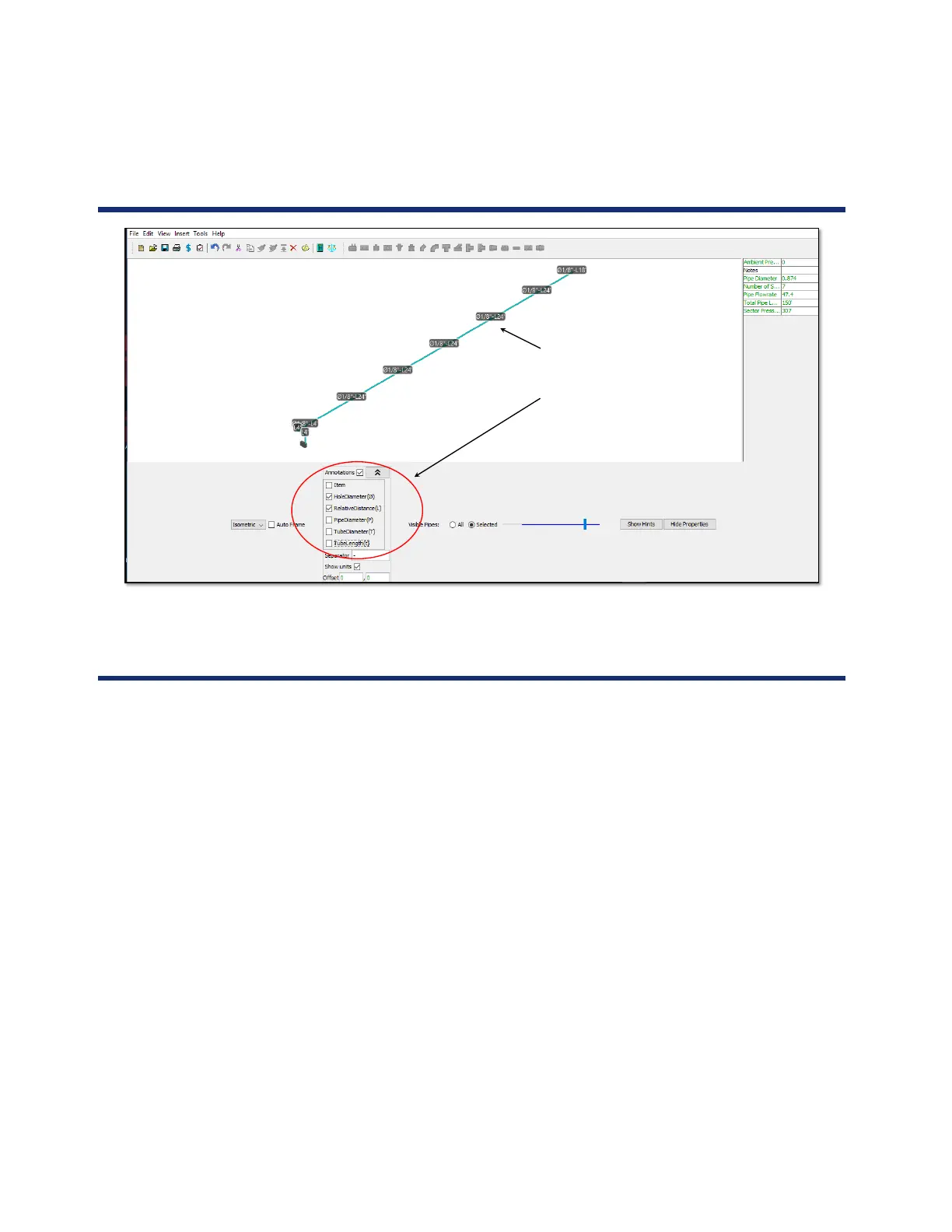
ANNOTATION Shows SP hole size
(1/8”) and length from prior hole (-L24’)
Additional annotations can be chosen
from the tab below
164
Annotation
Activity
Please complete checklist item 15:
15. Project Configuration
a. Double-click the ASPIRE33 desktop icon
b. Verify Enforced Limit is set to NFPA
c. Verify Interface is set to Advanced
d. Rename New Project
• Right-click New Project
• Select Rename
• Change the name to Aspire Project
• Click Enter
e. Add a detector
• Click Add a new detector to the project icon
• Select VEP Detector
• Change Detector Name to Ceiling
• Set Aspirator Speed to 2












 To Next Page