
 Need help?
Do you have a question about the Xtralis VESDA E-Series and is the answer not in the manual?
Outlines the skills and knowledge gained upon course completion.
Instructions for managing audio settings during the webinar.
Instructions for managing video settings during the webinar.
Guidance on using the chat function for communication.
Lists necessary preparations before attending the webinar.
Steps to create an account on the Xtralis platform.
Introduction to Aspirating Smoke Detection technology.
Highlights the benefits and features of ASD technology.
Compares specifications across different VESDA models.
Overview of various VESDA detector types.
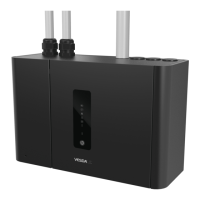
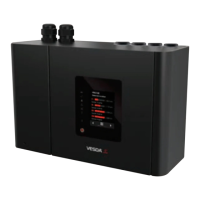
Detailed description of the VESDA VLF detector.
Detailed description of the VESDA VLI detector.
Detailed description of the VESDA VEU detector.
Detailed description of the VESDA VEP (4 Pipes) detector.
Explanation of the detector's front panel display.
Describes the normal operational state of the detector.
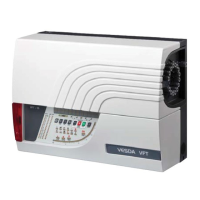
Comparison between VESDA-E VES and VESDA VLS models.
Essential steps and documents required before installation.
Guidelines for selecting the optimal location for detector installation.
Instructions for correctly positioning the detector's mounting bracket.
Information on acceptable power supplies for the system.
Details on the types of pipes and fittings used in the network.
Procedures for correctly applying solvent cement to pipe joints.
Key technical specifications and features of VESDAnet.
Explanation of how the VESDAnet communication network operates.
Overview of available connection methods for VESDAnet.
Introduction to the VSC software and its capabilities.
System specifications needed to run VSC software.
Default and connection passwords for VSC software.
Functions and options available in the File menu.
Overview of the various toolbars within the VSC software.
How to view and manage alarm status within VSC.
Information displayed in the summary status view.
Step-by-step guide to adding a new connection in VSC.
Details on setting up the lab station environment.
Diagram and explanation of the network setup.
Procedure for connecting to and viewing a VESDA system.
Steps for logging into the VESDA system.
How to configure software and regional options.
Detailed steps for configuring individual detectors.
Configuring smoke detection thresholds and delays.
Procedure for normalizing airflow settings.
Instructions for saving configuration data.
How to generate and preview device reports.
Introduction to the ASPIRE pipe network design software.
Guidelines for designing pipe networks according to codes.
Steps to launch the ASPIRE33 application.
Configuring ASPIRE software preferences and defaults.
Procedure for adding a detector to the ASPIRE project.
Steps for adding pipe segments to the network design.
Setting sensitivity levels for sampling points.
Designing a pipe network for a computer room floor.
Process for generating the Installation Data Pack.
Overview of the VESDA system commissioning stages.
Tasks to perform before visiting the customer site.
Tasks to perform once on site for pre-commissioning.
Method for testing the integrity of the sampling pipe network.
Steps for configuring the system and setting thresholds.
Details on various system integrity tests to be performed.
Procedure for handing over the commissioned system.
Factors influencing filter lifespan based on environment.
Instructions for accessing the learning center portal.
Steps to successfully complete the post-webinar assessment.
Procedure to begin the post-webinar assessment.
Steps to retrieve your course completion certificate.
Step-by-step guide for installing the VSC software.
Step-by-step guide for installing the ASPIRE software.
 General
| Brand | Xtralis |
|---|---|
| Model | VESDA E-Series |
| Category | Smoke Alarm |
| Language | English |











 To Next Page