English
13
Video & Audio Output Connections
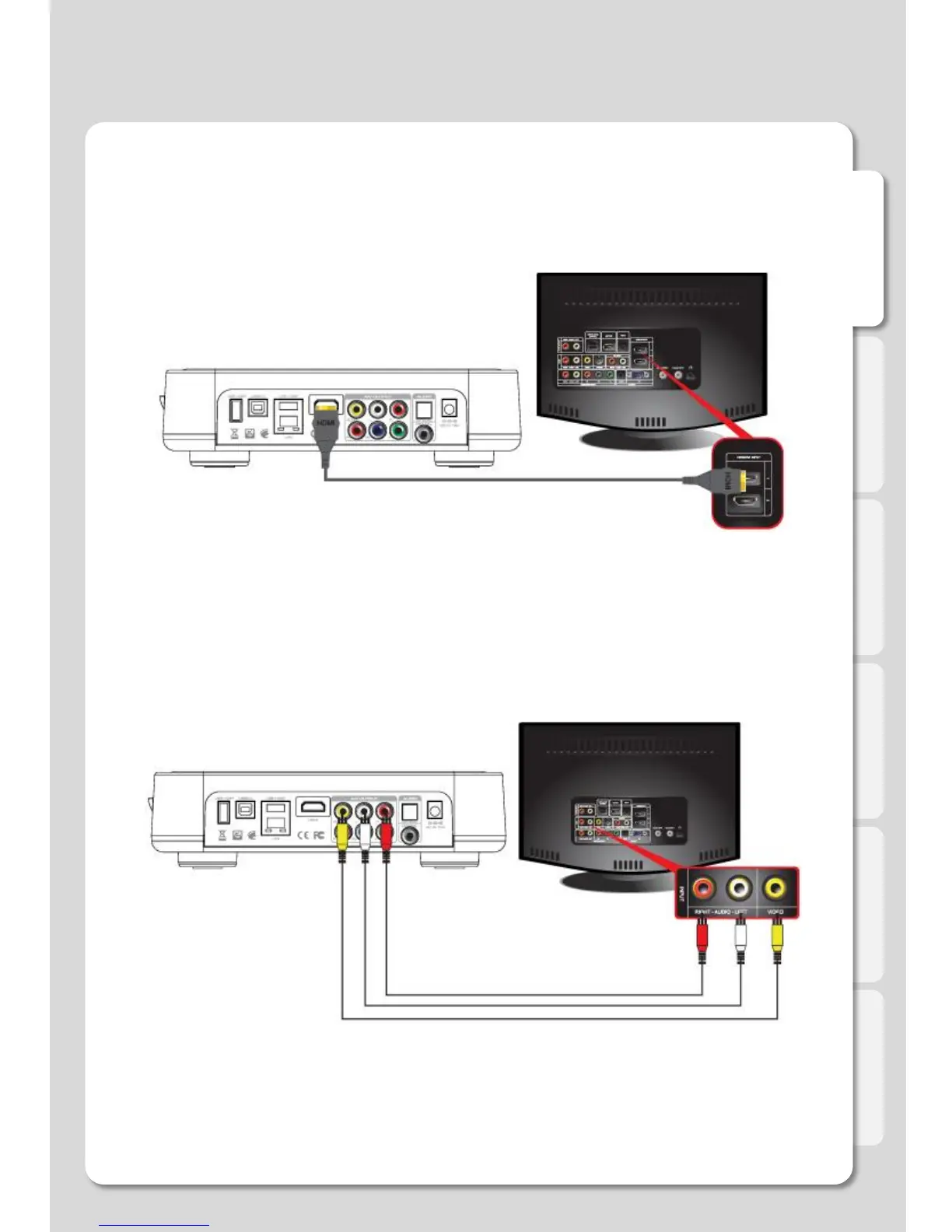
ㆍHDMI cable connection
Connections
ㆍComposite cable connection
Connect HDMI cable to HDMI terminal at the back of product. Connect the remaining cable
terminal to HDMI terminal at the back of a digital TV. Make sure to carefully distinguish
between input and output terminals.
Connect yellow cable for video signal to the terminal located at the back of side of TV. Then,
select external input of TV. Connect the remaining red and white terminal cables to the left/ right
and audio output terminal at the back of the device. Then, connect red and white cables to the
left/ right terminal of DTV input or component audio input located at the back of a digital TV.



 To Next Page