English
73
How to use “Auto run” function
This function allows you to automatically play a pre-arranged playlist when the iXtreamer is switched
on.
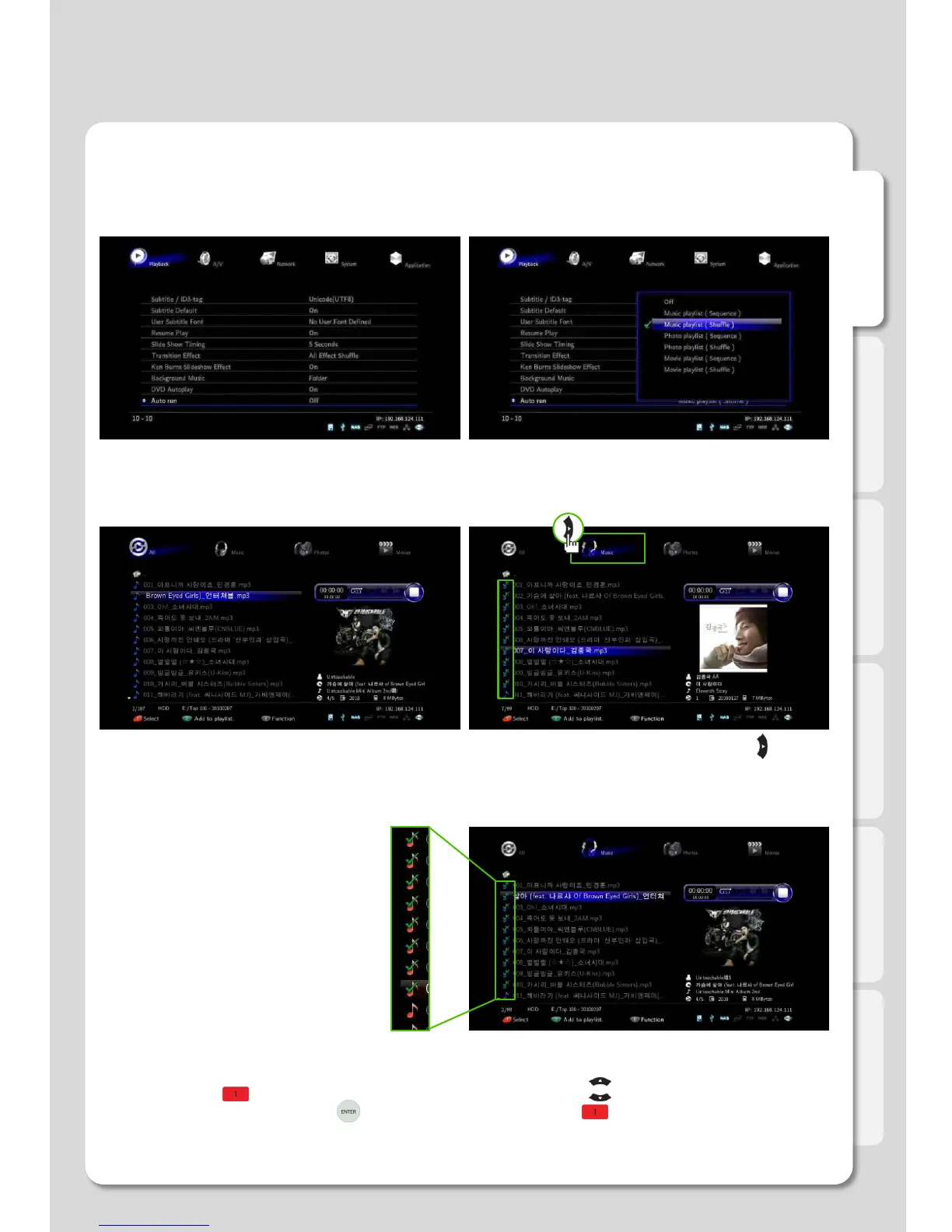
1. Select [Setting] – [Playback] – [Auto run]
(This instance is for Music Auto run).
2. Each selected menu “Movie/Photos/Music” is
automatically played by classification.
3. Select [Media Library], and search for files
you want to auto run.
4. Move to “Music” type menu by pressing
[Right]
arrow key.
5. Press Button, [1] and then select whatever you want to auto run by arrow keys.
6. You will be able to select files by [ENTER] button after press button, [1].
As files are selected, you will be able
to see “√” mark.
Major Function



 To Next Page