English
154
How to use “iPhone remote” function
Xtreamer virtual remote application allows you to control your iXtreamer via an Apple device (or a
computer).
Please note that you cannot turn the player ON via this application.
1. You should access by the identical Network AP
between iPhone and Xtreamer so that you need
“Wireless AP Router.” Check if web server is “ON” or
not in Application menu.
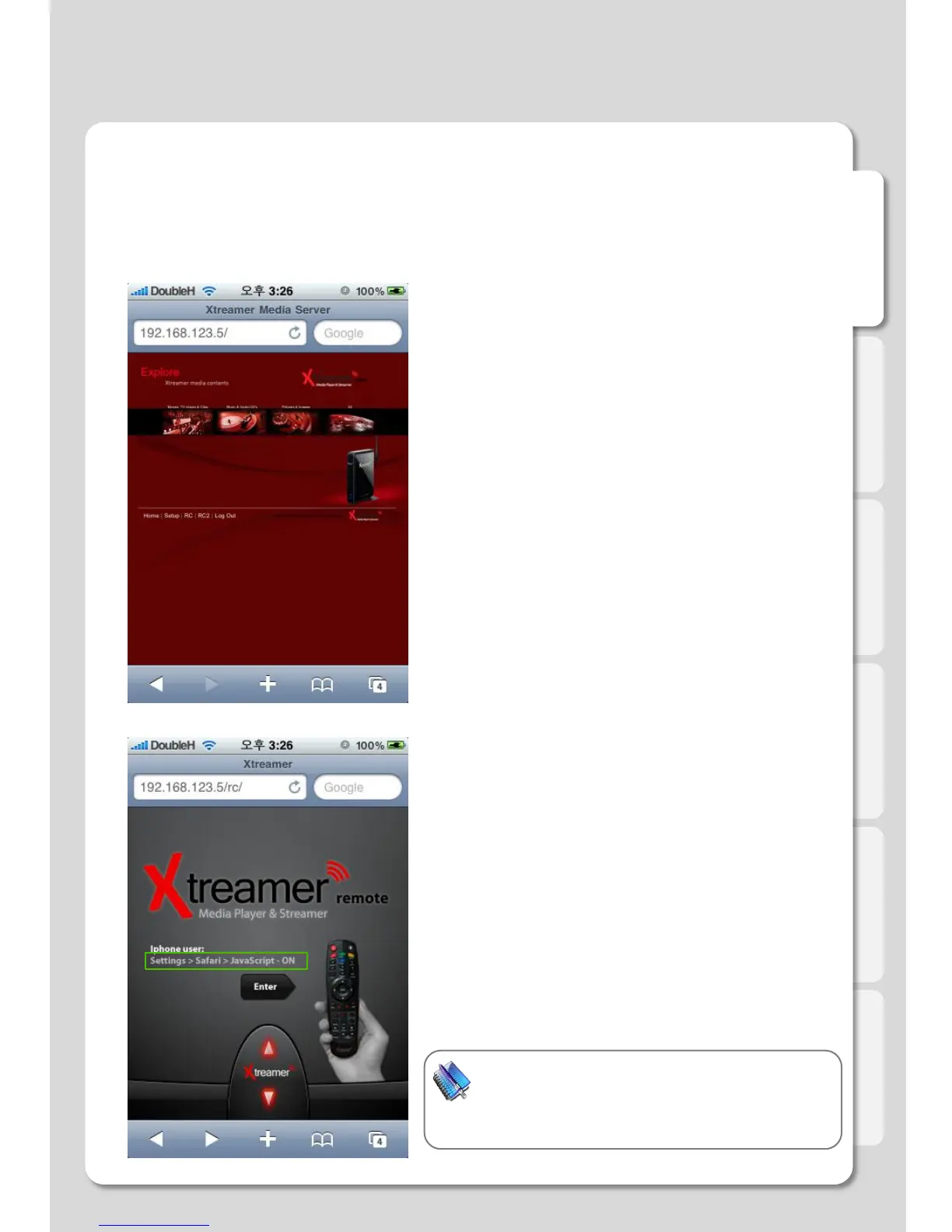
2. Run Safari “Web Browser” in iPhone, and then
access to the web server by typing allocated IP
address of Xtreamer on URL.
3. Click [RC] button on the bottom of the screen, then
access to the remote control.
Note
If IP address is 192.168.123.5, type [192.168.123.5/rc]
in the iPhone address bar. “/rc” needs to be lower case
so that you will be able to use the remote function.
Major Function



 To Next Page