English
178
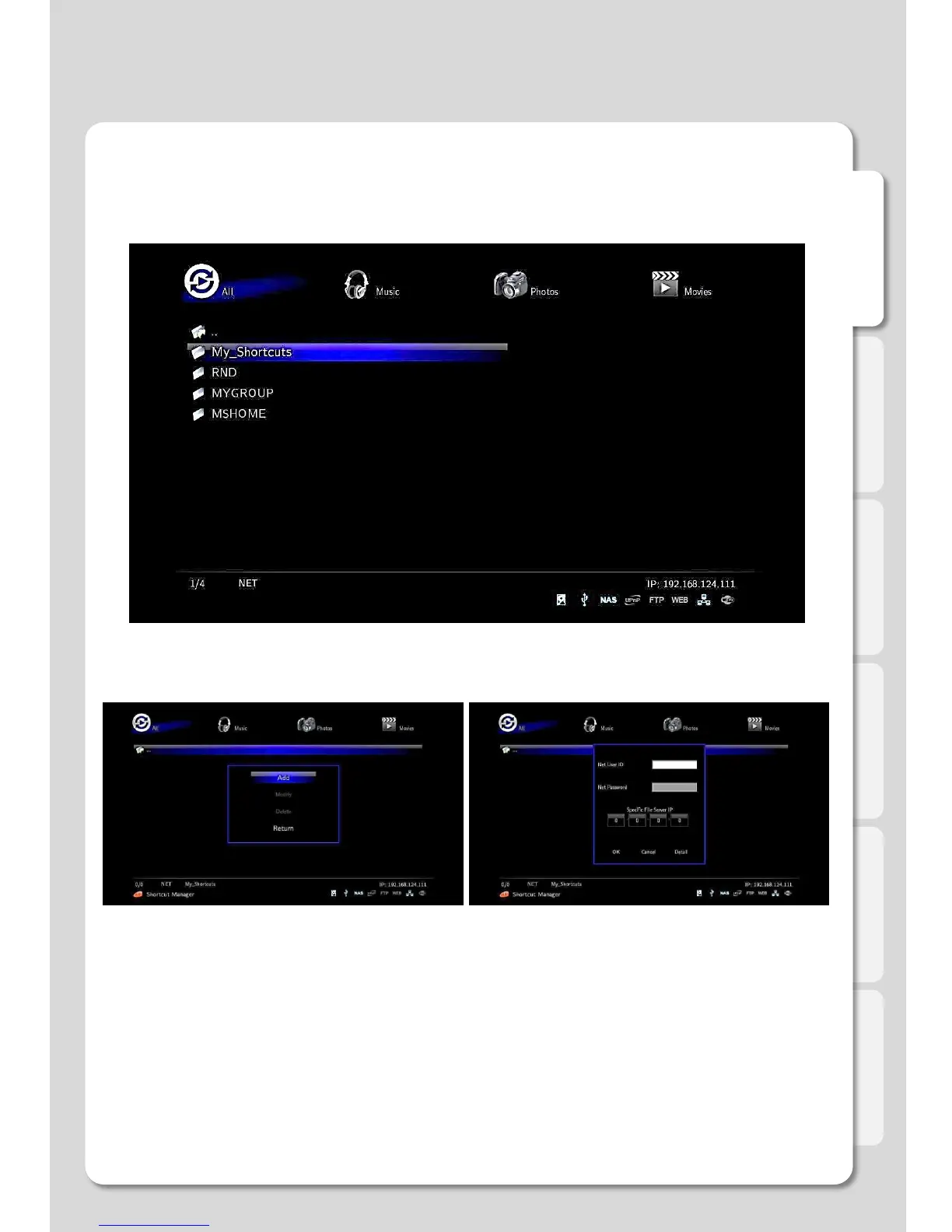
How to register Network PC Shortcut
1. To go [Media Library] – [NET] – [My_Shortcuts].
Press [FUNC] button on your remote in “My_Shortcuts”
screen, then if window appears, press [Add] button.
As starting Windows, enter ID and PWD into pop-up
window for Network User’s. If you don’t use PWD, enter
[guest] in the ID Section, leave the PWD section blank.
Once entered, save ID and PWD by pressing [OK].
Use this guide to create a shortcut to save you the time of searching through the
Network
Advanced Users Guide



 To Next Page