English
143
4 How to “File Upload & File Download”
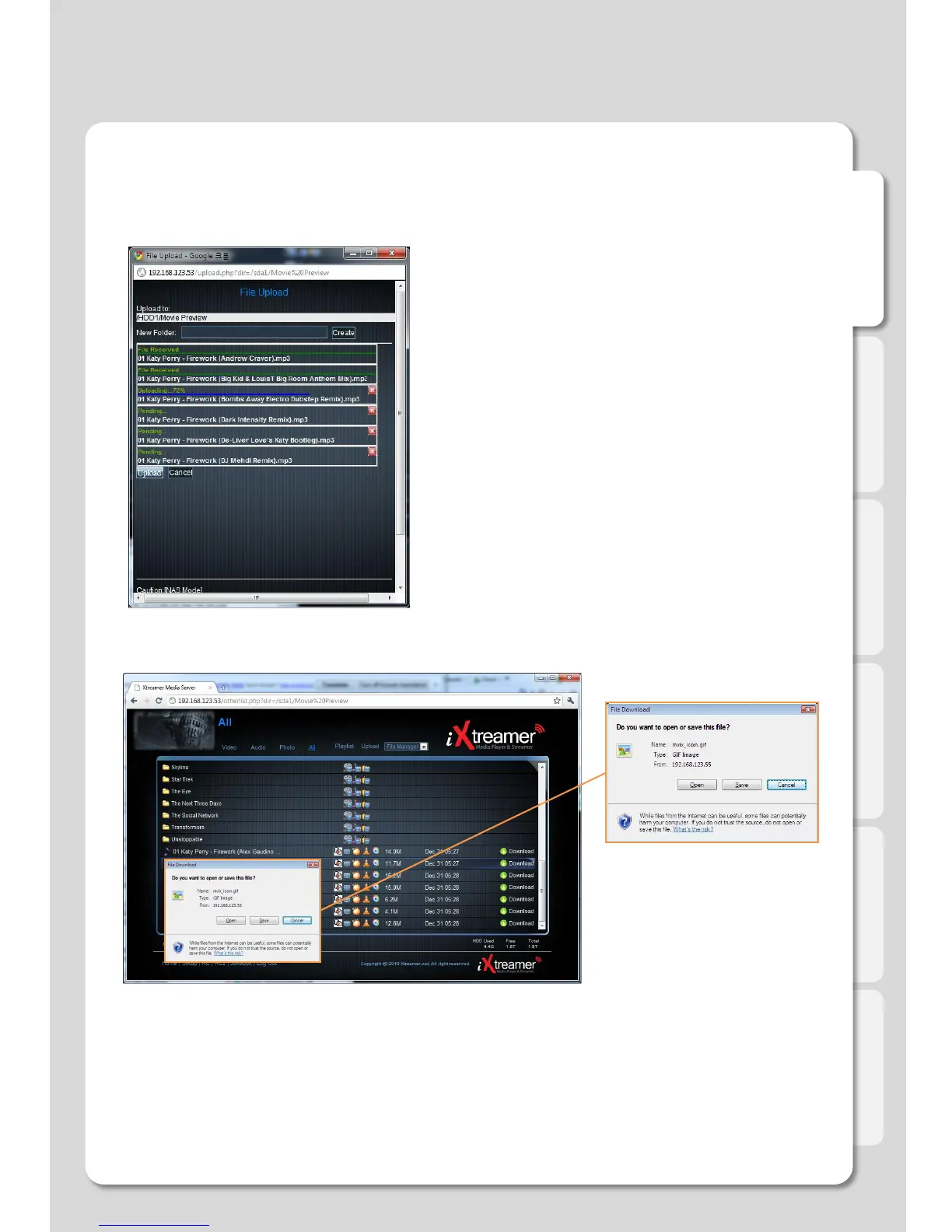
How to Upload to Web Server
1. If you click [Upload] button, window will be popped up
(refer to the next image), and then add up files here.
2. Click [Upload] button leads to automatic uploading.
(Uploading in excess of 2GB is impossible due to
capacity limitation of web browser)
3. The list of uploaded files will disappear when the
upload is finished.
How to download files
1. Click on the file you want to download via UPnP.
2. We’d recommend to use the latest version of UPnP web browser which provides a connection link in
order to run GOM/VLC/WMP Player properly.
Web Server
Advanced Users Guide



 To Next Page