English
29
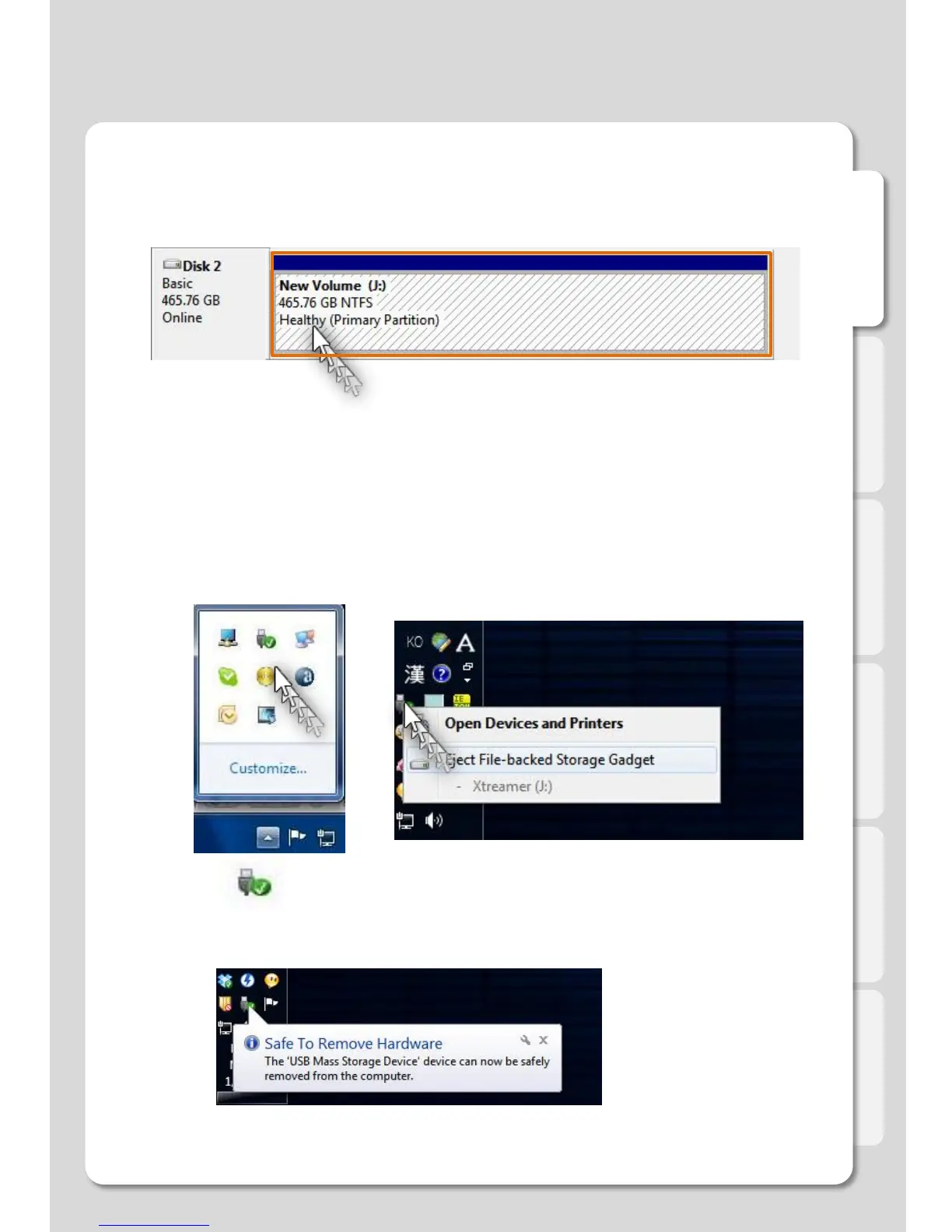
Click the icon on desk bar, click the Eject disk (Safe to remove).
13. Complete hard disk format.
Copy the media files on your internal hard drive.
14. Use "Safely Remove Hardware" utility before disconnecting the USB cable to avoid loosing data.
Disconnect USB cable.
12. After the process is complete you will see the capacity and hard disk state as shown below.
HDD format on PC
Settings



 To Next Page