English
62
1
2
3
5
4 6
Major Function
RC Button Description
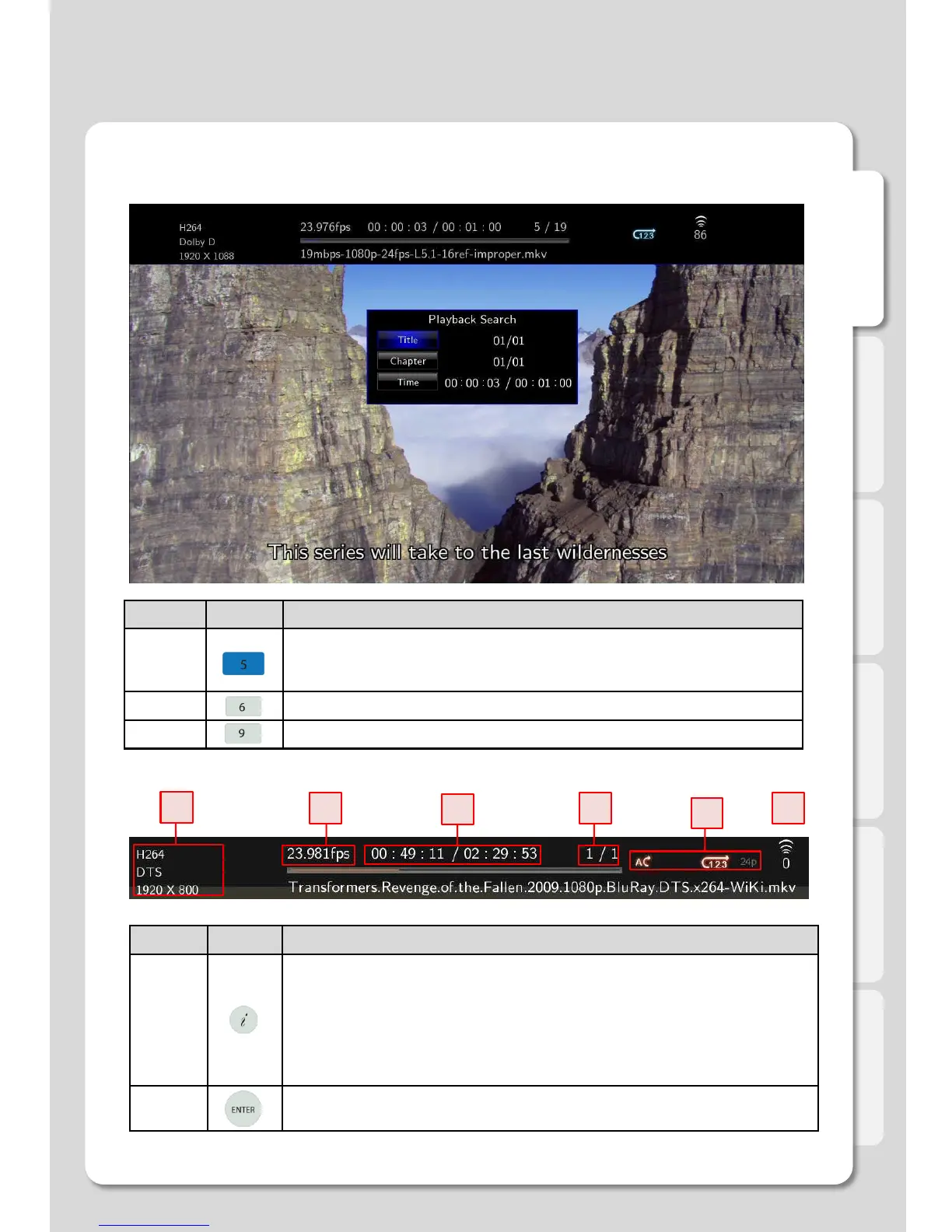
INFO
It displays file information which is being played.
1. It displays codec information and resolution for video and audio.
2. It shows frame rate FPS.
3. It displays total running and current running time.
4. It provides the figure of all file lists and present playback lists.
5. It supports current status information of “Repeat/ A-B Repeat/Shuffle/24P film”.
6. It displays the figure of WiFi wireless signal intensity.
ENTER
- It activates the item you selected.
- It moves forward frame by frame after pressing [PLAY/PAUSE] button to stop.
RC Button Description
GOTO
1. Title: It shows movie title lists and change playback file.
2. Chapter: It provides moving to next (or previous) Chapter.
3. Time: It provides moving to the point where you want to start from.
MENU Shows MENU Window during playing DVD Title File.
TVOUT It changes TV output type.
1. Movie Playback Function of Media Library
Usage of Remote Control key functions during playback



 To Next Page