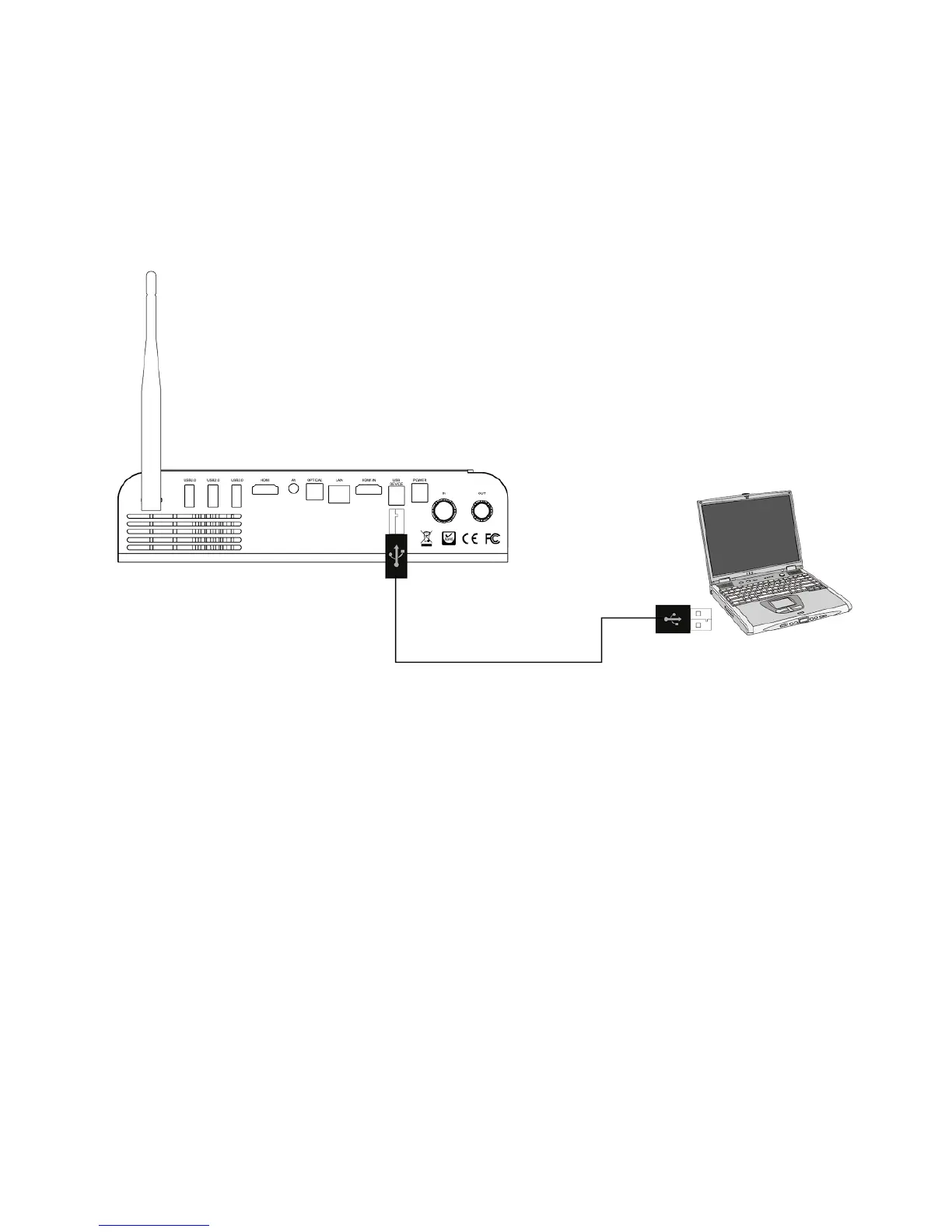
Connect your Xtreamer Prodigy 4K to a PC
f*1!@':!@*::&@$!.*1%!)%*+,-.!/0!$*!'!W,:+*F2!)O!12,:-!'!2='G&!IZ7!@*::&@C*:K!Z,(<=.!@*::&@$!$>&!@'9=&l!
2F,$@>!$>&!+&G,@&!*:!':+!.*1%!)O!F,==!(*1:$!,$!'2!':!&M$&%:'=!2$*%'-&!+&G,@&K!L>,2!,2!12&81=!8*%!$%':28&%%,:-!
='%-&!'(*1:$2!*8!+'$'!*:!.*1%!,:$&%:'=!QRRK!
V*$&\!*:=.!F*%A2!,8!.*1!>'G&!':!,:$&%:'=!>'%+!+%,G&!,:2$'==&+!
First boot
Connect the power cord to your Xtreamer Prodigy 4K and the other end to a power outlet. !
Turn on your TV and make a selection from the input type settings – these will depend on your TV.



 To Next Page