English
6
Hard-Disk Installation
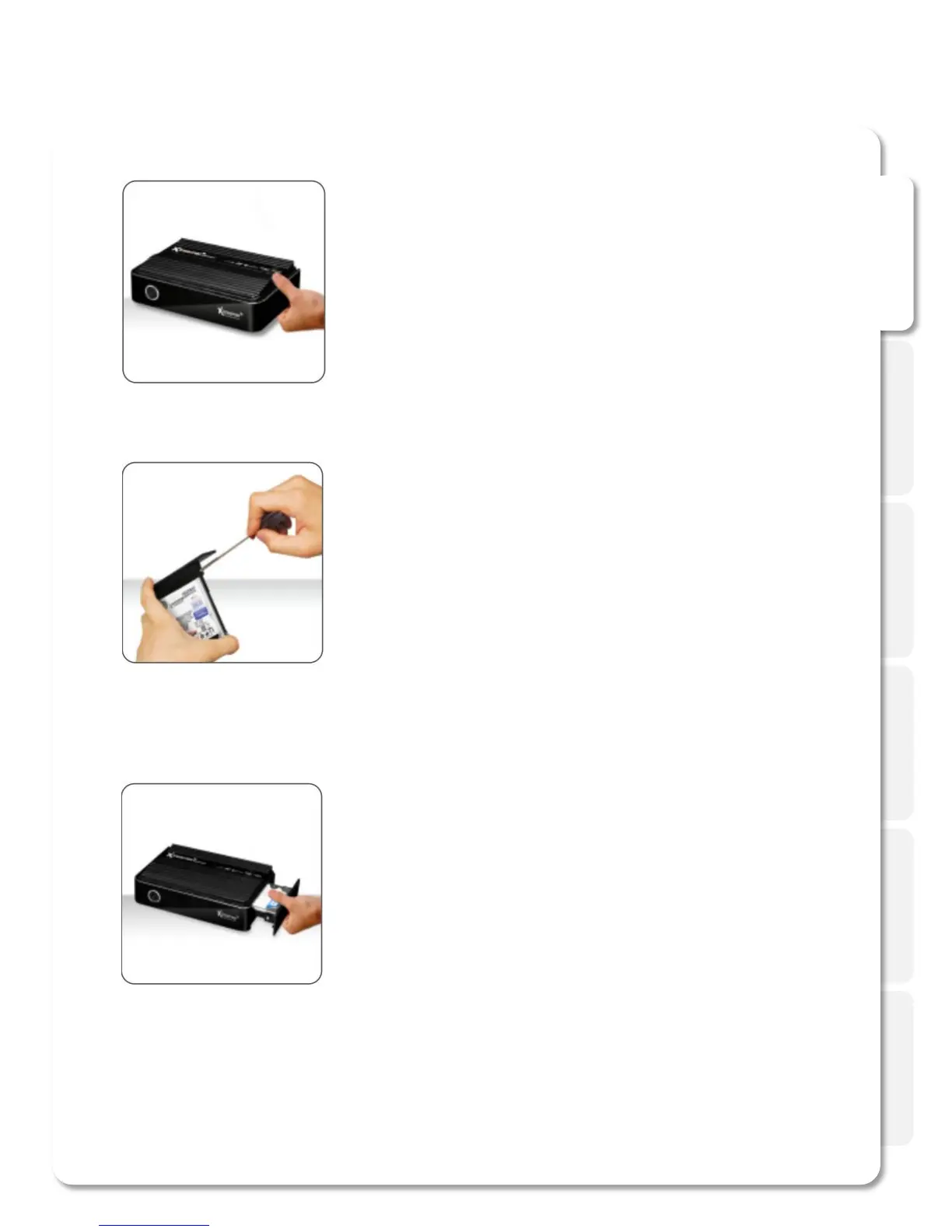
Open the hard disk cover on the
front panel
Connect the HDD guard to a 2,5” HDD as shown
on the picture. Fasten the screws.
As shown here, slowly and carefully push the HDD
guard together with the HDD into the main body of
Xtreamer SideWinder 3.
01.
02.
03.



 To Next Page