English
89
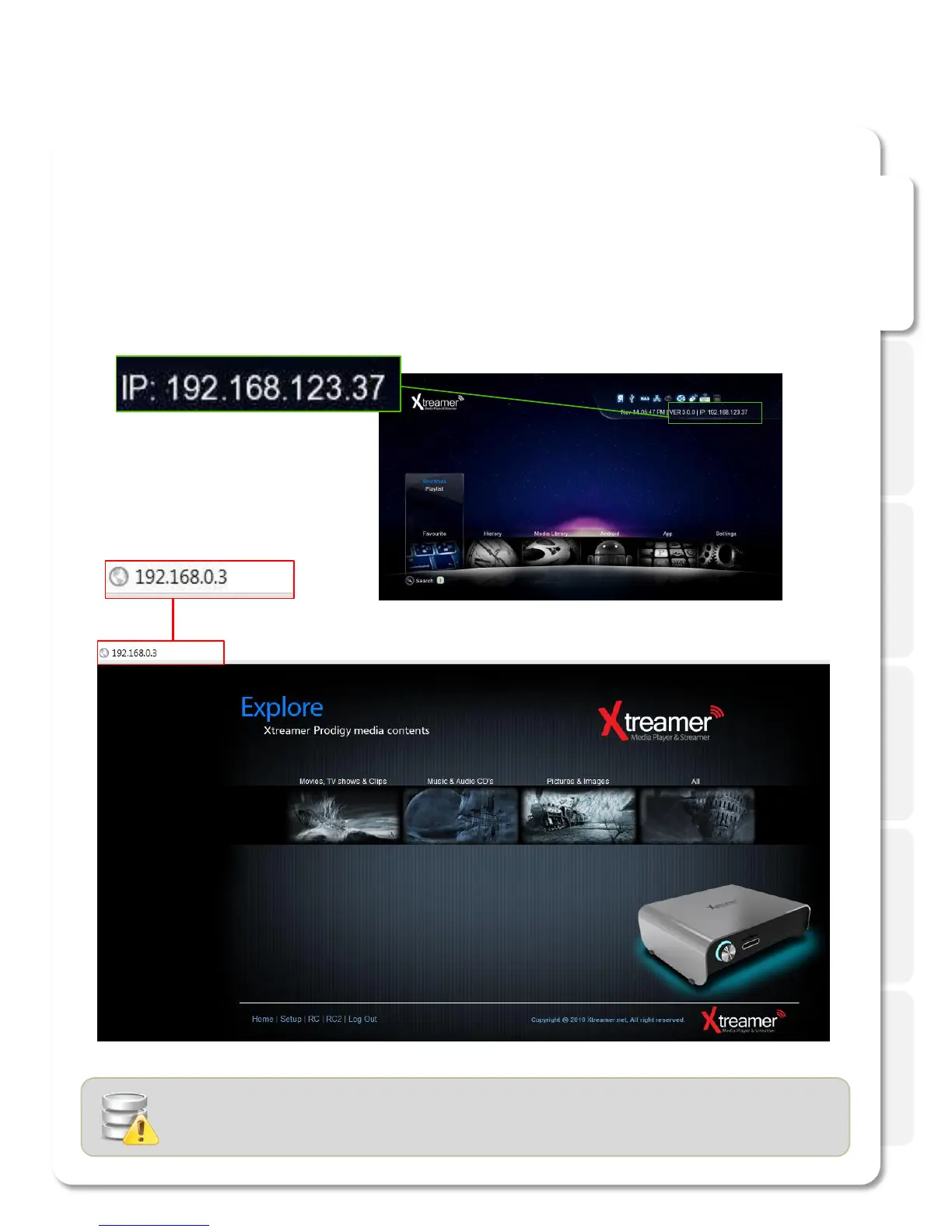
Connect to Web UI
In order to use “Web Server” Xtreamer player needs to be connected to a computer via network
1. Firstly, check the player IP.
2. Enter the allocated IP address of Xtreamer in browser URL address bar. The PC and Xtreamer need to be the
same local network.
- We’d recommend to connect to wired network to use Web Server.
- Use the latest version of your browser.
- MS IE6 many not work properly with the Xtreamer Web UI.
Initial Setting for Web Server connection



 To Next Page