Xtreme Power Conversion Corporaon
M90U-80 & 140 User’s Manual
Page 71
Uninterrupble Power Supply
7.2 Replacement Procedures of the STS Module
Warning:
Conrm the UPS is operang in Maintenance Bypass Mode.
1. Follow Secon “3.3.3.1 Transfer to maintenance bypass” procedure to transfer UPS into Maintenance By-
pass operaon.
2. Remove the screws on both sides of the front panel of the module and pull the module out from the cabi-
net.
3. Aer servicing the module, push the module into the cabinet and ghten the screws on both sides.
4. Follow chapter “3.3.3.2 Transfer to UPS Protecon” procedure to transfer UPS into Bypass operaon
5. Press menu > control > system turn on > YES to turn UPS on.
7.3 Replacement Procedures of the Baery Module
Warning:
Conrm the types of baery are the same.
1. Remove the xing screws on both sides of the front panel of the module, and pull out the baery module.
2. Push the new baery module into cabinet and secure it with screws on both sides of the front panel.
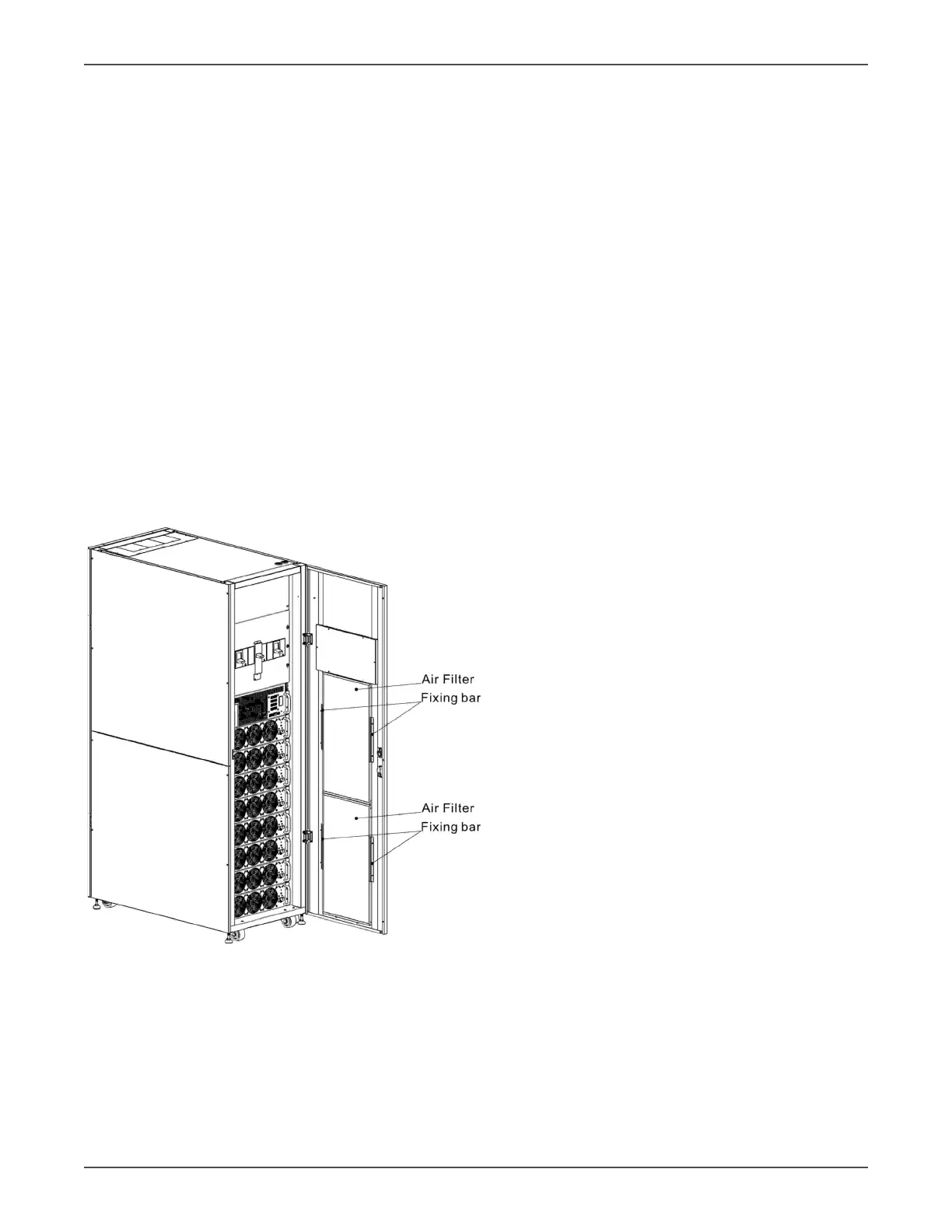
7.4 Replacement Procedures of the Air Filter
As shown below, the UPS provides two air lters on the rear of the front door. Each lter is secured by a xing bar
on both sides.
The replacement procedures of air lter are as follows:
1. Open the front door of the UPS. The air lters are on the rear of the door.
2. Remove a xing bar on either side of the air lter.
3. Remove the air lter, and insert a clean one.
4. Replace the xing bar.



 To Next Page