Page: 11 / 13
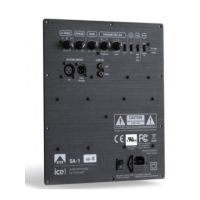
1 POWER ON
Power on/off
The regulation takes a few minutes before
it becomes completely stable. During this
time high listening volumes should be
avoided.
Green - works normally with output,
Green led blinks - there is signal, but the
unit does not enter work state completely.
Red - standby and protect
2 CLASS A/AB
Change between Class A and AB
Class A mode uses a higher nominal
quiescent current through the output
stage, which in turn produces more heat
dissipation. The output transistors heat
the cooling sink, and the temperature is
measured by a sensor, feeding the
information back to the output stage, thus
regulating the bias.
The regulation takes a few minutes before
it becomes completely stable. During this
time high listening volumes should be
avoided.
Red led for Class A,
Green led for Class AB
3 SPEAKER
TERMINALS Right
Speaker outputs
4 SPEAKER
TERMINALS Left
Speaker outputs
5 BALANCED INPUT
Right
XLR inputs.
6 UNBALANCED
INPUT Right
RCA inputs
7 SWITCH
BALANCED/UNBAL
ANCED Right
To switch between balanced and unbalanced
(Right)
8 UNBALANCED
INPUT Left
RCA inputs
9 BALANCED INPUT
Left
XLR inputs
10 SWITCH
BALANCED/UNBAL
ANCED Left
To switch between balanced and unbalanced
(Left)
11 TIME SET
Setting the standby time
1hour, 30 min & 10 min
12 ALWAYS ON/
AUTO
Switch to set Always on or Auto.
When Auto is used, time set is setting the
time.
13 STEREO
MODE/BRIDGE
MODE
Switch for Stereo mode or Bridge mode
14 VOLTAGE
Changing between 115V and 230 V
15 AC INPUT
For the power chord



 To Next Page