EasyManua.ls Logo

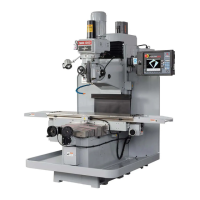
XYZ Machine Tools SMX 4000 - User Manual

Default Icon
171 pages
Print Icon
To Next Page IconTo Next Page
Loading...
XYZ
ProtoTRAK BED MILLS
SMX 2500, 3500, 4000 & 5000
Safety, Installation, Maintenance, Service
& Parts List Manual
Document: 25093
Version: 042016
Covers Models:
SMX 2500
SMX 3500
SMX 4000
SMX 5000
XYZ Machine To ols Ltd.
Woodlan ds B usi ness Pa rk
Burlescombe , Tiverton, Devon EX 16 7 LL
T: 0182 3 67420 0 F: 01 823 674201
e-mail: sales@ xyzmachi netools .com
www.xyzmac hine tool s.co m

Table of Contents

Questions and Answers

  • C
    Charlene TorresAug 25, 2025
    Why do parts have incorrect dimensions when using my XYZ Machine Tools SMX 4000 Power Tool?
    • J
      John HansonAug 26, 2025
      If the parts produced by your XYZ Machine Tools Power Tool have incorrect dimensions, several factors could be responsible: * **Machine Tool & Setup:** Consult Machine Tool & Setup Section 4.1 for potential issues. * **Programming Error:** Review the program for errors such as transposed numbers, incorrect tool diameters, or using INC SET instead of ABS SET. * **Configuration File:** Verify that the configuration file (Code 313) does not read default values, as this file contains calibration and backlash constants. * **Calibration or Backlash:** Recalibrate the machine, reset the backlash, and check repeatability and positional accuracy.
  • K
    Kelly CastanedaAug 27, 2025
    How do I eliminate vibration in motion on my XYZ Machine Tools Power Tool?
    • C
      Cheyenne TerryAug 27, 2025
      To address vibration during motion on your XYZ Machine Tools Power Tool, consider the following: * **Backlash:** Recheck the machine's backlash if too much backlash is entered in Code 128 or Code 11. * **Lubrication:** Ensure all Way surfaces are adequately lubricated. * **Gibs:** Check the adjustment of the X, Y, and Z-axis Gibs. * **Gib Contact:** Pull the gibs out and mark them with a blue die to check where they are making contact. * **Drive Train:** Check Repeatability using the Repeatability and Positional Accuracy procedure to identify binding or looseness. * **Axis Motor Belt:** Loosen the belt if it's too tight. * **Ball Screw Alignment:** Refer to Mechanical Drive Train (X, Y) Section 4.2 for ball screw misalignment.
  • F
    Frank ZavalaAug 28, 2025
    What should I do if my XYZ Machine Tools SMX 4000 system will not boot up?
    • E
      Edward RayAug 28, 2025
      If your XYZ Machine Tools Power Tool system fails to boot up, check the following: * **Flash Drive:** When the Computer Module starts the boot-up process, look at the 8th line on the Display Screen for any errors related to the flash drive. * **Computer/Pendant:** Refer to Computer/Pendant diagnostics Section 4.3 to troubleshoot potential computer or pendant failures.
  • S
    samantha06Aug 29, 2025
    Why is the axis motor motion not smooth on my XYZ Machine Tools Power Tool?
    • P
      perezrickeyAug 29, 2025
      If the axis motor motion on your XYZ Machine Tools Power Tool is not smooth, consider these potential causes: * **Gibs:** Check the adjustment of the X, Y, and Z-axis Gibs using the X, Y, and Z-axis Gib adjustment procedures. * **Scale:** Ensure the Scale is installed correctly according to the manufacturer’s instructions. * **Calibration/Backlash:** Recalibrate the machine, reset the Backlash, and check Repeatability and Positional Accuracy. * **Drive Train:** Check Repeatability using the Repeatability and Positional Accuracy procedure to identify any binding.
  • D
    Debbie HarrellSep 23, 2025
    What causes the X, Y, and Z-axis DRO to count in the wrong direction on my XYZ Machine Tools Power Tool?
    • X
      xcalderonSep 23, 2025
      If the X, Y, and Z-axis DRO on your XYZ Machine Tools Power Tool is counting in the wrong direction, the issue is likely: * **3-Phase Sequence:** Swap any two wires leading to the spindle motor to correct an incorrect 3-Phase sequence.
  • X
    xramosSep 18, 2025
    What causes the spindle to run backwards on my XYZ Machine Tools Power Tool?
    • J
      John AlvarezSep 18, 2025
      If the spindle on your XYZ Machine Tools Power Tool is running backwards, the likely cause is: * **3-Phase Sequence:** Swap any two wires leading to the spindle motor to correct an incorrect 3-Phase sequence.
  • S
    Sharon HolmesSep 23, 2025
    Why does the display blank on my XYZ Machine Tools SMX 4000?
    • P
      prestonbrandySep 23, 2025
      If the display on your XYZ Machine Tools Power Tool blanks, check these potential causes: * **Screen Saver:** Press any key to turn the display back on if the screen saver has been activated. * **System Shutdown:** Turn the power switch off, then check the computer/pendant fuses and cable connections if the system has shut down. * **Fuse:** Remove the fuse and check continuity if a fuse is blown in the pendant. * **Display/Computer/Pendant:** See Computer/Pendant Section 4.3 if the display, computer, or pendant has failed.
  • R
    rodgersmonicaSep 12, 2025
    How do I fix a limit switch error on my XYZ Machine Tools SMX 4000 Power Tool?
    • J
      Jesse StricklandSep 12, 2025
      To address a limit switch error on your XYZ Machine Tools Power Tool, try these steps: * **Limit Switches:** Reset the Limit Switches using the procedure described above if they are triggered. * **Cable Connection:** Check the Limit Switch Cable connection for any pins that are loose, pushed in, or bent. * **Limit Switch:** Try swapping over 2 limit switch cables on the cable breakout box to test for a Limit Switch failure.
  • A
    Amy BowenSep 6, 2025
    What causes the axis to search on my XYZ Machine Tools SMX 4000 Power Tool?
    • T
      Tanya MendezSep 6, 2025
      An axis searching on your XYZ Machine Tools Power Tool can be caused by: * **Backlash Compensation:** Check physical backlash in the system and re-enter it in code 128, as excessive backlash compensation is a common cause. * **Feed Forward Values:** Check ball screw torque if high feed forward values are present. * **Friction:** Ensure proper lubrication, gib adjustments, and unlocked gib locks to address excessive friction in the sliding ways. * **Drive Train:** Check the drive train of the axis that is searching for any looseness.
  • W
    wbaileySep 8, 2025
    What causes the Z-axis to be noisy on my XYZ Machine Tools SMX 4000?
    • K
      Karen HodgeSep 8, 2025
      If the Z-axis on your XYZ Machine Tools Power Tool is noisy, consider these possible causes: * **Machine Tool and Setup:** Check for any looseness in the setup (Tool, Tool holder, Part, Vice, or Fixture). * **Lubrication:** Ensure all the Way surfaces are getting proper lubrication. * **Gibs:** Check the adjustment of the Z-axis Gibs using the Z-axis Gib adjustment procedure. * **Mechanical Drive Train:** Look for misaligned ballscrews, or top and lower bearing failure. * **Motor Failure:** Replace the Z-axis motor if it has failed.

Summary

Safety

Safe Operating Information

Details crucial safety practices and precautions for machine operation.

Installation

Lifting and;or Moving the Machine

Details methods and precautions for safely lifting and moving the machine.

Levelling

Details the procedure and tolerances for leveling the machine accurately.

Electrical Connection

Instructions for connecting the machine to the electrical supply.

Lubrication

Details lubrication procedures for machine performance and longevity.

Troubleshooting by Symptom

Problems Relating To Machining Results

Addresses issues affecting the quality of machined parts.

Poor Finish

Addresses causes for rough or scalloped part finishes.

Taper Cut on a Programmed Straight Line Move

Explains causes of unwanted taper in straight line moves.

Parts Have Incorrect Dimensions

Deals with parts machined with incorrect dimensions.

Problems Regarding the Motion of the Machine

Troubleshoots issues related to machine axis movement.

Run Away Axis

Addresses axes making unwanted moves at rapid speed.

Slow Down Axis

Explains axes moving slower than programmed feedrate.

Axis Will Not Jog

Troubleshoots axes not responding to jog commands.

Axis Motor Motion is not Smooth

Addresses jerky or rough axis motion.

Problems Relating to the Operation of the Control

Troubleshoots issues with the machine control system.

Display Blanks

Troubleshoots a completely blank display screen.

Bad Picture on the Display

Addresses display issues like strange characters or rolling images.

Keyboard Lockup

Troubleshoots a non-responsive pendant keyboard.

Axes Fault (X, Y or Z)

Deals with fault messages interrupting program run or jogging.

Will Not Hold Calibration

Troubleshoots issues where the control loses its calibration.

Emergency Stop Error (E-Stop)

Troubleshoots E-stop related errors and system behavior.

Limit Switch Error

Deals with limit switch errors and procedures for recovery.

Problem with the Measurements

Troubleshoots issues related to axis measurements.

X, Y and Z-Axis Measurements Do Not Repeat

Addresses repeatability issues in axis measurements.

X, Y, and Z-Axis Measurements are not Accurate

Troubleshoots inaccuracies in axis measurements.

The DRO is not Counting

Deals with axes not being counted by the Digital Readout (DRO).

X, Y, and Z-Axis DRO Counting in Wrong Direction

Addresses DROs counting in the reverse direction for axes.

Problems with the Machine

Addresses general mechanical issues with the machine.

Spindle Stalls or Turns-Off During Machining

Troubleshoots spindle power loss or stalling during machining.

Spindle Motor Hums or Will Not Run

Addresses spindle motor humming or failure to start.

Diagnostics

The Machine Tool & Set-Up

Covers basic checks related to machine condition and setup.

The Mechanical Drive Train (X, Y)

Discusses troubleshooting procedures for the mechanical drive train.

Computer;Pendant Diagnostics

Discusses diagnosing issues with the computer and pendant modules.

Motor Diagnostics

Details how to diagnose motor and encoder issues.

Servo Driver Diagnostics

Discusses servo driver diagnostics and replacement procedures.

Measurements Do Not Repeat

Troubleshoots issues with scale measurement repeatability.

Electrical System

Covers electrical system diagnostics and checks.

Service Codes

Explains how to access and utilize various service codes for diagnostics.

Software Codes

Lists service codes related to software functions and versions.

Machine Set-Up Codes

Service codes used primarily for initial machine setup.

CODE 100: Axis Open Loop Test

Diagnoses system configuration, encoders, and AC voltage.

Diagnostic Codes

Service codes used for diagnosing specific machine problems.

Procedures for Replacements & Maintenance

Replacements

Procedures for replacing various machine components.

Servo Motor Replacement

Procedure for replacing a servo motor.

Servo Driver Replacement

Procedure for replacing a servo driver unit.

Pendant Replacement

Procedure for replacing the machine's pendant.

Ball Screw Replacement, X-Axis (Table) - 2500 & 3500

Procedure for replacing the X-axis ball screw on SMX 2500/3500 models.

Ball Screw Replacement, Y-Axis (Saddle) - 2500 & 3500

Procedure for replacing the Y-axis ball screw on SMX 2500/3500 models.

Ball Screw Replacement, X-Axis (Table) - 4000, 5000

Procedure for replacing the X-axis ball screw on SMX 4000/5000 models.

Ball Screw Replacement, Y-Axis - 4000 & 5000

Procedure for replacing the Y-axis ball screw on SMX 4000/5000 models.

Spindle Motor Removal and Replacement - 3500, 4000 & 5000

Procedure for replacing the spindle motor on SMX 3500/4000/5000.

Spindle Motor Removal and Replacement - 2500

Procedure for replacing the spindle motor on the SMX2500.

Spindle Replacement - SMX 2500

Procedure for replacing the spindle on the SMX2500.

Maintenance

Procedures for routine maintenance of the machine.

Gib Adjustments

Explains the objective and procedure for adjusting gibs for optimal movement.

Table Gib Adjustment, X-Axis - 2500 & 3500

Procedure for adjusting X-axis table gibs on SMX 2500/3500.

Gib Adjustment, X-Axis - 4000 & 5000

Procedure for adjusting X-axis table gibs on SMX 4000/5000.

Saddle Side Gib Adjustment, Y-Axis - 2500, 3500, 4000, & 5000

Procedure for adjusting Y-axis saddle side gibs.

Saddle Bottom Gib Adjustment, Y-Axis - SMX 2500 & 3500

Procedure for adjusting Y-axis saddle bottom gibs on SMX 2500/3500.

Calibration & Backlash Constants

Discusses calibration and backlash constant adjustments.

XYZ Machine Tools SMX 4000 Specifications

General IconGeneral
BrandXYZ Machine Tools
ModelSMX 4000
CategoryPower Tool
LanguageEnglish

Related product manuals