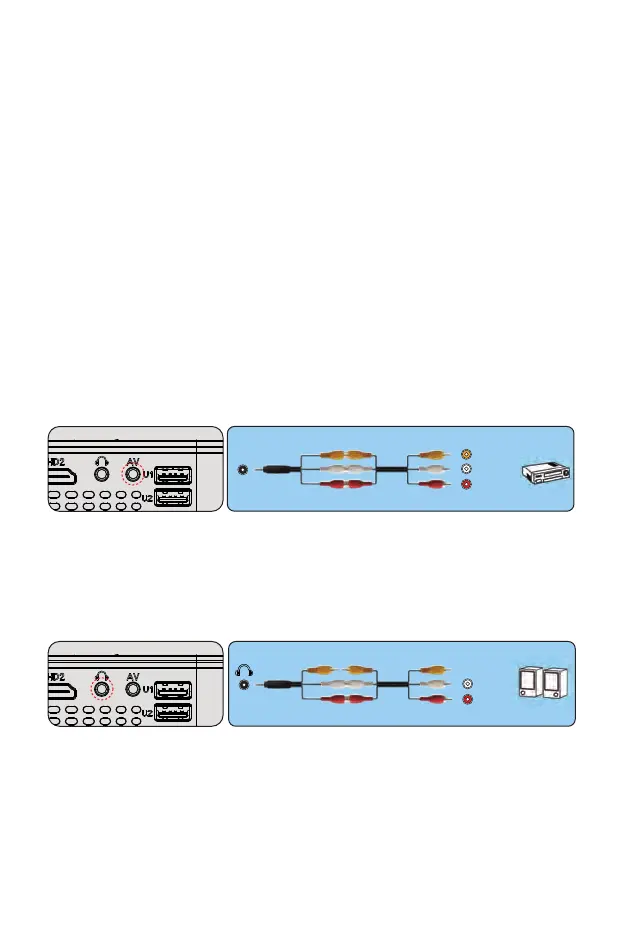
4. Connect the soundbar
1. Use the supplied AV cable to connect the soundbar to the projector.
2. Turn on the projector and the sound bar.
Connect a phone with IOS system:
1. Connect the projector and iPhone with Lightning-to-HDMI cable (not
included)
2. Choose the signal source: "HDMI"
Connect with an Anycast:
1: Plug in Anycast with the micro usb port and another usb port to your
power adapter.
2: Connect Anycast to your Projector's HDMI port and switch the
Projector source to HDMI.
3: You will see the Anycast main menu on the Projector screen.
3.Connecting a DVD player
1. Use the supplied AV cable to connect the DVD player to the projector.
2. Turn on the projector and DVD player.
If your player has an HDMI output, it is best to use it over the analog (AV)
option. Audio output must be configured from the DVD player menu if
external speakers are installed.
(3-in-3 AV cable not included)
(3-in-3 AV cable not included)
AV
video
audio out
(L/R)
audio out
(L/R)



 To Next Page