EasyManua.ls Logo

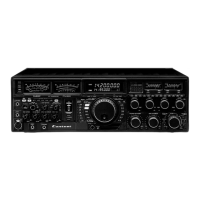
Yaesu FT-900 User Manual

Yaesu FT-900
75 pages
To Next Page IconTo Next Page
Page #1 background imageLoading...
Page #1 background image
Button/Knob Initial Setting function Manual Reference
fcw means fully clockwise fccw means fully counterclockwise
Power OFF (out) power up functions 13
Tuner ON (in) autotuner momentary ON/OFF ½ sec force tuning 20
Meter toggle TRX/TX, RX/TX/ALC, RX/TX/SWR 17,49
Proc
OFF
increase average power in SSB and AM 21
ATT IPO OFF/OFF reduce strong signals/turn off receiver RF amp 18
NB OFF noise blanker for pulse noise 18
Split Off hidden (back) freq xmits 25
Ham/Gen Ham tuning mode/general purpose band; up/down 15
Fast OFF tuning speed 16
Mox OFF (out) manually keys transmitter 47
Vox OFF (out) voice activated T/R switching
AGC-F ON (in) AGC decay time for fast recovery 18
Mic Gain
12 o'clock
Mic input for SSB and AM; watch ALC meter 20
RF Pwr OFF (fccw) 10 to 100 watts 47
Speed CW internal keyer speed
Keyer internal CW keyer 23
BK-IN CW mode
A/B VFO-A VFO selector toggle, ½ sec push equalizes A=B 26
V/M VFO-A toggle between VFO/Memory
V->M ½ sec push: VFO to currently selected memory 26
M->V ½ sec push: pair of freqs in memory to VFOs 26,28
Down/Up Band selection
Lock OFF tuning knob 17
CLAR OFF fine tuning AM/FM 18, 25
AF/SQL 10 o'clock/OFF (fccw) audio level/squelch
Notch/Shift 12 o'clock/12 o'clock Notch filter/shift center freq 18
Numeric BAND or <Ent> freq <Ent> 16
Keypad
Gen general purpose band
Power-Up Customization: Notch Down Up Fast FM Up+Down V/M Lock V->M Clar Meter
1
2
3
4
1
2
3
4

Other manuals for Yaesu FT-900

Question and Answer IconNeed help?

Do you have a question about the Yaesu FT-900 and is the answer not in the manual?

Yaesu FT-900 Specifications

General IconGeneral
Frequency Range RX0.1 - 30 MHz
ModesSSB, CW, AM, FM
Image Rejection70 dB
IF Rejection70 dB
Supply Voltage13.8 VDC
Current Drain TX20 A
Frequency Range TX1.8-30 MHz
Power Output100 W
Receiver Sensitivity0.16 μV (SSB, CW)
Audio Output Power2.5 W

Summary

Specifications

Station Installation

Connector Pinouts

Detailed pinout diagrams for various connectors.

Connecting a Linear Amplifier

Procedure for connecting linear amplifiers for T/R switching.

Power-Up Customization & Button Combination Settings

Power-Up Functions

Customizing transceiver functions by holding buttons during power-up.

FAST Button Combinations

Using FAST button combinations for settings and troubleshooting.

Operation

Getting Started Tutorial

A guide to basic transceiver operation and controls.

Meter Functions

Explanation of the multi-function digital bargraph meter.

Front End Selections: RF Amp (IPO) & ATTenuation

Adjusting RF amplifier and attenuator for signal reception.

Transmitting

Guidelines and procedures for transmitting.

VOX (Voice-Actuated T/R Switching)

Setting up and using Voice-Actuated T/R switching.

Clarifier (Receiver Offset Tuning)

Using the Clarifier to adjust receiver frequency offset.

VFO B & Split Frequency Operation

Using VFO B and split frequency operation.

Memory Features

Overview of memory storage and functions.

Memory Storage

Procedure for storing data into memory channels.

Checking Memory Contents

How to check memory contents without affecting operation.

Memory Recall & Operation

Recalling memories for operation.

Scanning Features

Overview of memory scanning capabilities.

Band & Subband Scanning: Subband Limit Memories P1 ~ PO

Using PMS memories to limit scanning to specific frequency ranges.

Optional DVS-2 Digital Voice Recorder

Features and operation of the DVS-2 digital voice recorder.

Transmitter Adjustment

Adjusting transmitter settings for digital modes.

Front Panel Controls

Overview of all front panel controls and their functions.

Meter Functions & Display Indications

Interpreting meter readings and display indicators.

Rear Panel

Description of all rear panel connectors and features.

CAT System Interface

CAT System Computer Control

CAT Commands

Related product manuals