Page 5
3. Writing config and memory channel data to the radio
(Note: If data had just been read from the VR-500, the tk500 must be restarted prior to
programming commencing).
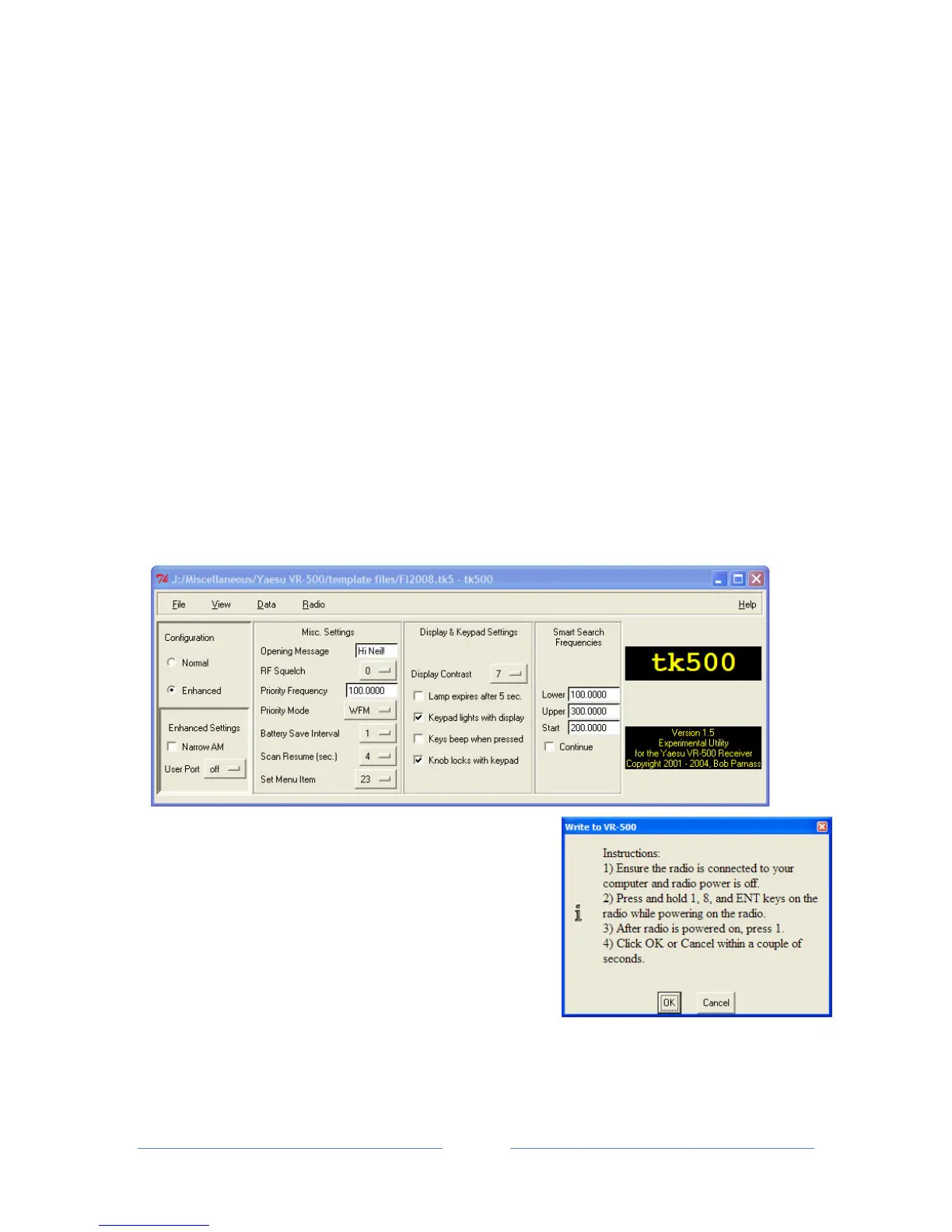
• In the tk500 software, go to File, Open and select the appropriate .tk5 file.
• Choose ‘Write to radio' in the 'Radio' menu.
• Follow the instructions in the box that opens, i.e. Hold down the 1, 8 and ENT key whilst
switching the VR-500.
• Once the scanner is on, press '1' on the VR-500 keypad and immediately afterwards click
‘OK’ in tk500.


 To Next Page