30 CP4 STAGE/CP40 STAGE Reference Manual
Design of the CP4 STAGE & CP40 STAGE
Reference
Performances
Editing Performances
Common Edit Area
01: Chorus Effect
02: Reverb Effect
03: General
04: Name
Part Edit Area
01: Play Mode
02: Filter/EG
03: Effect-A
04: Effect-B
05: Controller
06: Receive Switch
Master Keyboard Area
Job Area
01: Recall
02: Copy
03: Bulk
Store Performance Function
Compare Performance Function
File Area
01: Save
02: Load
03: Rename
04: Delete
05: Format
06: Memory Info
Utility Area
01: General
02: MIDI
03: Controller
04: MasterComp
05: Master EQ
06: Panel Lock
Utility Job Area
01: Factory Set
02: Version
Appendix
Compare Performance Function
Using the Compare Performance function, you can compare the Performance currently being
edited with its unedited version. An area of memory known as the Compare buffer (page 12) is used
to maintain a copy of the unedited version of the current Performance. As described below, this
allows you to toggle between the edited and unedited versions of the Performance in order to
determine which one sounds better.
NOTE The content of the Compare buffer is lost when the instrument is turned off.
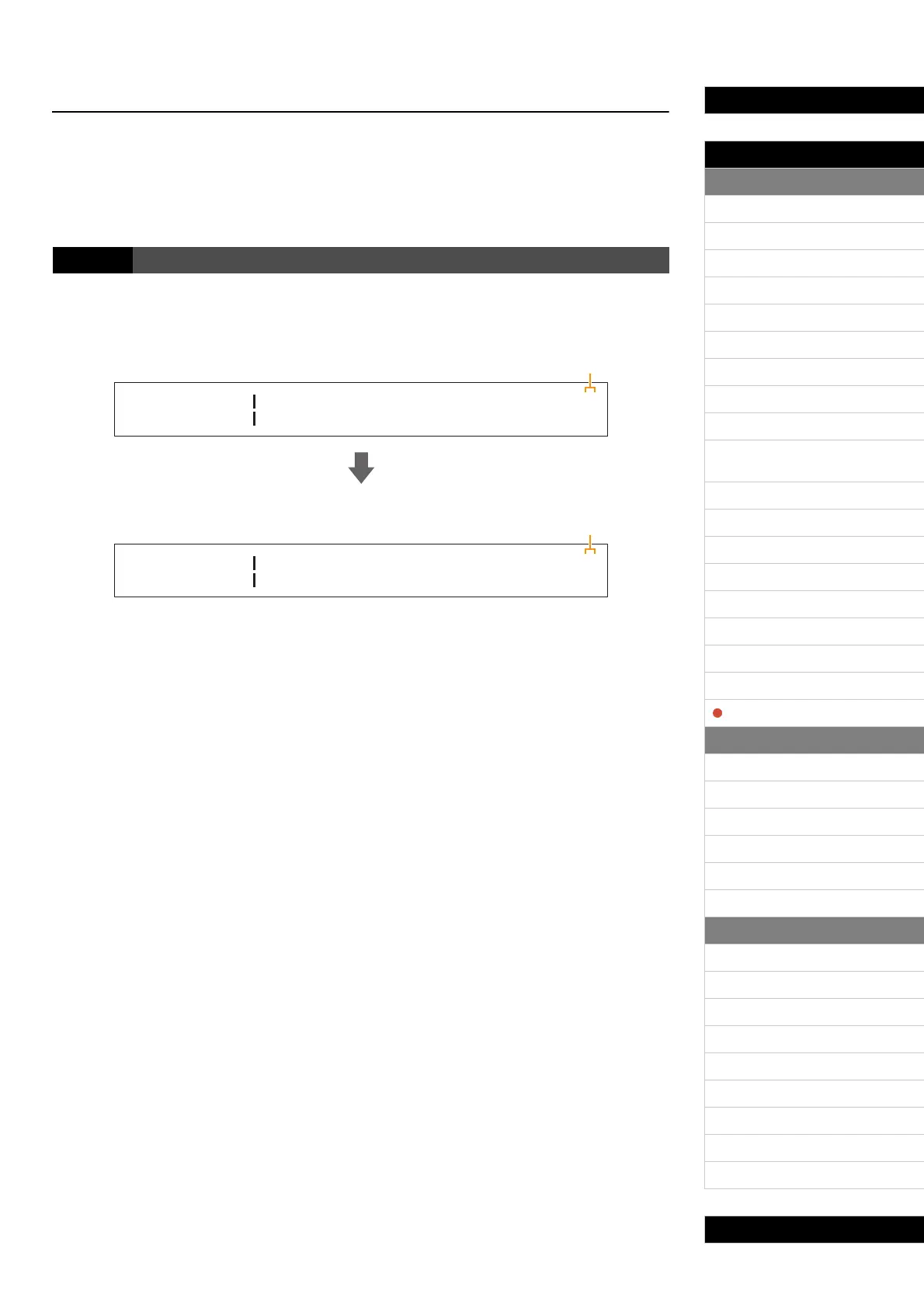
The following screenshots illustrate how, for example, the Compare Performance function can be
used when editing Part parameters on the Play Mode screen from the Performance Part Edit area.
Editing parameters:
Unedited version of Performance in Compare mode:
1 Edit symbol (E)
This symbol is displayed when the current Performance has been edited but not yet stored.
2 Compare symbol (C)
This symbol is displayed when Compare mode is active. At this time, the parameters will show their
unedited settings. In addition, the [EDIT] button will flash while comparing, and it can be pressed
once again to cancel this mode and return to the edited version of the Performance.
NOTE It is not possible to select a different Performance or to edit Performance parameters while in Compare
mode (i.e., while the Compare symbol is displayed at the top-right of the screen).
Procedure Press the [EDIT] button while editing a Performance.
Part:MAIN
PlayMode
E
D
Volume
100
Pan Gain
R C100
1
Press the [ENTER] button.
Part:MAIN
PlayMode
C
D
Volume
115
Pan Gain
RR20 100
2


 To Next Page