41 CP4 STAGE/CP40 STAGE Reference Manual
Design of the CP4 STAGE & CP40 STAGE
Reference
Performances
Editing Performances
Common Edit Area
01: Chorus Effect
02: Reverb Effect
03: General
04: Name
Part Edit Area
01: Play Mode
02: Filter/EG
03: Effect-A
04: Effect-B
05: Controller
06: Receive Switch
Master Keyboard Area
Job Area
01: Recall
02: Copy
03: Bulk
Store Performance Function
Compare Performance Function
File Area
01: Save
02: Load
03: Rename
04: Delete
05: Format
06: Memory Info
Utility Area
01: General
02: MIDI
03: Controller
04: MasterComp
05: Master EQ
06: Panel Lock
Utility Job Area
01: Factory Set
02: Version
Appendix
Display
SliderFnc
(Slider Function
Display Switch)
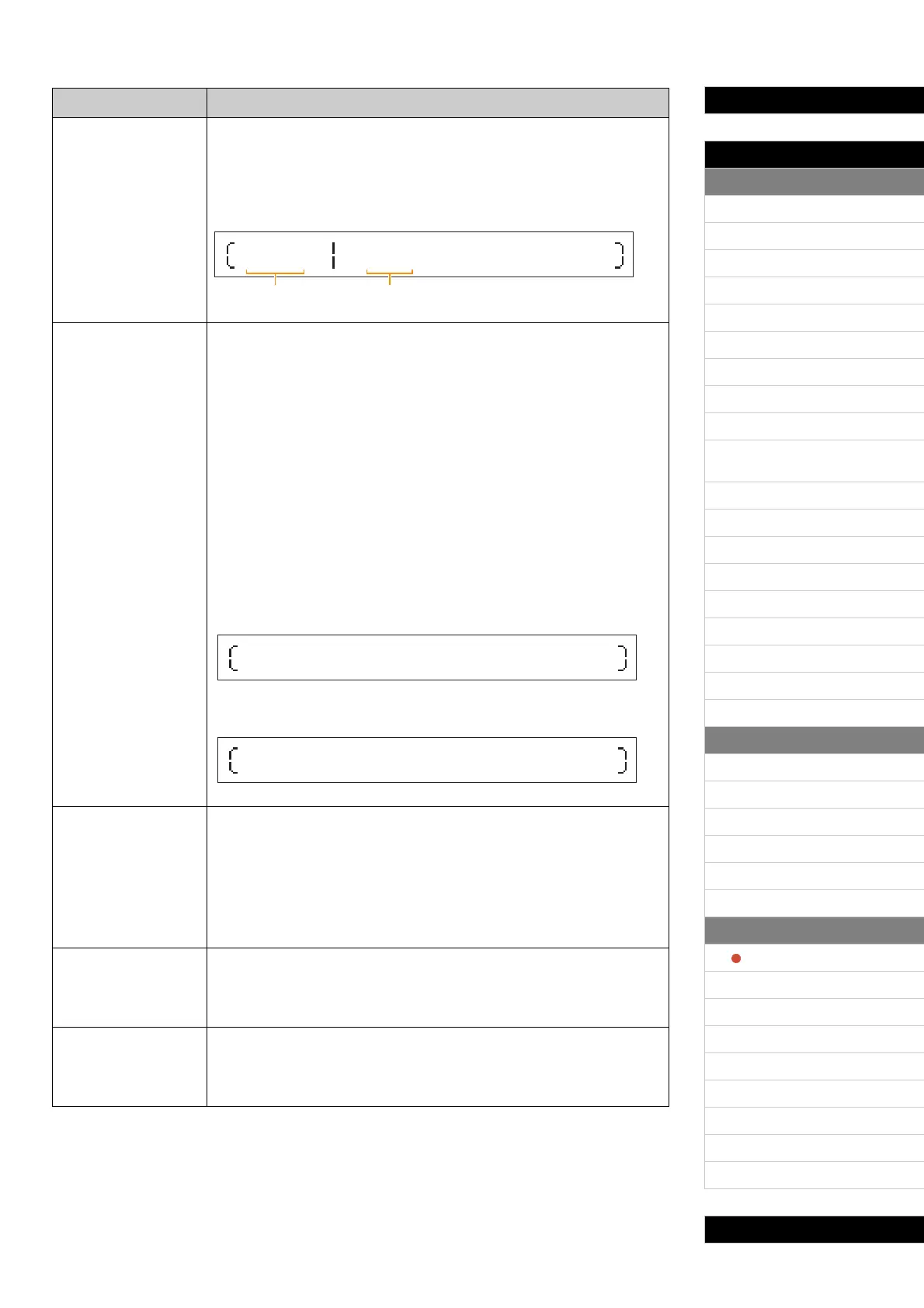
This parameter can be used to specify whether or not the Slider Function
screens, which display the parameters (or functions) assigned to the Part
sliders as well as their current values, should be automatically displayed
when the control panel’s [SLIDER FUNCTION] button is pressed.
Settings: off and on
A slider function screen:
(Illustration shows a CP4 STAGE screen.)
Time
(Slider Display Time)
This parameter can be used to specify how, when the Part sliders and
MASTER EQ sliders are operated, the corresponding popup screens should
be displayed.
Part sliders: The Time parameter specifies whether or not a popup screen
(see below) showing the current value of the parameter assigned to the
slider in question should be displayed, and if so, how long the instrument
should wait before returning to the previous screen.
MASTER EQ sliders: The Time parameter specifies whether or not a popup
screen (see below) showing the current gain setting for the band in question
should be displayed, and if so, how long the instrument should wait before
returning to the previous screen.
Settings: off, 1sec, 1.5sec, 2sec, 3sec, 4sec, 5sec, and keep
off: Popup screens will not be displayed.
1sec to 5sec: A popup screen will be displayed when a slider is operated and will
automatically disappear 1 to 5 seconds later.
keep: A popup screen will be displayed when a slider is operated and will not
disappear until another button is pressed.
Screen displayed when a Part slider is operated:
(Illustration shows when ChoSend settings are adjusted for the Main Part.)
Screen displayed when a MASTER EQ slider is operated:
(Illustration shows a CP4 STAGE screen.)
AutoOff
(Auto Power-Off Time)
The Auto Power-Off function turns off the instrument after a certain period of
inactivity, and this parameter can be used to set the length of that period.
The default setting for this parameter is “30min”.
Settings: off (i.e., instrument is not turned off automatically), 5min, 10min, 15min,
30min, 60min, and 120min
NOTE You can conveniently set the AutoOff parameter to “off” by turning on the
instrument with the left-most key held down. In addition, the “off” setting will
be automatically stored at this time.
StartUp
This parameter can be used to select the Performance to be shown on the
Performance screen, which is displayed immediately after the instrument is
turned on.
Settings: 001 to 128
Contrast
(LCD Contrast)
This parameter can be used to adjust the contrast of the instrument’s LCD.
Settings: 1 to 8
NOTE You can also adjust the contrast by pressing the [-1/NO] and [+1/YES]
buttons with the [UTILITY] button held down.
Parameter name Description
SLIDER SPLIT
Volume 100
LAYER MAIN
80 100
Assigned parameter Current value
Part:MAIN
1
ChoSend
00
Low LowMid Mid
+ 0dB +0dB + 0
HighMid High
dB + 0dB + 0dB



 To Next Page