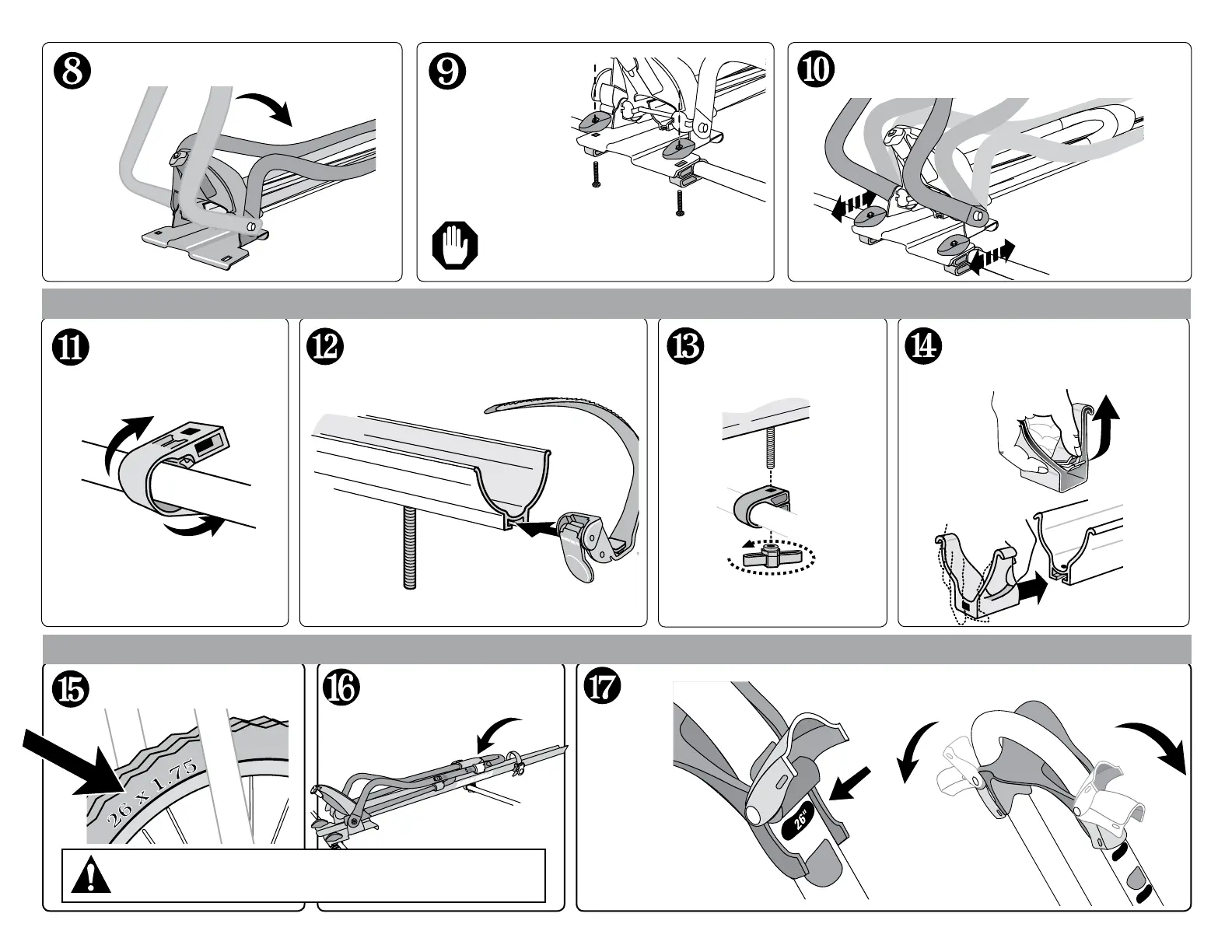
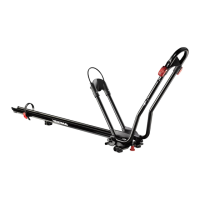
Fold hoops down
Align knobs to craddle front hoop in the open
position.
1032932K-3/15
With red levers
open, slide the
wheel grip until the
lever is just above
the appropriate
wheel number.
The lever will "SNAP" when fully closed and will
cover the chosen number.
Wheel Setting
Find your front wheel size.
DO NOT USE MOUNT WITH WHEELS UNDER 20"
Secure rear of mount
• Install the carriage bolt.
• Install the wheel strap with the red
button toward you.
Lift the tab on the end cap while
pushing. Push until the tab goes
into the hole.
(The strap may need to go on first
depending on the bike-to-bar fit.)
Fold hoops down.
• Place assembly onto
crossbar.
• Insert bolts from
below and tighten
oblong knobs.
Align contours in knobs to craddle front hoop
in the open position.
Attach SnapAround
to crossbar
Align the bolt to
the SnapAround or
MightyMount and insert
into the square hole.
ATTACH THE HEX KEY AND
TIGHTEN COMPLETELY.
Adjust wheel
grip to fit your
wheel size.
If using mighty mounts, insert bolts from
above and tighten oblong knobs.


 To Next Page