To control and manage the lock from
anywhere, you will also need Yale
Connect to connect the lock to the
Internet via your existing home network.
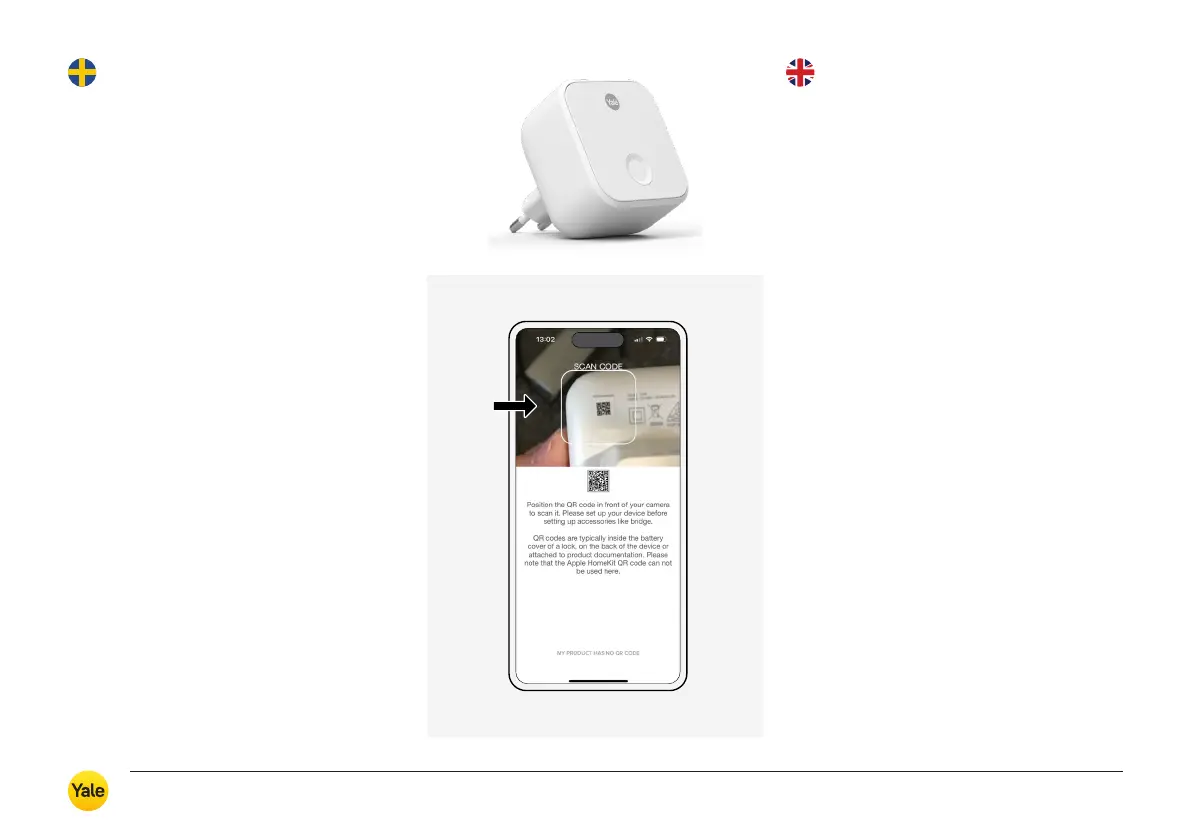
Install the Yale Connect Wi-Fi Bridge
After adding Yale Connect following connection
of the lock and Yale Home, you can make full
use of the lock’s features and integrate it with
other Smart Home components and voice
assistants. NOTE! For security reasons, certain
settings and functions require you to be in the
immediate vicinity of the lock.
We recommend inserting Connect in a wall
socket within 4 metres of the lock. Your
smartphone needs to be connected to your
home Wi-Fi network.
Yale Connect only supports 2.4 GHz networks.
On some networks, you must actively connect
your smartphone to the 2.4 GHz network
before connecting Yale Connect.
1. Go to the menu in Yale Home
and select ‘Set up a new device’.
2. Scan the QR code on the back
of the Yale Connect Wi-Fi Bridge.
3. Follow the steps in the app.
Installera
Yale Connect
För att kunna styra och administrera
ditt lås var du än befinner dig, behöver
det kompletteras med en Yale Connect,
som ansluter låset till internet via ditt
befintliga hemnätverk.
Installera Yale Connect Wi-Fi Bridge
Yale Connect lägger du till som nästa steg efter
låset i Yale Home, och därefter kan du nyttja
låsets alla funktioner fullt ut och även integrera
det med andra Smarta Hem-komponenter
och röstassistenter. OBS! Av säkerhetsskäl
kräver vissa inställningar och funktioner att
du befinner dig i direkt närhet till låset.
Vi rekommenderar att du installerar Connect
i en stickkontakt inom 4 meter från låset.
Telefonen behöver vara uppkopplad till
hemmets Wi-Fi nätverk.
Yale Connect stödjer endast 2,4 GHz nätverk.
På en del nätverk behöver du aktivt koppla
upp din telefon mot 2,4 GHz nätverket innan
du ansluter din Yale Connect.
1. Gå till menyn i Yale Home och
välj ”Sätt upp en ny enhet”.
2. Scanna QR-koden på baksidan
av Yale Connect Wi-Fi Bridge.
3. Följ stegen i appen.
Installing
Yale Connect
Yale Durus – Användarmanual / User guide
15



 To Next Page