EasyManua.ls Logo

Yale YRD446 - User Manual

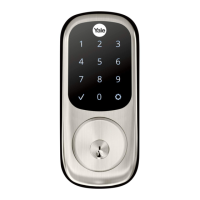
Yale YRD446
20 pages
Print Icon
To Next Page IconTo Next Page
Loading...
P/N - - Rev EYRL KFTSINSTL FUL
1
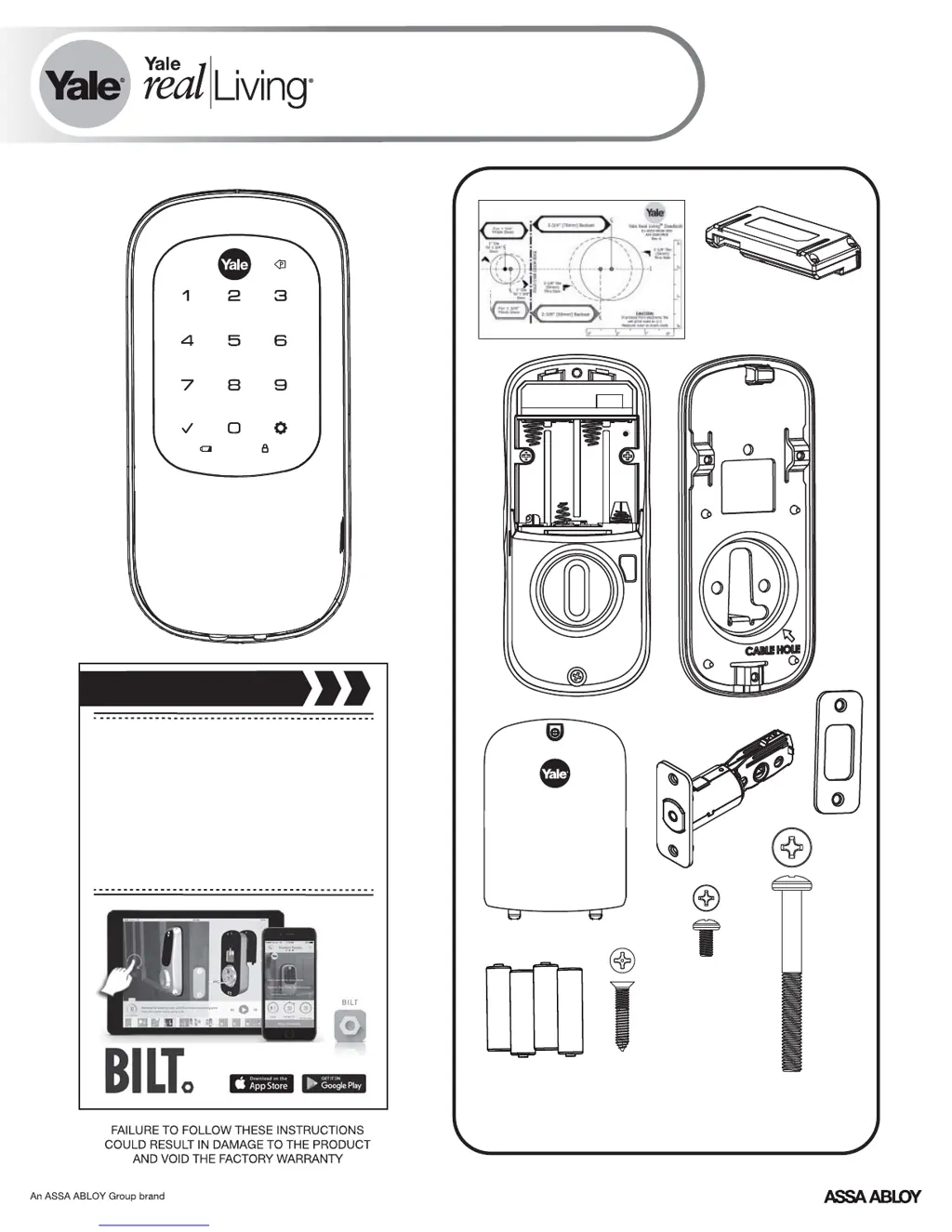
Yale Real Living Assure Lock
®™
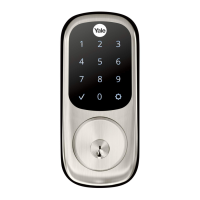
Key Free Touchscreen Deadbolt
Installation and Programming Instructions
( 246/ 446)YRD YRD
x4
x2
x3
#8-32 x 5/16"
Machine screws
#7 wood & #8-32
machine x 20mm
Combination screws
M6x55mm
Long through bolt
Optional
Network Module
Before you begin
for step-by-step installation
instructions & to register
your product
DOWNLOAD
THE BILT APP

Questions and Answers

  • P
    Patrick LeAug 15, 2025
    What to do if my Yale lock is not responding and the door is locked?
    • J
      Jared JonesAug 16, 2025
      If your Yale lock isn't responding and the door is locked, the batteries might be completely discharged. To provide backup power, apply a 9V battery to the terminals located below the touchscreen.
  • J
    Jordan RiceAug 18, 2025
    What to do if Yale lock does not respond when the door is open?
    • J
      John BenitezAug 19, 2025
      If your Yale lock does not respond when the door is open, try the following: Ensure the touchscreen is activated by pressing with your whole hand, using a larger area and verifying contact with at least 3 areas. If the numbers are visible, check if they respond when pressed. Check that the batteries are installed correctly (polarity) and are in good condition; replace them if discharged. Also, check that the touchscreen harness is fully connected and not pinched.
  • B
    bhernandezAug 21, 2025
    Why does my Yale lock unit turn on but then show no reaction and the lights dim?
    • J
      Joshua FergusonAug 21, 2025
      If your Yale lock unit is on for a while and then shows no reaction with dimming lights, it means the batteries don't have enough power. Replace the batteries.
  • R
    Robert FowlerAug 25, 2025
    Why does my Yale lock say 'Wrong number of digits' when I enter my PIN code?
    • T
      Tara SteinAug 25, 2025
      If upon entering a PIN code and pressing the key, the Yale lock responds "Wrong number of digits", re-enter the correct code followed by the check key because the digits entered were incorrect or incomplete.
  • M
    Matthew WilliamsAug 27, 2025
    How to fix a Yale lock that opens but won't automatically re-lock?
    • R
      Reginald CookAug 28, 2025
      If the Yale lock unit operates to allow access but will not automatically re-lock, check to see if Auto Re-lock Mode is enabled. You can also disable Auto Re-lock Mode to lock the door automatically. If the low battery indicator is lit, change the batteries.
  • J
    James WilliamsAug 31, 2025
    Why does my Yale lock chime but the door won't open?
    • G
      George HebertAug 31, 2025
      If the Yale lock chimes to indicate code acceptance, but the door will not open, check the door gaps for any foreign objects between the door and frame. Also, check that the wire harness is firmly connected to the PCB.
  • A
    andersonrichardSep 2, 2025
    Why won't my Yale lock PIN codes register?
    • C
      Chad RomanSep 2, 2025
      If your Yale lock's PIN codes will not register, keep in mind that PIN codes must consist of 4 to 8 digits to register and the same PIN code cannot be used for multiple users. Registration/management of PIN codes is set by the authority of the Master Code, which is set first, so contact the Master user. User codes must be entered within 5 seconds while the touchscreen is active, or the process will have to be restarted. Check or gear cannot be used as part of the PIN code.
  • E
    eric92Sep 5, 2025
    What to do if my Yale lock displays 'invalid code' or times out?
    • N
      Natalie RiosSep 6, 2025
      If upon entering a PIN code and pressing key, the Yale lock displays "invalid code" error or lock times out without responding, Lockout Mode is enabled. Only the Master can enable/disable Lockout Mode, so contact the Master user.
  • M
    Mark GilesSep 8, 2025
    Why does the red padlock icon appear on my Yale lock when I enter my PIN?
    • N
      Nicole Donovan MDSep 9, 2025
      If upon entering a PIN code and pressing the key, the red padlock icon appears and there are different tones, check to see if the Yale lock is set to Lockout Mode. Setting/managing Lockout Mode is done through Master Code only, so contact the Master user.
  • G
    gregoryaprilSep 12, 2025
    Why is my Yale lock operating silently?
    • W
      Walter JordanSep 12, 2025
      If the Yale lock unit operates, but it makes no sound, check to see if Silent Mode is enabled.

Summary

Install Latch and Strike Plate

Install Exterior Touchscreen Escutcheon

Install Interior Mounting Plate

Connect Cable Assembly

Install Interior Escutcheon

Test Lock Operation

Install Batteries and Network Module

Install Final Lock Cover

Create Master PIN Code

Master PIN Code Registration Process

Step-by-step guide to creating the essential Master PIN code.

Create User PIN Codes

Registering User PINs

Procedure for adding multiple user PIN codes for access.

Unlock Door with PIN Code

Accessing the Door with PIN

How to use your PIN code to unlock the deadbolt.

Advanced Feature Programming

Master PIN Code Management

Setting and managing the Master PIN code for the lock.

User PIN and Advanced Settings

Registering users and configuring advanced lock features.

Programming Troubleshooting

PIN Code Registration Issues

Resolving problems with registering or entering PIN codes.

Lock Response Errors

Troubleshooting common lock response issues and error messages.

Hardware Troubleshooting

Door Binding and Bolt Alignment

Fixing issues related to door binding and bolt alignment.

Yale YRD446 Specifications

General IconGeneral
BrandYale
ModelYRD446
CategoryLocks
LanguageEnglish

Related product manuals