EasyManua.ls Logo

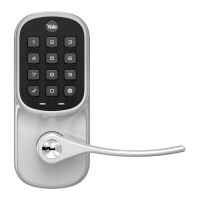
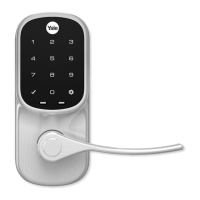
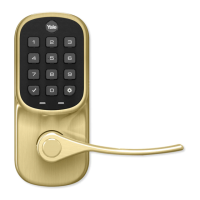
Yale Assure Lock YRD450 - User Manual

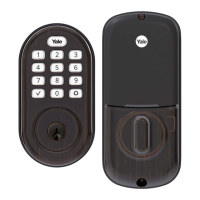
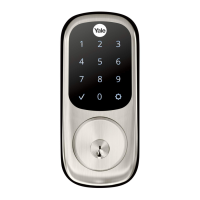
Yale Assure Lock YRD450
32 pages
Print Icon
To Next Page IconTo Next Page
Loading...
Part of ASSA ABLOYP/N YRD400-KF-0022 Rev ATrusted every day
1
Failure to follow these instructions could result in damage to the product, voiding the factory warranty and could lead to failure of the product to provide access.
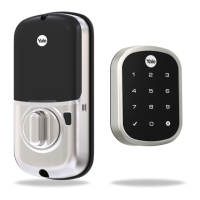
Yale Assure Lock® 2 Key-Free Deadbolt Installation Guide
(Keypad YRD430 or Touchscreen YRD450)
Notice: Before installing your lock, be sure to follow the steps on the yellow Quick Start Guide.
Tools Needed
Standard Phillips
Head Screwdriver
Tools Needed To Adjust An Existing Door
or Prep a New Door
Drill Utility
Knife
Wood
Mortise Chisel
Tape
Measure
Level
Pencil

Questions and Answers

  • L
    Lisa MccoyAug 16, 2025
    What to do if my Yale lock is not responding and the door is locked?
    • A
      Angela RossAug 16, 2025
      If your Yale lock doesn't respond and the door is locked, try these solutions: * The batteries may not have enough power, so replace them. * Alternatively, use the mechanical key to unlock the door.
  • B
    Benjamin BrownAug 18, 2025
    What to do if my Yale lock says 'Low Battery'?
    • M
      Miss Crystal ThompsonAug 18, 2025
      If your Yale lock indicates a 'Low Battery' warning, replace all four (4) batteries with new AA Alkaline batteries.
  • S
    Stephanie EvansAug 22, 2025
    How to fix a Yale lock that doesn't respond when the door is open?
    • R
      Rebecca SmithAug 22, 2025
      If your Yale lock does not respond while the door is open, check the following: * Verify contact with the logo. * If keypad numbers are visible, check they respond when pressed. * Check the batteries are installed and oriented correctly (polarity) in the battery case. Replace the batteries if they are dead. * Ensure the keypad wire is fully connected and not pinched.
  • K
    Kristen GardnerAug 25, 2025
    Why is my Yale lock entry code not registering?
    • S
      Sandy SmithAug 25, 2025
      If your Yale lock entry code will not register, consider the following: * If the low battery indicator is lit, change the batteries. * The entry code must consist of 4 to 8 digits. * The same entry code cannot be used for multiple users. * The entry code must be entered within 5 seconds (while the keypad is active), or the process will have to be restarted.
  • S
    Susan CannonAug 28, 2025
    Why does my Yale lock say “invalid code”?
    • L
      lucerolauraAug 28, 2025
      If your Yale lock displays an “invalid code” error or times out, make sure the entered code is a valid, previously programmed, 4 to 8 digit code. Also, check if vacation mode is on. If it is, only an admin user can change vacation mode; contact the admin.
  • A
    Alexander Rodriguez MDAug 31, 2025
    Why does my Yale lock dim and then not respond?
    • A
      April RomanAug 31, 2025
      If your Yale lock is on for a while and then shows no reaction with dimming lights, the batteries likely don't have enough power. Replace the batteries.
  • S
    Steven MartinSep 3, 2025
    What to do if my Yale lock accepts the code but won't open?
    • T
      Troy MorrisonSep 3, 2025
      If your Yale lock chimes, indicating code acceptance, but the door won't open, check for any foreign objects between the door and frame. Also, check that the wire is firmly connected to the inside lock.
  • N
    Nathan ThompsonSep 6, 2025
    Why does my Yale lock say “Wrong number of digits”?
    • K
      keith08Sep 6, 2025
      If your Yale lock responds “Wrong number of digits”, it means the digits entered were incorrect or incomplete. Re-enter the correct code followed by the check key.
  • G
    Grace FisherSep 8, 2025
    Why doesn't the deadbolt extend on my Yale lock?
    • B
      bensonjohnSep 9, 2025
      If the deadbolt on your Yale lock does not extend when locking the door with the keypad, it might not have been handed properly. Rehand the lock through the Settings Menu.
  • S
    Shelly RogersSep 12, 2025
    Why does my Yale lock operate silently?
    • L
      Lacey HuberSep 12, 2025
      If your Yale lock operates but makes no sound, check in the Yale Access App to see if the Volume is set to off.

Summary

Installation Procedure

Remove Existing Deadbolt

Instructions for uninstalling the current deadbolt lock from the door.

Check Door Measurements and Adjust If Needed

Guides users to measure their door and make necessary adjustments for compatibility.

Install Deadbolt Latch and Strike Plate

Steps for installing the deadbolt mechanism and strike plate into the door.

Verifying Bore Face Measurement for Exterior Keypad

Confirms the door's bore face measurement is suitable for the exterior keypad.

Install Mounting Plate and Exterior Keypad

Mounts the interior plate and attaches the exterior keypad to the door.

Installing DoorSense

Lock Operation and Configuration

Troubleshooting and Maintenance

Troubleshooting Lock Operation and Power

Addresses issues like unresponsiveness, dim lights, and low battery alerts.

Troubleshooting Entry Codes and Deadbolt Functionality

Solves problems with entry codes, invalid codes, and deadbolt extension.

Hardware Troubleshooting

Solutions for mechanical problems such as grinding deadbolts or alignment resistance.

Yale Assure Lock YRD450 Specifications

General IconGeneral
BrandYale
ModelAssure Lock YRD450
CategoryLocks
LanguageEnglish

Related product manuals