52
O1X
■ UPDATING FIRMWARE
Outline
The firmware program of O1X can be updated by transmitting
SMF through the MIDI terminal.
As there are two programs, BOOT OS and FIRM OS, working
inside of O1X, O1X ALL.mid (including both BOOT OS and
FIRM OS) must be used as the updating data.
Download the latest program from the YSISS Home Page.
PC
UX96
O1X
USB cable
MIDI cable
MIDI-B IN
MIDI OUT
2
. While pressing the "REMOTE" and "SELECTED
CHANNEL" buttons, start up O1X. Then the following
message appears on the O1X display.
////O1X OS Update ////
Select Update Port MIDI-B/mLAN-5
3
. Press the knob 4 of O1X to select MIDI-B. Then the
following message appears on the O1X display.
////O1X OS Update ////
Waiting for OS Data....(MIDI-B)
4
. Open SMF for updating the FIRM ROM version by XG
works.
Updating Procedure
1
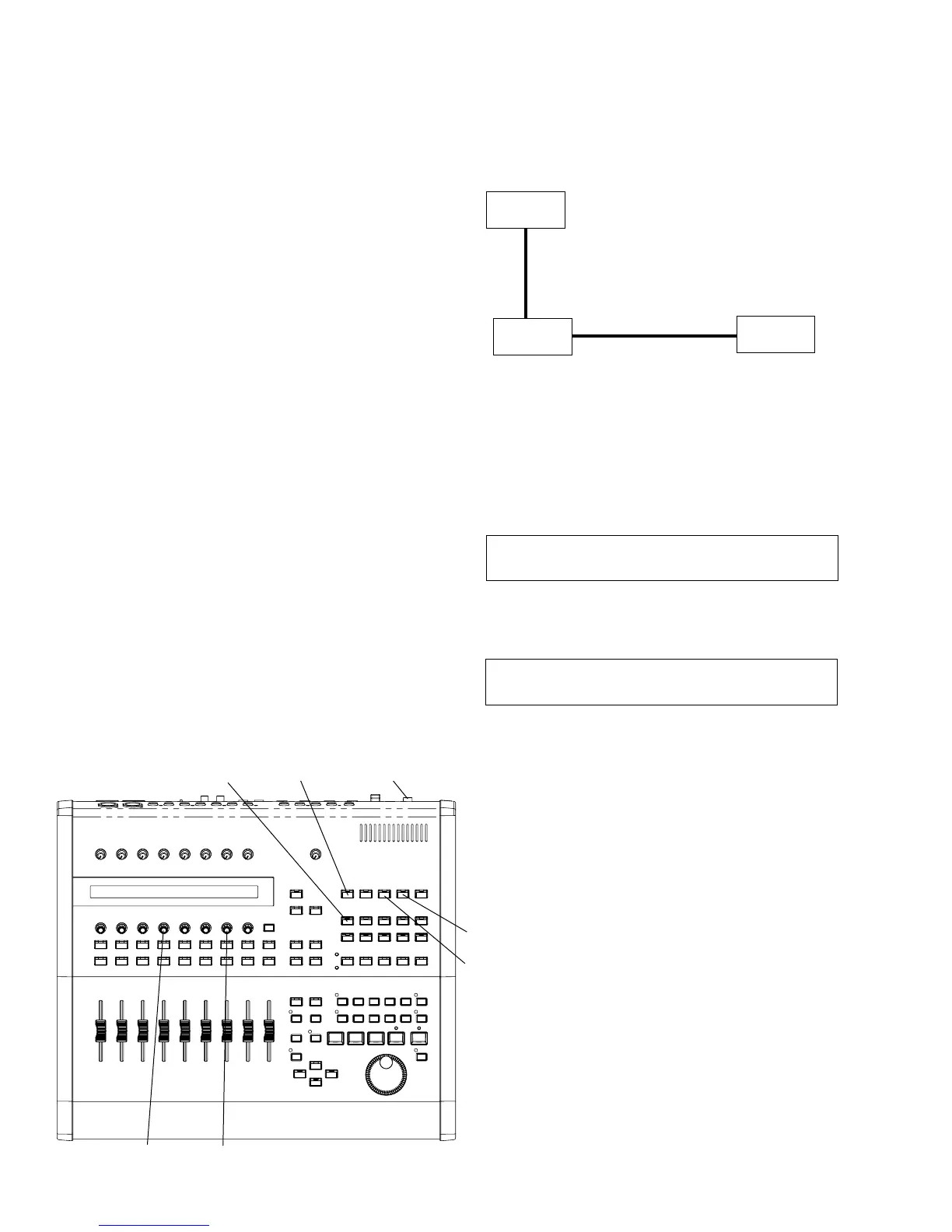
. Make connections as shown below.
UTILITY
REMOTE
SELECTED
CHANNEL
KNOB-4 KNOB-7
SCENE
STANDBY/ON
(The YAMAHA USB-MIDI driver must be installed in the PC.
Also, the setting of the USB-MIDI driver should be
Through=Off.)
Confirming Current Version Number
While pressing the "UTILITY" button, turn on the power to
O1X, and the version numbers of both BOOT OS and FIRM
OS are displayed.
Z
CAUTION
* When you restore the factory default settings, all the settings
for the all the Libraries and Utility will be overwritten with
the factory defaults. Make sure you are not overwriting any
important data. You should backup any important data to
your computer beforehand by using Studio Manager. (For
more details on using Studio Manager, see the Studio
Manager PDF manual.)
* Never attempt to turn off the power while data is being written
to Flash ROM (while an “Initializing backup data, please keep
power on...” message is shown). Turning the power off in
this state results in loss of all user data and may cause the
system to freeze (due to corruption of data in the Flash ROM).





 To Next Page