56
O1X
1.3 Initialization
After upgrading the version of the program or installing a
new ROM, the values of the backup ROM must be initialized.
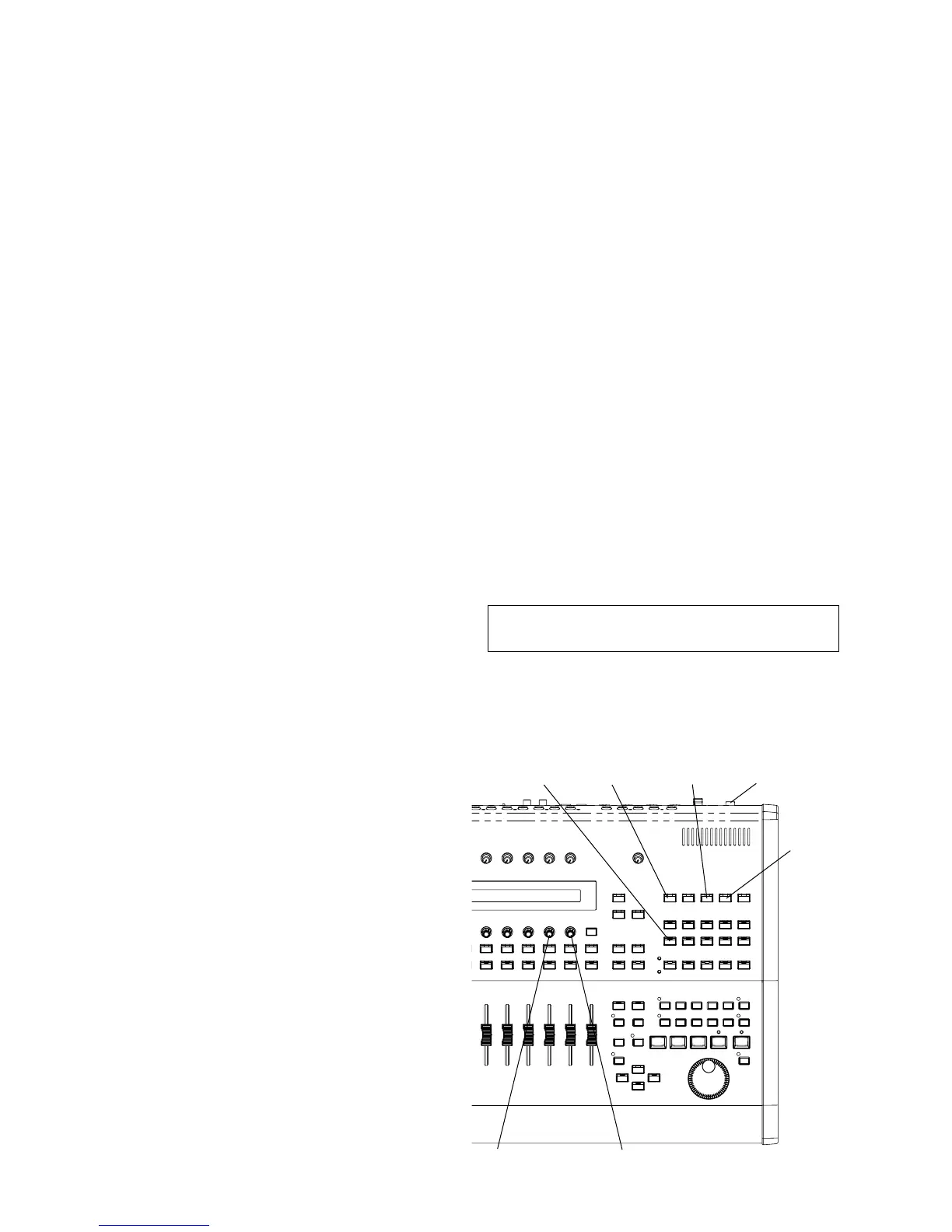
UTILITY
REMOTE SCENE STANDBY/ON
PAN
KNOB-8KNOB-7
■ INSPECTIONS
1.2 Measuring Instruments, jigs
Following measuring instrument, jigs, etc. are required for
testing the main unit.
Measuring instruments:
• Low frequency oscillator ( output waveform distortion:
0.01% or less, usable for both balanced and unbalanced
cases)
• DC volt meter
• Distortion meter (usable for both balanced and
unbalanced cases, 12.7kHz LPF, 20kHz LPF)
• Function generator
• Digital audio analyzer System Two CASCADE or its
equivalent
• Level meter (12.7kHz LPF, input impedance: 1MΩ or
more)
• Oscilloscope (input impedance: 1MΩ or more)
• Ammeter (impedance: as low as 1Ω or less, measuring
range: as wide as to cover 70mA to 1.1A fully)
Jigs:
• MIDI cable
• Coaxiable digital cable (75Ω)
• Foot switch (FC5, etc.)
Others:
• Reproduction equipment with an analog output
(balanced/unbalanced)
• Keyboard amplifier (KS15 or equivalent)
1. Preparations
1.1 Conditions
(1) Set switches and VR knobs as follows unless otherwise
specified.
1) PHANTOM SW: OFF
2) INPUT GAIN VR: LINE
3) MONITOR/PHONES VR: MIN
4) CH FADER: NOMINAL (0dB)
5) STEREO FADER: NOMINL (0dB)
(2) Set the word clock to internal 48kH.
(3) Select only the INPUT CH to be tested.
(4) Set the PAN to the center position.
(5) Set the oscillator output impedance to 150Ω.
(6) Set the load resistance of the analog input as follows.
1) MONITOR OUT: 10kΩ
2) STEREO/AUX OUT: 10kΩ
3) PHONES: 39Ω + 39Ω
(7) Use the following unit for the analog input/output level.
0dBu = 0.775Vrms
0dBV = 1Vrms = +2.2dBu
(1) When clearing all the backup data
While pressing the "REMOTE", "UTILITY" and "PAN"
buttons, turn on the power (keep pressing until the following
message appears on the screen).
Do you want initialize backup data? YES NO
Pressing the encoder switch [KNOB-7] corresponding to
YES will execute initialization.
Z
CAUTION
* When you restore the factory default settings, all the settings
for the all the Libraries and Utility will be overwritten with
the factory defaults. Make sure you are not overwriting any
important data. You should backup any important data to
your computer beforehand by using Studio Manager. (For
more details on using Studio Manager, see the Studio
Manager PDF manual.)
* Never attempt to turn off the power while data is being written
to Flash ROM (while an “Initializing backup data, please keep
power on...” message is shown). Turning the power off in
this state results in loss of all user data and may cause the
system to freeze (due to corruption of data in the Flash ROM).





 To Next Page