Connecting your musical instrument or music player
This shows you how to connect your musical instrument or music player and configure the settings to add
background music or sound effects.
n
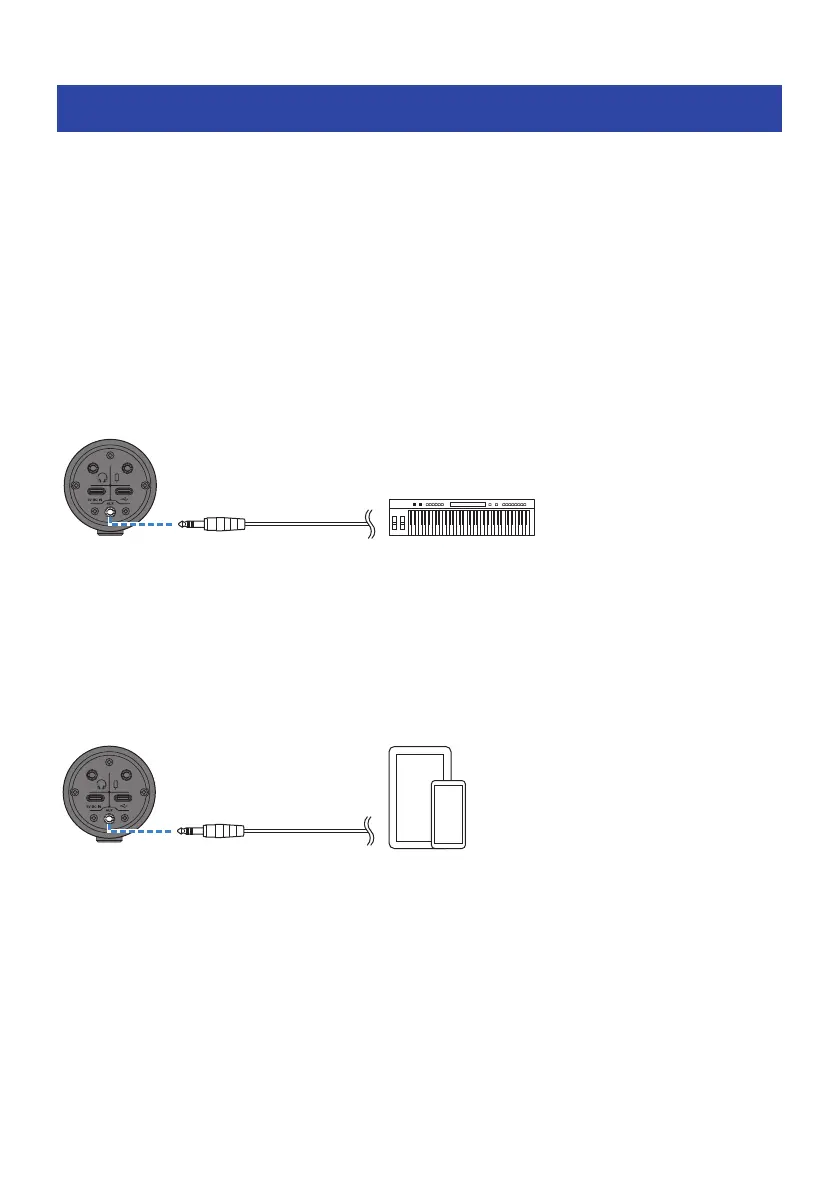
Connecting an instrument
Connect your digital piano, synthesizer or other digital instrument to the [AUX] input jack on the bottom of
this unit.
Adjust the volume on the connected musical instrument.
NOTE
You may need a conversion cable or other means to connect your instrument. Check the method for connecting that applies to your
instrument.
3.5 mm stereo
mini cable
Bottom
Digital piano
n
Connecting a music player
To play background music or sound effects, connect your music player to the [AUX] input jack at the bottom
of this unit.
Adjust the volume on the connected device.
3.5 mm stereo
mini cable
Bottom
Music player
35
Using this product for livestreaming (17LIVE, Twitch, YouTube Live) > Connecting your musical instrument or
music player



 To Next Page