Using this product with an Android device
This explains the settings and operations to make when using this product with your Android device to hold
voice chats while playing games with your friends using Discord or similar apps (“Discord” is the name of an
app).
NOTE
When using an Android device, the audio from this product cannot be inputted via USB. You’ll need to connect using a 3.5 mm 4-
conductor (TRRS) stereo mini cable.
What you need
(
This product
(
Android device (on which Discord is installed)
(
Headphones or earphones with a stereo mini-plug cable
(
Gaming device
(
3.5 mm 4-conductor (TRRS) stereo mini cable
(
USB power adapter
(
USB cable (commercially available, for power supply)
Steps to follow
1 Connect to the Android device
Make the necessary connections by referring to “Getting ready to use this product” →
“Connecting to Android devices”.
“Connecting to Android devices”(p.17)
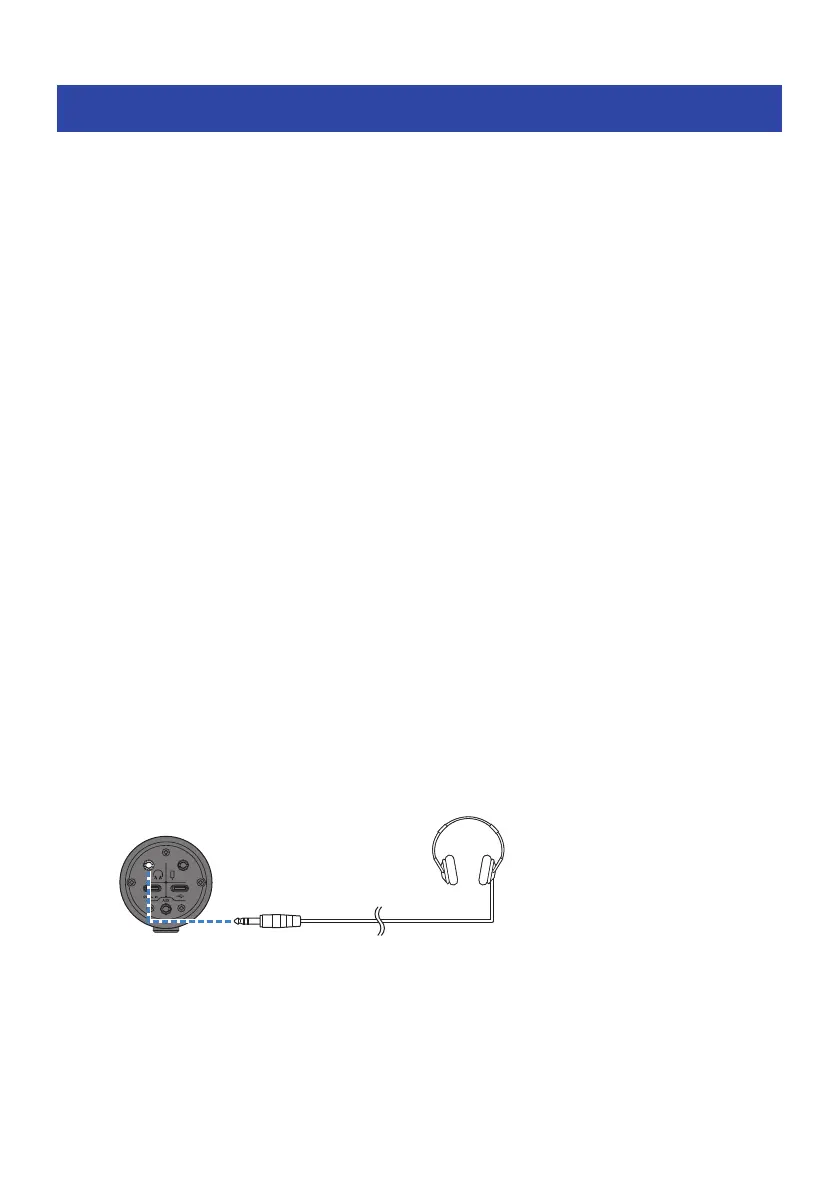
2 Connect headphones or earphones
Connect your headphones or earphones to the headphones output jack.
40
Using this product for game chats (Discord) > Using this product with an Android device



 To Next Page