Saving a preset
This shows how to save the effect settings to a preset button.
1 Use the controls and the AG08 Controller app to adjust the effects.
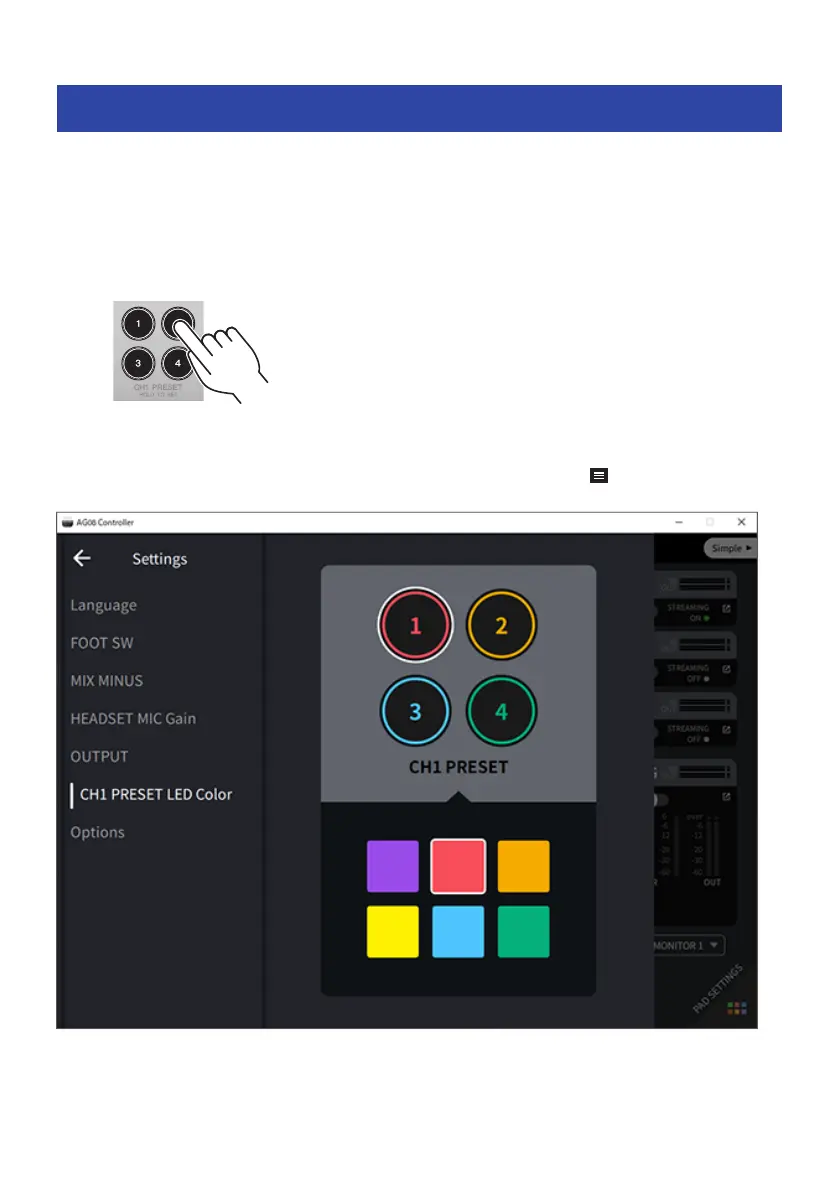
2 Press and hold a CH1 PRESET button to which you wish to save ([1]–[4]), for at least
two seconds.
NOTE
With AG08 Controller, you can select from six different colors for the button LEDs. Press the menu [ ] button on the AG08 Controller
app, and select Settings → CH1 PRESET LED Color to make the settings.
63
Using the presets > Saving a preset


 To Next Page