EasyManua.ls Logo

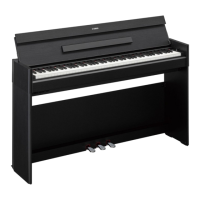
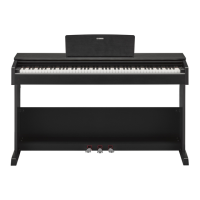
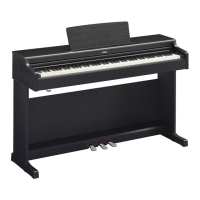
Yamaha ARIUS YDP-S52 - User Manual

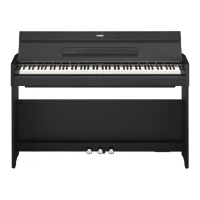
Yamaha ARIUS YDP-S52
40 pages
Print Icon
To Next Page IconTo Next Page
Loading...
ES
Owner’s Manual
Mode d’emploi
Manual de instrucciones
Before using the instrument, be sure to read “PRECAUTIONS” on pages 5-7.
For information on assembling the instrument, refer to the instructions at the end of this
manual.
Avant d’utiliser l’instrument, lisez attentivement la section « PRÉCAUTIONS D’USAGE »
aux pages 5 et 7.
Pour plus d’informations sur l’assemblage de l’instrument, reportez-vous aux instructions
figurant à la fin de ce manuel.
Antes de utilizar el instrumento, lea las “PRECAUCIONES”, en las páginas 5-7.
Para obtener más información sobre el montaje del instrumento, consulte las
instrucciones que encontrará al final de este manual.
EnglishFrançaisEspañol
FR
EN
YDP
-
S52
Digital Piano / Piano Numérique / Piano Digital

Other manuals for Yamaha ARIUS YDP-S52

Questions and Answers

  • D
    Daniel RichardsJul 26, 2025
    Why is the volume low or no sound on my Yamaha Musical Instrument?
    • E
      Elizabeth MillsJul 26, 2025
      If the overall volume of your Yamaha Musical Instrument is low, or you're not hearing any sound, first, adjust the master volume to an appropriate level using the [MASTER VOLUME] knob. Also, ensure that headphones or a conversion adapter aren't connected to the [PHONES] jack. Finally, verify that Local Control is turned On.
  • N
    nmartinJul 31, 2025
    How to eliminate noise from Yamaha ARIUS YDP-S52 speakers?
    • K
      Kevin FreyJul 31, 2025
      If you hear noise from the speakers or headphones of your Yamaha Musical Instrument, it might be due to interference from a nearby mobile phone. Try turning off the mobile phone or moving it further away from the instrument.
  • R
    Robert MartinezAug 3, 2025
    What to do if my Yamaha Musical Instrument does not turn on?
    • S
      Sandra WilsonAug 3, 2025
      If your Yamaha Musical Instrument doesn't turn on, ensure the DC plug is securely inserted into the DC IN jack on the instrument and that the AC plug is securely inserted into the AC outlet.
  • R
    Rebecca MorrisAug 8, 2025
    Why aren't the pedals working on my Yamaha ARIUS YDP-S52 Musical Instrument?
    • J
      Jacob GrimesAug 8, 2025
      If the pedals of your Yamaha Musical Instrument aren't functioning, make sure the pedal cord is securely connected to the [TO PEDAL] jack. Insert the cord all the way until the metal part of the cord plug disappears from view.
  • C
    Christian AdamsAug 12, 2025
    How to stop my Yamaha ARIUS YDP-S52 from turning off unexpectedly?
    • M
      Miss Jennifer SpencerAug 13, 2025
      If your Yamaha Musical Instrument suddenly and unexpectedly turns off, you can disable the Auto Power Off function, if desired.
  • M
    Michelle SteeleAug 16, 2025
    What to do if damper pedal doesn't work on Yamaha ARIUS YDP-S52 Musical Instrument?
    • L
      Lauren WilsonAug 17, 2025
      If the damper pedal on your Yamaha Musical Instrument isn't functioning as expected, and it was pressed when the power was turned on, release the pedal and press it again to reset the function.
  • P
    petersoncynthiaAug 21, 2025
    How to fix noise when using Yamaha ARIUS YDP-S52 with iPhone?
    • S
      Shelly MooreAug 21, 2025
      To avoid noise caused by communication when using your Yamaha Musical Instrument with the application on an iPhone/iPad/iPod touch, set “Airplane Mode” to “ON” on your device.

Summary

Introduction and Manual Overview

Owners Manual and Safety Information

Introduces the owner's manual and highlights safety precautions.

Special Message and Safety Warnings

Key Safety and Operational Warnings

Covers critical warnings on power, cords, volume, and safe usage.

Environmental and Product Information

Provides guidelines on battery handling, disposal, and product specifications.

Regulatory Compliance

FCC Compliance Statement (USA)

Details FCC rules and compliance for the instrument in the USA.

Safety Symbols and Instructions

Graphical Symbols and Safety Precautions

Explains warning symbols and lists essential safety instructions for operation.

Operational Precautions

Adaptor and Instrument Safety

Covers precautions for the AC adaptor and the instrument itself (power, water, fire).

Cautions for Handling and Assembly

Power, Assembly, and Location Cautions

Advises on safe power handling, proper assembly, and placement.

Connections and General Handling

Guides on connecting components and careful handling of the instrument.

Notices and General Information

Handling, Maintenance, and Data Management

Instructions for handling, cleaning, saving data, and copyright notes.

Manuals and Accessories

Product Documentation and Resources

Lists available manuals, online resources, and accessories.

Panel Controls and Terminals

Control Layout and Functionality

Details the main controls, buttons, and their operations.

Ports and Connectivity Options

Describes the available ports for headphones, USB, and pedals.

Basic Operations: Setup

Key Cover and Music Rest Handling

Instructions for safely opening/closing the key cover and unfolding the music rest.

Basic Operations: Power Management

Turning the Power On

Step-by-step guide to connect the power and turn on the instrument.

Basic Operations: Power Saving and Audio Features

Auto Power Off Function

Explains the auto power off feature and how to manage it.

Headphone Usage and Stereophonic Optimizer

Guides on headphone usage and the stereophonic sound effect.

Playing the Piano: Sound Control

Setting the Master Volume

How to adjust the overall sound volume using the master volume knob.

Intelligent Acoustic Control (IAC)

Details the IAC function for improved sound quality at low volumes.

Playing the Piano: Pedal Functions and Resonance

Pedal Operations

Explains the damper, sostenuto, and soft pedals and their effects.

Damper Resonance Effect

Describes the damper resonance effect for realistic sustain.

Playing the Piano: Settings and Response

Operation Confirmation Sounds

How to enable or disable sounds confirming setting changes.

Touch Sensitivity Adjustment

Adjusts how key presses affect volume and expression.

Playing the Piano: Practice Tools

Using the Metronome

Guide to using the built-in metronome for practice.

Advanced Operations: Exploring Voices

Selecting and Understanding Voices

Instructions for choosing different instrument sounds (voices) and their descriptions.

Advanced Operations: Demo Songs

Listening to and Navigating Demo Songs

How to play and switch between the instrument's demo songs.

Advanced Operations: Sound Effects

Adding Reverb Variations

Explains reverb types and how to adjust reverb depth for ambience.

Advanced Operations: Pitch Control

Transposing and Fine-Tuning Pitch

Guides on shifting keyboard pitch and precise fine-tuning.

Advanced Operations: Layering and Duo Modes

Layering Two Voices (Dual Mode)

Instructions for combining two voices to create a richer sound.

Advanced Operations: Duo Mode

Playing in Duo Mode

Enables two players to use the keyboard simultaneously.

Song Playback and Practice

Listening to Preset Songs

Guide on selecting and listening to the 50 preset piano songs.

Song Playback and Practice: Performance Aids

Practicing One-Hand Parts

Methods for practicing individual left or right hand parts of songs.

Quick Play Feature

Option to start playback immediately or include rests at the beginning.

Recording Your Performance

Recording Keyboard Performances

Instructions for recording and saving your performances as User Songs.

Recording Your Performance: Song Management

Changing Recorded Song Settings

How to adjust parameters after a song has been recorded.

Deleting Recorded Data

Procedures for deleting entire songs or individual parts.

Data Management and Initialization

Data Persistence and Backup

Lists data retained, saving user songs, and transferring SMF files.

Initializing Instrument Settings

How to reset all settings to factory defaults.

Appendix: Troubleshooting

Troubleshooting Guide

Provides solutions for common problems encountered with the instrument.

Keyboard Stand Assembly

Parts and Safety Instructions for Assembly

Lists parts and safety precautions for assembling the keyboard stand.

Assembly Steps (Parts C, D, E, B)

Step-by-step instructions for assembling the main stand components.

Keyboard Stand Assembly: Final Steps

Securing Components and Connecting Pedals

Details on securing stand parts and connecting the pedal cord.

Keyboard Stand Assembly: Power and Checks

Connecting Power and Post-Assembly Checks

Instructions for connecting the AC adapter, setting the adjuster, and post-assembly checks.

Specifications

Detailed Technical Specifications

Comprehensive list of the instrument's technical specifications.

Environmental and Disposal Information

Collection and Disposal of Old Equipment

Guidelines for proper disposal of electrical and electronic waste.

Important Notices

UK Power Cord Connection

Specific instructions for connecting the power cord in the UK.

Guarantee Information

European Warranty Service

Information on warranty service for European Economic Area and Switzerland customers.

Yamaha Support and Contact Information

Worldwide Yamaha Representatives

List of Yamaha contact points globally for product details and support.

Yamaha ARIUS YDP-S52 Specifications

General IconGeneral
TypeDigital Piano
Number of Keys88
Key ActionGraded Hammer Standard (GHS)
Polyphony192
Voices10
Reverb Types4
Damper ResonanceYes
Intelligent Acoustic Control (IAC)Yes
Stereophonic OptimizerYes
RecorderYes
Number of Tracks1
Amplifiers20W x 2
Speakers12 cm x 2
Touch SensitivityHard/Medium/Soft/Fixed
Sound EnginePure CF Sound Engine
EffectsReverb
ConnectivityUSB to Host, Headphones
Number of Preset Songs50
Included AccessoriesOwner's Manual
ColorBlack Walnut, White

Related product manuals