EasyManua.ls Logo

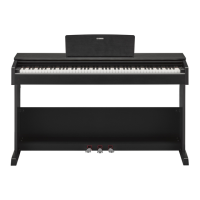
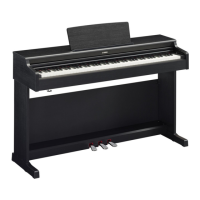
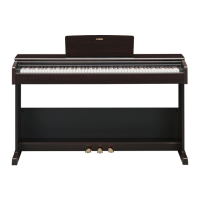
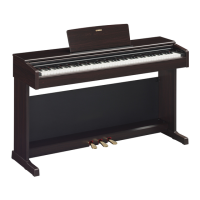
Yamaha ARIUS YDP-S34 - User Manual

Yamaha ARIUS YDP-S34
40 pages
Print Icon
To Next Page IconTo Next Page
Loading...
ES
Owner’s Manual
Mode d’emploi
Manual de instrucciones
Before using the instrument, be sure to read “PRECAUTIONS” on pages 5-6.
For information on assembling the instrument, refer to the instructions at the end of this
manual.
Avant d’utiliser l’instrument, lisez attentivement la section « PRÉCAUTIONS D’USAGE »
aux pages 5 et 6.
Pour plus d’informations sur l’assemblage de l’instrument, reportez-vous aux instructions
figurant à la fin de ce manuel.
Antes de utilizar el instrumento, lea las “PRECAUCIONES”, en las páginas 5-6.
Para obtener más información sobre el montaje del instrumento, consulte las
instrucciones que encontrará al final de este manual.
EnglishFrançaisEspañol
FR
EN
YDP
-
S34

Table of Contents

Other manuals for Yamaha ARIUS YDP-S34

Questions and Answers

  • J
    Jasmine JonesJul 27, 2025
    Why is the volume low or no sound heard on my Yamaha ARIUS YDP-S34 Musical Instrument?
    • J
      Juan KingJul 27, 2025
      If the overall volume is low, or no sound is heard, check the following: * Ensure the Master Volume is set to an appropriate level using the [MASTER VOLUME] knob. * Make sure that headphones or a conversion adaptor are not connected to the [PHONES] jack. * Verify that the Speaker setting is set to “Normal” or “On.” * Confirm that Local Control is On.
  • L
    Lindsey DavisAug 1, 2025
    What to do if my Yamaha Musical Instrument makes noise from the speakers or headphones?
    • J
      Jeffrey ScottAug 1, 2025
      The noise may be due to interference from a mobile phone used close to the instrument. Turn off the mobile phone or move it further away.
  • K
    kathleennguyenAug 6, 2025
    What to do if Yamaha Musical Instrument makes noise when using a smart device?
    • R
      richardkerrAug 6, 2025
      When using the instrument with a smart device, it is recommended to set “Airplane Mode” to “ON” on your smart device to avoid noise caused by communication.
  • J
    Joseph JamesAug 11, 2025
    How to fix Yamaha ARIUS YDP-S34 Musical Instrument if pedals do not function?
    • P
      Peter HillAug 11, 2025
      If the pedals do not function, ensure the pedal cord is securely connected to the [TO PEDAL] jack. Insert the pedal cord all the way until the metal part of the cord plug disappears from view.
  • S
    Stephanie MartinAug 16, 2025
    What to do if damper pedal does not function as expected on Yamaha Musical Instrument?
    • K
      Kristin JohnsonAug 16, 2025
      If the damper pedal does not function as expected, and the damper pedal was pressed when the power was turned on, release the pedal and press it again to reset the function.
  • C
    Christine MorganAug 21, 2025
    How to stop Yamaha ARIUS YDP-S34 Musical Instrument from turning off?
    • J
      Jessica RamseyAug 21, 2025
      If the power on your Yamaha Musical Instrument suddenly and unexpectedly turns off, you can disable the Auto Power Off function, if desired.

Summary

Precautions

AC Adaptor Safety

Safety precautions specific to the AC adaptor.

Instrument Safety Precautions

General safety guidelines for operating the digital piano, covering power, water, fire, and abnormalities.

Cautionary Safety Instructions

Power and Cable Safety

Precautions for power supply, cords, and connections.

Assembly Safety

Safety guidelines for assembling the instrument.

Panel Controls and Terminals

Panel Controls

Description of the buttons and knobs on the instrument's control panel.

Basic Operations

Setting Up

Instructions for initial setup, including key cover and music rest.

Setting Up

Turning the Power On

Step-by-step guide to power on the instrument.

Playing the Piano

Using the Pedals

Explanation of the damper, sostenuto, and soft pedal functions.

Playing the Piano

Using the Metronome

Instructions for starting, stopping, and adjusting the metronome.

Advanced Operations

Playing Various Musical Instrument Sounds (Voices)

How to select and explore different instrument sounds.

Playing Various Musical Instrument Sounds (Voices)

Layering Two Voices (Dual Mode)

How to combine two voices for a richer sound.

Playing Duo

How to split the keyboard for two players.

Song Playback and Practice

Practicing a One-Hand Part

How to isolate and practice individual song parts.

Recording Your Performance

Recording Your Performance

Steps for recording keyboard performances as User Songs.

Deleting Recorded Data

Steps for deleting recorded songs or parts.

Using with a Computer or Smart Device

Data Backup and Initialization

Initializing the Settings

How to reset the instrument to factory default settings.

Troubleshooting

Keyboard Stand Assembly

Specifications

Yamaha ARIUS YDP-S34 Specifications

General IconGeneral
TypeDigital Piano
Keyboard88-key Graded Hammer Standard (GHS) keyboard
Sound EngineYamaha CFX
Voices10
Amplifiers8W x 2
Speakers12 cm x 2
Damper ResonanceYes
Intelligent Acoustic Control (IAC)Yes
Stereophonic OptimizerYes
MetronomeYes
Tuning414.8 - 440.0 - 466.8 Hz
USB to HostYes
Touch SensitivityHard/Medium/Soft/Fixed
Polyphony192 notes
Weight35.9 kg
ReverbYes
Number of Preset Songs10 Demo Songs
Recording1-track, 1-song
TransposeYes
Headphones2 x standard stereo phone jack
Included AccessoriesOwner's Manual, Online Member Product Registration

Related product manuals