EasyManua.ls Logo

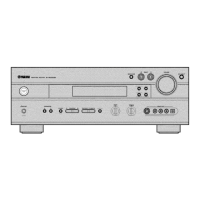
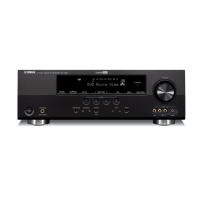
Yamaha AV Receiver - User Manual

Yamaha AV Receiver
116 pages
Print Icon
To Next Page IconTo Next Page
Loading...
YAMAHA ELECTRONICS CORPORATION, USA
6660 ORANGETHORPE AVE., BUENA PARK, CALIF. 90620, U.S.A.
YAMAHA CANADA MUSIC LTD.
135 MILNER AVE., SCARBOROUGH, ONTARIO M1S 3R1, CANADA
YAMAHA ELECTRONIK EUROPA G.m.b.H.
SIEMENSSTR. 22-34, 25462 RELLINGEN BEI HAMBURG, GERMANY
YAMAHA ELECTRONIQUE FRANCE S.A.
RUE AMBROISE CROIZAT BP70 CROISSY-BEAUBOURG 77312 MARNE-LA-VALLEE CEDEX02, FRANCE
YAMAHA ELECTRONICS (UK) LTD.
YAMAHA HOUSE, 200 RICKMANSWORTH ROAD WATFORD, HERTS WD18 7GQ, ENGLAND
YAMAHA SCANDINAVIA A.B.
J A WETTERGRENS GATA 1, BOX 30053, 400 43 VÄSTRA FRÖLUNDA, SWEDEN
YAMAHA MUSIC AUSTRALIA PTY, LTD.
17-33 MARKET ST., SOUTH MELBOURNE, 3205 VIC., AUSTRALIA
©
2006 All rights reserved.
HTR-5950
Printed in Malaysia WG73510
HTR-5950
AV R e c e i ve r
OWNER’S MANUAL
U
TEAC 80163, 81074
TECHNICS 80039, 80309,
81308, 81518
THORENS 81189
TOSHIBA 80135
VICTOR 80074
WARDS 80014, 80054,
80158, 80189
XM 81406, 81414
YAMAHA 80176, 81176,
81276, 81331,
81375, 81908,
(TUNER ID1) 81916
(TUNER ID2) 81917
(XM ID1) 81918
(XM ID 2) 81919
OTHER AUDIO
ACCESSORIES
YAMAHA (iPod) 81981
HTR-5950_U_cv.fm Page 1 Monday, November 28, 2005 10:08 AM

Table of Contents

Questions and Answers

  • J
    Jessica StewartAug 17, 2025
    Why does my Yamaha AV Receiver fail to turn on?
    • K
      Kayla FowlerAug 17, 2025
      If your Yamaha Receiver fails to turn on or enters standby mode shortly after being powered on, ensure the power cable is firmly connected. Check that the speaker impedance setting matches your speakers. Inspect all speaker wire connections to ensure they are secure and not touching anything other than their respective connections. If the unit experienced a strong electric shock, set it to standby, disconnect the power cable, wait 30 seconds, and then reconnect and use it normally.
  • N
    Nathaniel HurstAug 19, 2025
    How to fix no sound on Yamaha AV?
    • T
      Tim NelsonAug 19, 2025
      If your Yamaha Receiver has no sound, check the input and output cable connections to ensure they are properly connected; the cables may be defective. Verify that an appropriate input source is selected using the INPUT selector on the front panel or remote. Ensure the correct set of front speakers is selected with SPEAKERS A or B on the front panel or SPEAKERS on the remote. Make sure the volume isn't turned down or muted by pressing MUTE or VOLUME +/- on the remote. If playing a DTS-encoded source, ensure “INPUT MODE” is set to “AUTO” or “DTS”.
  • W
    Wendy LewisAug 22, 2025
    What to do if no sound from surround speakers Yamaha AV?
    • K
      Kyle JohnsonAug 22, 2025
      If you are not hearing sound from the surround speakers on your Yamaha receiver, press the STRAIGHT (EFFECT) button on the front panel so that “STRAIGHT” disappears from the display. Also, check the “SUR. B SP” setting in the “SET MENU” and set it to “SML” or “LRG” if it is set to “NONE”.
  • D
    David CardenasAug 25, 2025
    Why does my Yamaha Receiver suddenly enter standby mode?
    • B
      Brenda MontgomeryAug 25, 2025
      If your Yamaha Receiver suddenly enters standby mode, it may be due to the internal temperature becoming too high and the overheat protection circuitry activating. Wait about 1 hour for the unit to cool down before turning it back on.
  • K
    katrinaclarkAug 27, 2025
    What to do if sound suddenly goes off Yamaha Receiver?
    • A
      Ashley Boyd DDSAug 28, 2025
      If the sound from your Yamaha Receiver suddenly goes off, it may be due to the protection circuitry being activated. Check that the speaker impedance setting is correct and that the speaker wires are not touching each other. Then, turn the unit back on.
  • K
    Kathy GarciaAug 30, 2025
    Why is there no sound from the center speaker on my Yamaha AV?
    • S
      Sandy VelazquezAug 30, 2025
      If you are not hearing sound from the center speaker on your Yamaha receiver, ensure the unit is turned on and the source is playing. Check that the sound isn't muted by pressing MUTE or VOLUME +/- on the remote. Verify the cable connections and adjust the “SPEAKER LEVEL” settings. Also, in “SET MENU”, ensure that “CENTER SP” is set to “SML” or “LRG”, not “NONE”. Try another sound field program if a HiFi DSP program (except “6ch Stereo”) is selected.
  • S
    Sally FarmerSep 2, 2025
    How to improve FM stereo reception on Yamaha Receiver?
    • A
      Andrew JohnsonSep 2, 2025
      If your Yamaha Receiver's FM stereo reception is noisy, check the antenna connections. Adjust the antenna position to minimize multi-path interference. If automatic tuning fails, try using the manual tuning method.
  • S
    Sara MunozSep 4, 2025
    Why is my Yamaha Receiver humming?
    • T
      Timothy DanielSep 4, 2025
      If your Yamaha Receiver is producing a humming sound, ensure the audio cables are firmly connected. If the problem persists, the cables may be defective.
  • R
    Robert McdonaldSep 7, 2025
    What does 'CHECK SP WIRES' mean on my Yamaha AV?
    • C
      Charles EvansSep 7, 2025
      If your Yamaha Receiver displays “CHECK SP WIRES” in the front panel, ensure all speaker cables are connected correctly and are not short-circuited. Also, move the unit away from digital or high-frequency equipment.
  • M
    Mark MyersSep 10, 2025
    How to eliminate crackling noises on Yamaha AV?
    • M
      Melissa PonceSep 10, 2025
      If you are experiencing continuous crackling and hissing noises with your Yamaha Receiver, use an outdoor antenna and a ground wire to mitigate interference from lightning, fluorescent lamps, motors, thermostats, and other electrical equipment.

Summary

IMPORTANT SAFETY INSTRUCTIONS

Graphical Symbols and Safety Guidelines

Explains warning symbols and provides 24 safety/operating instructions.

FCC Compliance Information

Details FCC compliance, modification warnings, and interference guidelines.

GETTING STARTED AND CONTROLS

Supplied Accessories and Remote Setup

Lists included accessories and provides instructions for installing remote control batteries.

Front Panel, Remote Control, and Rear Panel Overview

Describes controls, functions, display indicators, and rear panel connections.

CONNECTIONS AND INITIAL SETUP

Speaker, Antenna, and Power Connections

Guides on speaker placement, wiring, antenna, power connections, and impedance.

Initial System Configuration

Outlines the steps for initial system setup using the OSD menu.

OPERATION MODES AND FEATURES

Playback and Audio Features

Covers starting playback and adjusting volume, tone, and advanced audio features.

Surround Sound, Recording, Tuning, and XM Radio

Details surround sound modes, recording, radio tuning, and XM Satellite Radio operation.

ADVANCED CONFIGURATION AND OPERATION

Sound Field Programs and Parameters

Guides on selecting, describing, and adjusting sound field programs and parameters.

System Setup, Advanced Settings, and Remote Control

Covers SET MENU, ADVANCED SETUP, and Remote Control features and code settings.

iPod OPERATION, SYSTEM RESET, TROUBLESHOOTING, AND APPENDIX

iPod Operation and System Reset

Guides on iPod connection, control, and resetting the system to factory defaults.

Troubleshooting Common Issues

Provides solutions for common problems encountered with the unit.

Glossary, Specifications, and Remote Codes

Defines technical terms, lists specifications, and provides remote control code lists.

Yamaha AV Receiver Specifications

General IconGeneral
BrandYamaha
ModelAV Receiver
CategoryReceiver
LanguageEnglish

Related product manuals