EasyManua.ls Logo

Yamaha C-65 - Page 8

Yamaha C-65
12 pages
Print Icon
To Next Page IconTo Next Page
To Previous Page IconTo Previous Page
Loading...
-ACC-55
med
ES
a
]
E
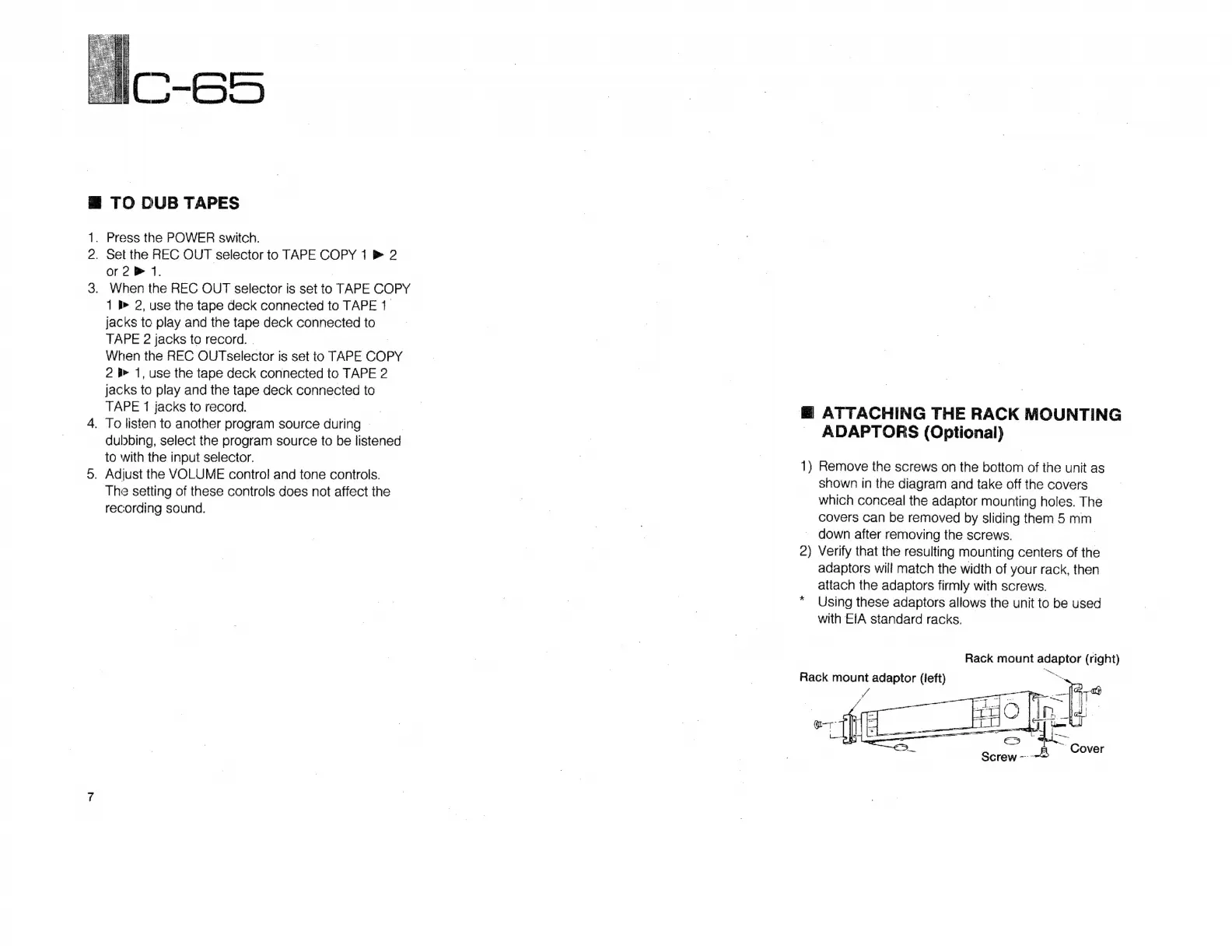
TO
DUB
TAPES
.
Press
the
POWER
switch.
.
Set
the
REC
OUT
selector
to
TAPE
COPY
1
>
2
or
2
P
1.
.
When
the
REC
OUT
selector
is
set
to
TAPE
COPY
1
B
2,
use
the
tape
deck
connected
to
TAPE
1
jacks
to
play
and
the
tape
deck
connected
to
TAPE
2
jacks
to
record.
.
When
the
REC
OUTselector
is
set
to
TAPE
COPY
2
l-
1,
use
the
tape
deck
connected
to
TAPE
2
jacks
to
play
and
the
tape
deck
connected
to
TAPE
1
jacks
to
record.
.
To
listen
to
another
program
source
during
dubbing,
select
the
program
source
to
be
listened
to
with
the
input
selector.
.
Adjust
the
VOLUME
control
and
tone
controls.
The
setting
of
these
controls
does
not
affect
the
recording
sound.
E
ATTACHING
THE
RACK
MOUNTING
-~
ADAPTORS
(Optional)
1)
Remove
the
screws
on
the
bottom
of
the
unit
as
shown
in
the
diagram
and
take
off
the
covers
which
conceal
the
adaptor
mounting
holes.
The
covers
can
be
removed
by
sliding
them
5
mm
down
after
removing
the
screws.
2)
Verify
that
the
resulting
mounting
centers
of
the
adaptors
will
match
the
width
of
your
rack,
then
attach
the
adaptors
firmly
with
screws.
Using
these
adaptors
allows
the
unit
to
be
used
with
EIA
standard
racks.
Rack
mount
adaptor
(right)
S
Rack
mount
adaptor
(left)
2
we
[|
4-9
ne
|n
l4

Related product manuals