EasyManua.ls Logo

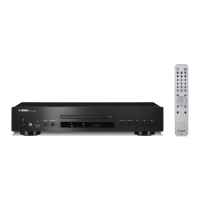
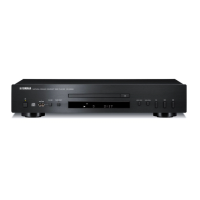
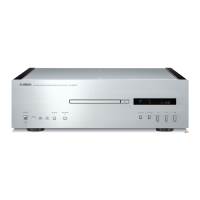
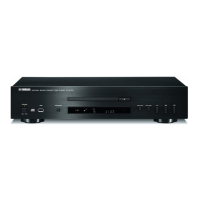
Yamaha CD-S303BL - User Manual

Yamaha CD-S303BL
48 pages
Print Icon
To Next Page IconTo Next Page
Loading...
Owner’s Manual
Mode d’emploi
Compact Disc Player
Lecteur Compact Disc
CD-S303
EN
FR
English
Français

Table of Contents

Questions and Answers

  • O
    oconnelljuliaSep 7, 2025
    Why does playback not start immediately on my Yamaha CD Player?
    • P
      Patrick BrownSep 7, 2025
      If playback doesn't start immediately or from the correct point, the disc may be dirty or scratched. Wipe off the dirt from the disc surface, or use an unscratched disc.
  • S
    Steve StaffordAug 22, 2025
    What to do if my Yamaha CD-S303BL CD Player is unable to play the inserted disc?
    • K
      kristen92Aug 22, 2025
      There are several reasons why your Yamaha CD Player might not play a disc. Here's what to check: * The disc may be dirty or scratched: Clean the disc or try a different one. * The disc may be upside down: Ensure the label side is up. * The disc format may not be supported: Use a supported disc format. * Condensation may have formed on the lens: Wait 20-30 minutes after turning the unit on, then try again. * The unit may be in USB mode: Switch to Disc mode by pressing the CD/USB button.
  • M
    Michael MooreSep 4, 2025
    How to stop buzzing or humming noise from Yamaha CD-S303BL CD Player?
    • S
      Shawn MitchellSep 4, 2025
      If you hear a buzzing or humming noise, ensure the RCA stereo cable is firmly connected. If the problem persists, check the cable for defects.
  • M
    Melissa ReedSep 3, 2025
    Why does my Yamaha CD-S303BL have no indication on the display?
    • B
      Brenda BrownSep 3, 2025
      If there is no indication on the display, the PURE DIRECT function might be turned on. Turn the PURE DIRECT function off.
  • K
    Katherine LiSep 2, 2025
    What to do if my Yamaha CD Player is unable to play a music file stored on the USB flash drive?
    • P
      Peggy RamosSep 2, 2025
      If you can't play music files from your USB drive, make sure the USB flash drive is properly connected to the unit. Also, ensure that the USB flash drive contains files in a format supported by the unit. Finally, verify that the unit is in USB mode by pressing the CD/USB button.
  • M
    Mark RichardsonAug 31, 2025
    How to fix Yamaha CD-S303BL CD Player remote control that is not working?
    • M
      Melissa GrossSep 1, 2025
      If the remote control isn't working properly, first replace all the batteries. If that doesn't work, make sure you are using the remote control within the operative range and angle.
  • H
    Holly CarrilloAug 30, 2025
    Why is my Yamaha CD Player skipping?
    • A
      Angela DunnAug 30, 2025
      If the sound skips during playback, the unit might be affected by vibration or impact; try changing its location. Also, the disc may be dirty or scratched; clean the disc surface or use an unscratched disc.
  • J
    Jacqueline MckinneyAug 28, 2025
    Why Yamaha CD-S303BL unable to play music file on USB?
    • K
      Kimberly McdonaldAug 29, 2025
      If your Yamaha CD Player isn't playing music files from a USB drive, first, ensure the USB drive is properly connected. Confirm that the files on the USB drive are in a format supported by the unit. Also, check that the unit is in USB mode by pressing the CD/USB button.
  • S
    sriceAug 27, 2025
    What to do if Yamaha CD-S303BL remote control does not work?
    • H
      hbaileyAug 27, 2025
      If the remote control for your Yamaha CD Player isn't working correctly, the batteries may be weak; try replacing them. Also, make sure you are within the operative range and angle for the remote to function properly.
  • M
    Martha EstesAug 27, 2025
    Why is my Yamaha CD-S303BL unable to play the inserted disc?
    • M
      Mary LamAug 27, 2025
      If your Yamaha CD Player won't play a disc, there might be several reasons. First, the disc could be dirty or scratched; try cleaning it or using a different disc. Ensure the disc is placed with the label side up. Condensation inside the unit can also prevent playback; try turning the unit on and waiting 20-30 minutes before trying again. The unit might be in USB mode, so press CD/USB to switch to Disc mode. Also, confirm that the disc and its file format are supported by the unit.

Yamaha CD-S303BL Specifications

General IconGeneral
TypeCD Player
Disc CompatibilityCD, CD-R, CD-RW
Frequency Response2 Hz - 20 kHz
Signal-to-Noise Ratio110 dB
Dynamic Range100 dB
Power Consumption15 W
Output Level/Voltage2.0V RMS
Digital Audio OutputOptical
Dimensions (W x H x D)435 x 106 x 320 mm
DACBurr-Brown
Total Harmonic Distortion0.003% (1 kHz)

Related product manuals