EasyManua.ls Logo

Yamaha CD-C600 - Service Manual

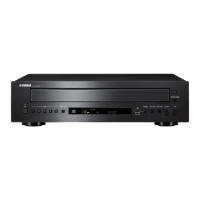
Yamaha CD-C600
64 pages
Print Icon
To Next Page IconTo Next Page
Loading...
CD-C600
Copyright © 2009 All rights reserved.
This manual is copyrighted by YAMAHA and may not be copied or
redistributed either in print or electronically without permission.
101145
SERVICE MANUAL
IMPORTANT NOTICE
This manual has been provided for the use of authorized YAMAHA Retailers and their service personnel.
It has been assumed that basic service procedures inherent to the industry, and more speci cally YAMAHA Products, are already known
and understood by the users, and have therefore not been restated.
WARNING:
Failure to follow appropriate service and safety procedures when servicing this product may result in personal injury,
destruction of expensive components, and failure of the product to perform as speci ed. For these reasons, we advise
all YAMAHA product owners that any service required should be performed by an authorized YAMAHA Retailer or
the appointed service representative.
IMPORTANT:
The presentation or sale of this manual to any individual or rm does not constitute authorization, certi cation or
recognition of any applicable technical capabilities, or establish a principle-agent relationship of any form.
The data provided is believed to be accurate and applicable to the unit(s) indicated on the cover. The research, engineering, and service
departments of YAMAHA are continually striving to improve YAMAHA products. Modifications are, therefore, inevitable and
speci cations are subject to change without notice or obligation to retro t. Should any discrepancy appear to exist, please contact the
distributor's Service Division.
WARNING:
Static discharges can destroy expensive components. Discharge any static electricity your body may have
accumulated by grounding yourself to the ground buss in the unit (heavy gauge black wires connect to this buss).
IMPORTANT:
Turn the unit OFF during disassembly and part replacement. Recheck all work before you apply power to the unit.
CONTENTS
TO SERVICE PERSONNEL ........................................2–3
PREVENTION OF ELECTROSTATIC DISCHARGE ......4
FRONT PANEL ...............................................................5
REAR PANELS ...........................................................5–6
REMOTE CONTROL PANEL ..........................................7
SPECIFICATIONS ...........................................................8
INTERNAL VIEW ............................................................9
DISASSEMBLY PROCEDURES ............................. 10–14
STANDARD OPERATION CHART ......................... 15–16
TEST MODE .................................................................. 17
FACTORY MODE .......................................................... 18
UPDATING FIRMWARE .......................................... 19–23
DISPLAY DATA .............................................................24
IC DATA ...................................................................25–33
PIN CONNECTION DIAGRAMS .............................34–35
BLOCK DIAGRAM ........................................................37
PRINTED CIRCUIT BOARDS .................................38–46
SCHEMATIC DIAGRAMS .......................................47–52
REPLACEMENT PARTS LIST ................................53–61
REMOTE CONTROL .....................................................62
'09.09
P.O.Box 1, Hamamatsu, Japan
COMPACT DISC PLAYER
CD-C600


Other manuals for Yamaha CD-C600

Questions and Answers

  • K
    Kayla TurnerAug 18, 2025
    Why is there no sound from DIGITAL OUT jacks on my Yamaha CD Player?
    • S
      Scott BergerAug 18, 2025
      If you are not hearing sound from a component connected to the DIGITAL OUT jacks on your Yamaha CD Player, PURE DIRECT might be turned on. Turn PURE DIRECT off or make an analog connection.
  • M
    matthew82Aug 20, 2025
    How to fix Yamaha CD-C600 that fails to turn on?
    • R
      robert97Aug 20, 2025
      If your Yamaha CD Player fails to turn on, ensure the power cable is firmly connected to the AC IN inlet on the rear panel and plugged into the wall outlet.
  • M
    Matthew WalterAug 22, 2025
    Why is there no sound from my Yamaha CD Player?
    • E
      esmithAug 22, 2025
      If there is no sound coming from your Yamaha CD Player, check the following: * Ensure the output cables are properly connected. If the problem persists, the cables may be defective. * Verify that the amplifier controls are set to the correct input selection.
  • A
    Ann ChapmanAug 26, 2025
    Why does my Yamaha CD Player suddenly turn off?
    • A
      asmithAug 26, 2025
      If your Yamaha CD Player suddenly turns off, it might be due to the auto standby mode being enabled. To resolve this, set the auto standby mode to off.
  • J
    Jonathan HernandezAug 27, 2025
    What to do if the Yamaha CD Player remote control does not work?
    • A
      Arthur PerezAug 28, 2025
      If the remote control for your Yamaha CD Player isn't working correctly, consider these points: * Ensure you are within the operational range: a maximum of 6 m (20 ft) and no more than 30 degrees off-axis from the front panel. * Replace all the batteries, as weak batteries can cause malfunction.
  • G
    gonzalesaaronAug 30, 2025
    Why Yamaha CD-C600 CD Player disc playback does not start?
    • A
      Antonio ShawAug 30, 2025
      If disc playback doesn't start or a disc number doesn't light up on your Yamaha CD Player, consider the following: * Check the disc for damage and replace if necessary. * Wait 20 to 30 minutes after turning the unit on to allow any moisture on the laser pickup to dissipate. * Ensure the disc is loaded with the label side up. * Clean the disc if it's dirty. * Verify that the MP3 or WMA file format is compatible with the unit; replace the disc if necessary. * If using a CD-RW, ensure it's correctly recorded; replace if necessary. * Confirm the disc is a standard disc playable with the unit; replace if necessary. * Make sure the unit is in disc mode by pressing CD/USB if it's in iPod/USB mode.
  • L
    Linda BrewerSep 1, 2025
    Why does the sound skip on my Yamaha CD-C600?
    • J
      Jonathan PatelSep 1, 2025
      If the sound “skips” on your Yamaha CD Player, it might be due to: * Vibrations or impacts affecting the unit. Try relocating the unit. * A dirty disc. Try cleaning the disc.
  • D
    donaldhuynhSep 4, 2025
    Why won't my Yamaha CD-C600 play from USB?
    • J
      Jerry SmithSep 4, 2025
      If USB playback does not start on your Yamaha CD Player, check these: * Ensure proper USB device connections by reconnecting the iPod/USB device. * Verify that the MP3 or WMA file format is compatible with the unit; replace the file if necessary. * Ensure the unit is in iPod/USB mode by pressing CD/USB if it's in disc mode.
  • G
    Gabriel RichardsSep 6, 2025
    Why won't my Yamaha CD Player play my iPod?
    • S
      Stephanie MaloneSep 6, 2025
      If iPod playback doesn't start on your Yamaha CD Player despite the iPod being connected: * Confirm that the connected iPod is compatible with the unit. Compatible models include: iPod classic (including 120GB model), iPod nano (2nd, 3rd and 4th generations), and iPod touch (1st and 2nd generations) (As of April 2009). * Ensure the unit is in iPod/USB mode by pressing CD/USB if it's in disc mode.
  • K
    Karen CoxSep 9, 2025
    What to do if Yamaha CD-C600 playback is delayed?
    • J
      John AtkinsonSep 9, 2025
      If playback on your Yamaha CD Player is delayed or begins at the wrong place, the disc may be scratched or damaged. Check the disc carefully and replace it if necessary.

Summary

IMPORTANT NOTICE

TO SERVICE PERSONNEL

Critical Components Information

Information on critical components and replacement requirements.

Leakage Current Measurement

Procedure to measure leakage current for safety compliance.

CHEMICAL CONTENT NOTICE

Notice regarding chemical content and safety precautions.

Laser Safety Precautions

Safety precautions for servicing laser components.

Laser Emitting Conditions and Properties

Laser Emitting Conditions

Conditions for laser emission during operation and servicing.

Laser Diode Properties

Technical specifications of the laser diode used in the unit.

Power Supply Warning

Safety warning regarding live mains voltage on the primary side.

PREVENTION OF ELECTROSTATIC DISCHARGE

Grounding for ESD Prevention

Methods for grounding to prevent ESD damage.

FRONT PANEL Layout

REAR PANELS Configurations

REMOTE CONTROL PANEL

Caution for Moving Unit

Precautions to take when moving the unit to prevent damage.

SPECIFICATIONS

Audio Section Specifications

Technical specifications for the audio performance.

General Specifications

General specifications like power supply, consumption, and dimensions.

Dimensions and Accessories

Physical dimensions and included accessories.

INTERNAL VIEW

DISASSEMBLY PROCEDURES

Top Cover and Clamp Removal

Steps to remove the top cover and clamp assembly.

Disc Tray and Table Removal

Instructions for removing the disc tray and internal table.

Further Disassembly and Installation Steps

Front Panel Unit Removal

Procedure to remove the front panel unit.

Table Installation Precautions

Critical steps for correctly installing the table.

Component Unit Removal

CM-230 B Unit Removal

Steps for removing the CM-230B unit.

PU Mechanism Unit Removal

Instructions for removing the pick-up mechanism unit.

Operation Check Procedure

Disassembly for Check

Steps for disassembling the unit for operation checks.

Test Mode Activation

How to enter test mode for fault checking.

PCB Checking and Connection Procedures

PCB Checking Procedures

Specific instructions for checking PCBs and connections.

Grounding and Cable Connection

Connecting ground points and reconnecting cables.

STANDARD OPERATION CHART

Detailed Operation Chart Steps

Operation Chart Steps

Key steps in the standard operation flowchart.

TEST MODE

Starting and Canceling Test Mode

Procedures to enter and exit the device's test mode.

Test Mode Operations

List of functions and key codes for test mode operations.

FACTORY MODE

Starting and Canceling Factory Mode

Procedures to activate and exit factory mode.

Factory Mode Operations

Key codes and functions available in factory mode.

UPDATING FIRMWARE

Required Tools and Preparation

List of tools, software, and precautions for firmware updates.

Connection and Firmware Version Check

Steps to connect and verify firmware versions.

Firmware Update Procedure

RS-232 C Connection

Connecting the unit to a PC for firmware update.

Firmware Update Execution

Firmware Update Procedure

Detailed steps for performing the firmware update.

Firmware Writing and Verification

Setting Baud Rate and Erasing Memory

Steps to set baud rate and erase device memory.

Starting Firmware Writing

Initiating the firmware writing process.

Post-Firmware Update Procedures

Firmware Writing Completion and EEPROM Initialization

Verifying firmware and initializing EEPROM after update.

DISPLAY DATA and Pin Connections

Display Data and Grid Assignment

Information on display segments and their assignments.

Pin Connection Diagrams

Visual diagrams of IC pin connections.

IC Data

LC786922 IC Details

Pin assignments and functions for the LC786922 IC.

IC Pin Functions (1-40)

IC Pin Functions (41-62)

IC Pin Functions and Notes

IC Pin Functions (63-80)

Detailed pin functions from 63 through 80.

Pin Usage Notes

Important notes regarding pin usage and connections.

IC305 Microprocessor Details

Microprocessor I;O Ports and Peripherals

Overview of the microprocessor's I/O ports and peripheral functions.

Microprocessor Port Functions

Port Functions (Port 0-3)

Detailed pin functions for Ports 0 through 3.

Microprocessor Port Functions Continued

Port Functions (Port 7, PWM, UHD, RES, XT, CF)

Detailed pin functions for Ports 7, PWM, UHD, RES, XT, CF.

IC305 Pin Connections Overview

Microprocessor I;O Ports Overview

Overview of the microprocessor's I/O ports.

Peripheral Functions Summary

Summary of peripheral functions available on the microprocessor.

Microprocessor Pin Functions (1-50)

Microprocessor Pin Functions (51-80)

A;D Port Key Detection

Details on detecting key inputs via the A/D port.

IC Pin Connection Diagrams

Integrated Circuit Pinouts

Pin connection diagrams for various integrated circuits.

Component Identification: Diodes

Component Identification: Transistors

MEMO

BLOCK DIAGRAM

Analog Output and PU Mechanism

Block diagrams of analog output and PU mechanism.

Disc Tray and Control Sections

Block diagrams of disc tray and control sections.

Power Supply Circuit Diagram

Block diagram of the power supply circuit.

PRINTED CIRCUIT BOARDS: Main PCB (Side A)

PRINTED CIRCUIT BOARDS: Main PCB (Side B)

PRINTED CIRCUIT BOARDS: Operation (1-4) Side A

PRINTED CIRCUIT BOARDS: Operation (1-4) Side B

PRINTED CIRCUIT BOARDS: Operation (5-9) Side A

PRINTED CIRCUIT BOARDS: Operation (5-9) Side B

PRINTED CIRCUIT BOARDS: Operation (10,12-14) Side A

PRINTED CIRCUIT BOARDS: Operation (10,12-14) Side B

PRINTED CIRCUIT BOARDS: Operation (11) Side A

PRINTED CIRCUIT BOARDS: Operation (11) Side B

SCHEMATIC DIAGRAMS: Main & Operation (9)

Main Board Schematic

Schematic diagram for the main board.

Operation (9) Board Schematic

Schematic diagram for Operation board 9.

PU Mechanism & Disc Tray Schematics

Schematics for PU mechanism and disc tray.

Power Supply & Control Schematics

Schematics for power supply and control sections.

SCHEMATIC DIAGRAMS: Main 2;2 & Others

Main Board Schematic Part 2

Second part of the main schematic diagram.

DC;DC Converter & Buffer Schematics

Schematics for DC/DC converter and buffer.

Microprocessor & EEPROM Schematics

Schematics related to microprocessor and EEPROM.

Remote Control Interface Schematic

Schematic for the remote control interface.

SCHEMATIC DIAGRAMS: Operation (1-4)

Operation (1) Schematic

Schematic for Operation board 1.

Operation (2) Schematic

Schematic for Operation board 2.

Operation (3) Schematic

Schematic for Operation board 3.

Operation (4) Schematic

Schematic for Operation board 4.

SCHEMATIC DIAGRAMS: Operation (5-8)

Operation (5) Schematic

Schematic for Operation board 5.

Operation (6) Schematic

Schematic for Operation board 6.

Operation (7) Schematic

Schematic for Operation board 7.

Operation (8) Schematic

Schematic for Operation board 8.

SCHEMATIC DIAGRAMS: Operation (9)

Operation (9) Board Schematic

Schematic diagram for Operation board 9.

SCHEMATIC DIAGRAMS: Operation (10-14)

Operation (10) Schematic

Schematic for Operation board 10.

Operation (11) Schematic

Schematic for Operation board 11.

Operation (12) Schematic

Schematic for Operation board 12.

Operation (13) Schematic

Schematic for Operation board 13.

Operation (14) Schematic

Schematic for Operation board 14.

REPLACEMENT PARTS LIST

Electrical Component Parts

List of electrical components with part details.

Abbreviations Used in Parts List

Explains abbreviations used in the parts list.

Parts List: Main PCB

Parts List: Main & Operation PCBs

Parts List: Operation PCBs

Carbon Resistors List

OVERALL ASSEMBLY Diagram

Parts List: Ref No. Part No. Description

Accessories and Service Tools

List of accessories and service tools.

CM-230 B UNIT Parts and Diagram

PU UNIT ASSEMBLY and Grease Diagram

REMOTE CONTROL Details

Remote Control Schematic

Circuit schematic of the remote control.

Remote Control Panel Layout

Layout and key codes for the remote control panel.

MEMO

YAMAHA Brand Information

Yamaha CD-C600 Specifications

General IconGeneral
Frequency range10 - 20000 Hz
Signal-to-Noise Ratio (SNR)106 dB
Total Harmonic Distortion (THD)0.003 %
CD-RW playbackYes
File typeMP3, WMA
Device typeHiFi CD player
Product colorBlack
Dimensions (WxDxH)435 x 116 x 405 mm
Weight and Dimensions IconWeight and Dimensions
Weight6200 g

Related product manuals