Need help?
Do you have a question about the Yamaha R CD-S700 and is the answer not in the manual?
Explains the meaning of safety symbols like lightning flash and exclamation point.
Instructions to record the unit's model and serial number for future reference.
States compliance with Canadian ICES-003 and plug information.
Warns against modifying the unit, which may void FCC authority.
Confirms product compliance with FCC Part 15 for Class 'B' digital devices.
Details for UK customers regarding plug fitting and mains lead wiring colors.
Covers placement, ventilation, temperature, moisture, and handling advice.
Warns about potential eye injury from laser radiation and advises caution.
Highlights audio outputs and support for various disc and file formats.
Details program play, random play, and repeat play features.
Mentions adjustable display and PURE DIRECT mode for audio quality.
Lists remote control, RCA cable, power cable, and batteries.
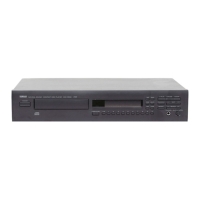
Describes the purpose of each button on the front panel.
Explains the status indicated by LEDs on the front panel.
Details indicators for Audio CD playback modes and track information.
Details indicators for Data Disc/USB playback, including file names.
Explains the function of each button on the remote control.
Step-by-step guide to insert batteries into the remote control.
Provides guidelines for optimal remote control operation and care.
How to connect the unit to an amplifier using RCA stereo cables.
How to connect using optical or coaxial digital audio cables.
Instructions for connecting the power cable to the unit and wall outlet.
How to connect and use USB devices with the unit.
Lists compatible USB mass storage class devices and format requirements.
How to turn the unit on and prepare for disc playback.
Instructions for loading a disc and starting playback.
How to play back MP3/WMA files from a connected USB device.
How to control playback: pause, resume, and stop.
How to activate PURE DIRECT mode to improve audio quality.
How to skip to the beginning of current, next, or previous tracks.
How to advance or reverse playback rapidly within a track.
How to cycle through different display information options on the front panel.
How to change the brightness level of the front panel display.
How to set the unit to play tracks in a random sequence.
How to repeat a single track or all tracks on the disc.
How to set specific start and end points for repeat playback.
How to stop repeat A-B playback.
How to stop, restart, and program tracks for playback.
Methods to clear the last or all programmed tracks.
Lists the types of discs the unit can play, including CD-R/RW.
Details the supported MP3 and WMA audio formats and bitrates.
Specifies maximum file and folder numbers for discs and USB devices.
Provides advice on handling compact discs to prevent damage and ensure playback.
Instructions for playing back smaller 8-cm CDs in the disc tray.
Solutions for unit not turning on or disc tray issues.
Solutions for playback errors with discs or USB devices.
Solutions for no sound, sound skipping, hums, or external noise.
Solutions for when the remote control does not function properly.
Lists audio, laser diode, and general technical specifications.
Outlines the terms, conditions, and exclusions of the product guarantee.
Provides guidance on recycling old electronic equipment and batteries.
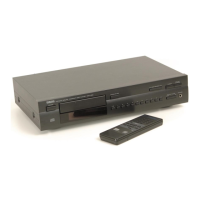
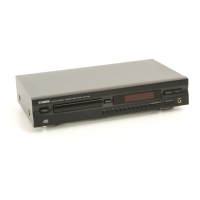
The Yamaha CD-S700 is a Compact Disc Player designed for high-quality audio playback from various sources, including Audio CDs, Data Discs (MP3/WMA), and USB devices containing MP3/WMA files. It offers a range of features to enhance the listening experience and ensure ease of use.
The primary function of the CD-S700 is to play back audio from compact discs and USB devices. It supports standard Audio CDs, as well as CD-R and CD-RW discs containing MP3 or WMA format files. Additionally, it can play MP3 and WMA files stored on USB mass storage class devices (e.g., flash memories, card readers, portable audio players) formatted with FAT16 or FAT32.
The unit features both Optical Digital Output and Coaxial Digital Output, allowing for flexible connection to a variety of amplifiers and audio systems. For those seeking the purest audio signal, the CD-S700 includes a PURE DIRECT function, which turns off the digital output and the front panel display (except for minimum required indicators) to minimize interference and improve sound quality. When using PURE DIRECT mode, it is recommended to connect the unit via the ANALOG OUT terminals.
Playback modes include standard sequential play, random-sequence play, and repeat play (single track, entire disc, or A-B repeat for Audio CDs). For Audio CDs, users can also program a custom playback order of up to 50 tracks.
The CD-S700 can be operated via its front panel controls or the supplied remote control.
The remote control provides comprehensive control over the unit, including:
The CD-S700 offers three ways to connect to an amplifier:
USB mass storage class devices can be connected to the front panel USB port. The unit supports FAT16 or FAT32 formats. Playback from USB devices starts automatically in order by date and time of creation. It is crucial not to disconnect the USB device during playback or when the USB indicator blinks to avoid data loss or malfunction. Yamaha recommends backing up files on USB devices as it accepts no liability for data loss.
For Asia and General models, the VOLTAGE SELECTOR on the rear panel must be set to the local main voltage (110/120/220/230-240V, 50/60Hz) before plugging in the power cable. Incorrect voltage selection can cause damage or fire. For Europe and U.K. models, the power cable is simply plugged into the AC IN on the rear panel and then into a wall outlet. The unit is never fully disconnected from the AC power source as long as it's plugged in, even when turned off by the POWER button.
The manual provides a detailed troubleshooting section to help users identify and resolve common issues, such as the unit not turning on, disc tray not closing, playback not starting, USB playback issues, no sound, skipping, humming, or remote control malfunction. It offers solutions like checking cable connections, cleaning discs, replacing discs, adjusting amplifier settings, and repositioning the unit or other components. For persistent problems, users are advised to contact an authorized Yamaha dealer or service center.
 General
| Disc Compatibility | CD, CD-R/RW (MP3, WMA) |
|---|---|
| Signal-to-Noise Ratio | 110 dB |
| Dynamic Range | 100 dB |
| Total Harmonic Distortion | 0.002% |
| Frequency Response | 2 Hz-20 kHz |
| Digital Output | Optical |
| Output Level | 2.0 ± 0.3 V (1 kHz, 0 dB) |
| Analog Output | RCA |
| Dimensions (W x H x D) | 435 x 86 x 260 mm |
| Weight | 6.2 kg |
| DAC | Burr-Brown |


 To Next Page