EasyManua.ls Logo

Yamaha 480 - User Manual

Yamaha 480
22 pages
Print Icon
To Next Page IconTo Next Page
Loading...
IMPORTANT!
Please record the serial number of this
unit in the space below.
Model:
Serial No.:
The serial number is located on the rear
of the unit.
Retain this Owner’s Manual in a safe
place for future reference.
WARNING
TO REDUCE THE RISK OF FIRE OR
ELECTRIC SHOCK, DO NOT EXPOSE
THIS UNIT TO RAIN OR MOISTURE.
RISK OF ELECTRIC SHOCK
DO NOT OPEN
CAUTION: TO REDUCE THE RISK OF
ELECTRIC SHOCK, DO NOT REMOVE
COVER (OR BACK), NO USER-SERVICEABLE
PARTS INSIDE, REFER SERVICING TO
QUALIFIED SERVICE PERSONNEL.
The lightning flash with arrowhead
symbol, within an equilateral triangle,
is intended to alert you to the
presence of uninsulated “dangerous
voltage” within the product’s
enclosure that may be of sufficient
magnitude to constitute a risk of
electric shock to persons.
The exclamation point within an
equilateral triangle is intended to alert
you to the presence of important
operating and maintenance
(servicing) instructions in the
literature accompanying the
appliance.
Explanation of Graphical Symbols
CAUTION
Natural Sound Compact Disc Player
Random Access Programmable Play
Random-Sequence Play
Single Track/Entire Disc Repeat Play
Automatic Spacing Capability
Automatic Tape-Programming
Automatic Peak Level Searching Capability
CD Synchronized Recording with a Compatible YAMAHA Tape Disk
Display Brightness Changing Capability
Remote Control Capability
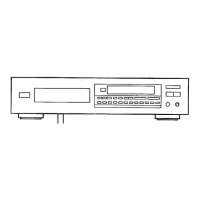
CDX-880/580/480
Thank you for selecting this YAMAHA Compact Disc Player.
CONTENTS
Safety Instructions.................... 2
Connections ............................. 4
Identification of Components.... 6
Loading the Disc/Disc Play....... 8
Random-Sequence Play ........ 12
Repeat Play............................ 12
Program Play.......................... 13
Index Search .......................... 14
Track Programming for
Recording to Tape.................. 15
CD Synchronized Recording
...... 19
Notes about the Remote
Control Transmitter................. 20
Notes about Handling
Compact Discs....................... 20
Troubleshooting...................... 21
Specifications......................... 21
OWNER’S MANUAL

Questions and Answers

Summary

Safety Instructions

Power and Servicing

Covers power source, cord protection, cleaning, non-use, object entry, and service requirements.

Pre-Operation Safety Cautions

Hazardous Radiation and Electrical Warnings

Laser Radiation Safety

Warns of invisible laser radiation and potential eye hazards from direct exposure.

Electrical Shock Prevention

Advises against opening the unit to prevent electrical shock and refers to qualified personnel.

Connections

Remote Control Transmitter

Remote Control Button Functions

Details the function of each button on the remote control transmitter.

Basic Operation

Initiating Disc Playback

Steps to begin playing a disc from the first track.

Track Selection and Playback Control

Direct Track Selection

How to select a specific track number using numeric buttons.

Skip Track Navigation

How to navigate to the beginning of the next or current track.

Advanced Playback Functions

Playback Modes

Program Playback

Programming Tracks

How to select and program up to 25 tracks in a desired order.

Track Programming for Tape Recording

Automatic Tape Programming

Automatically programs tracks to fit the tape's recording time.

Manual Tape Programming

Manual Programming Procedure

Steps for manually programming tracks for tape recording on side A.

Random Sequential Tape Programming

Random Sequence Programming

Automatically programs tracks in random order for tape recording.

Automatic Peak Level Search

Peak Level Search Operation

Searches for and repeatedly plays peak signal levels for recording level adjustment.

CD Synchronized Recording

Synchronized Recording Requirements

Needs compatible YAMAHA tape deck and close placement for signal reception.

Performing Synchronized Recording

Detailed steps to initiate and manage synchronized CD to tape recording.

Remote Control and Disc Handling Notes

Compact Disc Handling

Guidance on disc compatibility, cleaning, care, and playing 8-cm CDs.

Troubleshooting Guide

Power, Tray, and Playback Issues

Troubleshooting problems with power, disc tray, and play initiation.

Sound and Noise Issues

Resolving issues related to no sound, skipping, humming, and external noise.

Remote Control and Other Issues

Troubleshooting remote control malfunctions and other operational problems.

Summary

Safety Instructions

Power and Servicing

Covers power source, cord protection, cleaning, non-use, object entry, and service requirements.

Pre-Operation Safety Cautions

Hazardous Radiation and Electrical Warnings

Laser Radiation Safety

Warns of invisible laser radiation and potential eye hazards from direct exposure.

Electrical Shock Prevention

Advises against opening the unit to prevent electrical shock and refers to qualified personnel.

Connections

Remote Control Transmitter

Remote Control Button Functions

Details the function of each button on the remote control transmitter.

Basic Operation

Initiating Disc Playback

Steps to begin playing a disc from the first track.

Track Selection and Playback Control

Direct Track Selection

How to select a specific track number using numeric buttons.

Skip Track Navigation

How to navigate to the beginning of the next or current track.

Advanced Playback Functions

Playback Modes

Program Playback

Programming Tracks

How to select and program up to 25 tracks in a desired order.

Track Programming for Tape Recording

Automatic Tape Programming

Automatically programs tracks to fit the tape's recording time.

Manual Tape Programming

Manual Programming Procedure

Steps for manually programming tracks for tape recording on side A.

Random Sequential Tape Programming

Random Sequence Programming

Automatically programs tracks in random order for tape recording.

Automatic Peak Level Search

Peak Level Search Operation

Searches for and repeatedly plays peak signal levels for recording level adjustment.

CD Synchronized Recording

Synchronized Recording Requirements

Needs compatible YAMAHA tape deck and close placement for signal reception.

Performing Synchronized Recording

Detailed steps to initiate and manage synchronized CD to tape recording.

Remote Control and Disc Handling Notes

Compact Disc Handling

Guidance on disc compatibility, cleaning, care, and playing 8-cm CDs.

Troubleshooting Guide

Power, Tray, and Playback Issues

Troubleshooting problems with power, disc tray, and play initiation.

Sound and Noise Issues

Resolving issues related to no sound, skipping, humming, and external noise.

Remote Control and Other Issues

Troubleshooting remote control malfunctions and other operational problems.

Overview

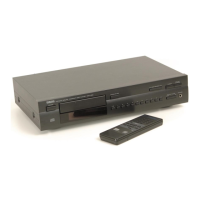
The Yamaha CDX-880/580/480 is a series of natural sound compact disc players designed for high-fidelity audio playback. These models offer a range of features aimed at enhancing the user's listening experience and facilitating recording to tape.

Function Description:

The primary function of these units is to play compact discs. They support standard 12-cm/5-inch CDs and also 8-cm/3-inch compact discs, which should be placed in the inner recessed area of the disc tray. The players are equipped with various playback modes, including:

  • Random Access Programmable Play: Allows users to program up to 25 desired tracks in any order for playback. The display shows the program number, selected track number, total time of programmed tracks, and the numbers of programmed tracks.
  • Random-Sequence Play: Plays tracks on a disc in a random order selected by the unit's microcomputer. This feature does not function during programming or programmed play. If power is switched off during random-sequence play, the unit will resume this mode automatically when powered on again, making it suitable for timer play. Skip buttons allow navigation to the next randomly programmed track or back to the beginning of the current track.
  • Single Track/Entire Disc Repeat Play: Users can repeatedly play a single desired track (Single Repeat) or all tracks on the disc (Full Repeat). This mode is also available during programmed-play and random-sequence play.
  • Automatic Spacing Capability: When recording a disc to tape, this feature automatically inserts approximately 4-second non-recorded intervals between tracks if the original disc has insufficient spacing. This helps tape decks perform blank search operations correctly.
  • Automatic Tape-Programming: This feature assists in programming tracks for recording to tape by considering the tape's total recording time. The unit can automatically program tracks to fit onto side A and side B of a tape, minimizing unrecorded space. It supports four common tape lengths (C-46, C-54, C-60, C-90) and allows manual input for other lengths.
  • Automatic Peak Level Searching Capability: This function automatically searches for the part of a disc with the highest source level and then repeatedly plays that section. This is particularly useful for adjusting the recording level on a tape deck before recording.
  • CD Synchronized Recording with a Compatible YAMAHA Tape Deck: This feature enables automatic synchronization of CD playback with tape deck recording, simplifying the process of recording CDs to tape. It requires a compatible Yamaha tape deck and both units to be placed close enough to receive signals from the CD player's remote control transmitter.
  • Display Brightness Changing Capability: The display brightness can be adjusted in multiple steps, including turning off the illumination entirely. For CDX-880/580, it offers Normal, Dim, and Off. For CDX-480, it offers Normal, Slightly Dim, and Dim. When the display illumination is off, the "AUTO DISPLAY OFF" indicator on the front panel is lit.
  • Remote Control Capability: All models come with a remote control transmitter that provides access to most functions, including power, open/close, play, pause, stop, skip, search, numeric track selection, program, repeat, random, space, time display mode, dimmer, clear, peak search, index search, tape programming, and output level adjustment.

Important Technical Specifications:

The specifications vary slightly across the models (CDX-880, CDX-580, CDX-480), with the CDX-880 generally offering the highest performance.

  • Frequency Response:
    • CDX-880: 2 Hz – 20 kHz, ±0.3 dB
    • CDX-580, CDX-480: 2 Hz – 20 kHz, ±0.5 dB
  • Harmonic Distortion + Noise (1 kHz):
    • CDX-880: 0.002%
    • CDX-580: 0.0025%
    • CDX-480: 0.003%
  • S/N Ratio:
    • CDX-880: 118 dB
    • CDX-580: 115 dB
    • CDX-480: 105 dB
  • Dynamic Range:
    • CDX-880, CDX-580: 98 dB
    • CDX-480: 95 dB
  • Wow & Flutter: Unmeasurable
  • Output Voltage (VARIABLE/FIXED): 2.0 ±0.5V max.
  • Headphones Output (-20 dB): 200 ±40 mV/150 ohms
  • Power Consumption: 20W
  • Dimensions (W x H x D):
    • CDX-880: 435 x 96 x 281 mm (17-1/8" x 3-3/4" x 11-1/16")
    • CDX-580, CDX-480: 435 x 96 x 270 mm (17-1/8" x 3-3/4" x 10-5/8")
  • Weight:
    • CDX-880: 4 kg (8 lbs. 13 oz.)
    • CDX-580, CDX-480: 3.8 kg (8 lbs. 6 oz.)
  • Laser Diode Properties: Material: GaAIAs, Wavelength: 780nm, Emission Duration: continuous, Laser Output: max. 44.6µW (measured at 200mm from objective lens surface).

Usage Features:

  • Connections: The units offer both analog (LINE OUT) and digital (DIGITAL OUT) connections. The CDX-880 includes both optical and coaxial digital outputs, while the CDX-580 has coaxial, and the CDX-480 only has analog. Analog outputs on the CDX-880 and CDX-580 can be variable or fixed, allowing for output level adjustment via the OUTPUT LEVEL buttons.
  • Display Information: During disc play, the display shows the track number, various time displays (elapsed time of current track, remaining time of current track, total disc play time, total remaining time on disc), and for CDX-580/480, output/headphone level. It also visually represents the tracks on the disc, with played tracks disappearing.
  • Direct Play: Selects and plays a desired track directly using numeric buttons on the remote.
  • Skip Play: Navigates to the beginning of the next or previous track. Holding the skip button continuously changes track numbers.
  • Manual Search: Allows rapid advancement or reversal of play, with slightly garbled sound, useful for locating specific positions within a track. This can also be done during pause mode without sound.
  • Index Search: If a disc includes index numbers, play can be started from any desired index point. The index system subdivides tracks into smaller divisions.
  • Headphone Output: A PHONES jack is provided for private listening, with volume adjustable via OUTPUT LEVEL buttons. Note that on the CDX-880, if FIXED LINE OUT terminals are used, the OUTPUT LEVEL buttons do not affect the signal level to the amplifier.
  • Control Door (CDX-880 only): The CDX-880 features a control door that can be opened or closed to access or conceal internal controls.

Maintenance Features:

  • Cleaning: The unit should be cleaned only as recommended by the manufacturer, using a clean, dry cloth. Chemical solvents should be avoided as they may damage the finish.
  • Compact Disc Handling:
    • Always handle discs carefully by the edges, avoiding touching the playing surface.
    • To clean a disc, wipe straight outward from the center with a clean, dry cloth; avoid circular motions.
    • Do not use disc cleaners, record sprays, anti-static sprays, or any chemical-based liquids, as these can irreparably damage the disc.
    • Avoid exposing discs to direct sunlight, high temperatures, or high humidity for extended periods to prevent warping or damage.
  • Battery Replacement (Remote Control): If the remote control transmitter requires closer proximity to the main unit to function, the batteries are weak and should be replaced with new AA, R6, or UM-3 batteries, ensuring correct polarity. Batteries should be removed if the remote is not used for a long period.
  • Troubleshooting Guide: The manual includes a troubleshooting section to help users diagnose and resolve common operating errors, such as power issues, disc tray problems, playback delays, sound issues (skipping, hums), and remote control malfunctions.
  • Servicing: No user-serviceable parts are inside the unit. All servicing should be referred to qualified service personnel. Opening the cabinet or attempting to service the unit beyond the described means may result in hazardous radiation exposure from the laser beam.
  • Placement: Install the unit in a cool, dry, clean place away from windows, heat sources, excessive vibration, dust, moisture, or cold. Avoid sources of hum (transformers, motors) and ensure proper ventilation. Separate the unit from other equipment like tuners if it causes noise.
  • Power Cord Protection: Ensure power-supply cords are routed to prevent walking on or pinching by other items, paying particular attention to plugs, convenience receptacles, and the point where they exit the unit. Unplug the power cord from the outlet when the unit is left unused for a long period or during electrical storms.

Yamaha 480 Specifications

General IconGeneral
BrandYamaha
Model480
CategoryCD Player
LanguageEnglish

Related product manuals