EasyManua.ls Logo

Yamaha CD-C600BL - User Manual

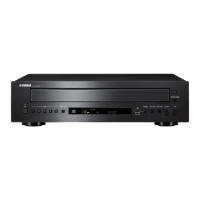
Yamaha CD-C600BL
20 pages
Print Icon
To Next Page IconTo Next Page
Loading...
Compact Disc Changer
Changeur Compact Disc
OWNER’S MANUAL
MODE D’EMPLOI
UCA

Questions and Answers

  • M
    Mrs. Robin SmithAug 17, 2025
    Why Yamaha CD Player disc playback does not start?
    • M
      michellemorrisAug 18, 2025
      If disc playback doesn't start or a disc number doesn't light up on your Yamaha CD Player, consider the following: * Check the disc for damage and replace if necessary. * Wait 20 to 30 minutes after turning the unit on to allow any moisture on the laser pickup to dissipate. * Ensure the disc is loaded with the label side up. * Clean the disc if it's dirty. * Verify that the MP3 or WMA file format is compatible with the unit; replace the disc if necessary. * If using a CD-RW, ensure it's correctly recorded; replace if necessary. * Confirm the disc is a standard disc playable with the unit; replace if necessary. * Make sure the unit is in disc mode by pressing CD/USB if it's in iPod/USB mode.
  • H
    Heather MoralesAug 20, 2025
    What to do if Yamaha CD-C600BL CD Player playback is delayed?
    • J
      Jacob SmithAug 20, 2025
      If playback on your Yamaha CD Player is delayed or begins at the wrong place, the disc may be scratched or damaged. Check the disc carefully and replace it if necessary.
  • M
    michaelwareAug 22, 2025
    How to fix Yamaha CD-C600BL CD Player that fails to turn on?
    • A
      Anita JonesAug 22, 2025
      If your Yamaha CD Player fails to turn on, ensure the power cable is firmly connected to the AC IN inlet on the rear panel and plugged into the wall outlet.
  • P
    pallenAug 25, 2025
    Why is there no sound from my Yamaha CD-C600BL CD Player?
    • C
      Curtis StephensAug 26, 2025
      If there is no sound coming from your Yamaha CD Player, check the following: * Ensure the output cables are properly connected. If the problem persists, the cables may be defective. * Verify that the amplifier controls are set to the correct input selection.
  • C
    Carol KhanAug 27, 2025
    Why does my Yamaha CD-C600BL suddenly turn off?
    • D
      Darren FisherAug 27, 2025
      If your Yamaha CD Player suddenly turns off, it might be due to the auto standby mode being enabled. To resolve this, set the auto standby mode to off.
  • C
    Chloe MillerAug 30, 2025
    What to do if the Yamaha CD-C600BL CD Player remote control does not work?
    • M
      Michael LucasAug 30, 2025
      If the remote control for your Yamaha CD Player isn't working correctly, consider these points: * Ensure you are within the operational range: a maximum of 6 m (20 ft) and no more than 30 degrees off-axis from the front panel. * Replace all the batteries, as weak batteries can cause malfunction.
  • R
    Ruth MilesSep 1, 2025
    Why does the sound skip on my Yamaha CD-C600BL?
    • P
      Paula DanielsSep 2, 2025
      If the sound “skips” on your Yamaha CD Player, it might be due to: * Vibrations or impacts affecting the unit. Try relocating the unit. * A dirty disc. Try cleaning the disc.
  • T
    Terry BoothSep 4, 2025
    Why won't my Yamaha CD-C600BL CD Player play from USB?
    • B
      bakerlauraSep 4, 2025
      If USB playback does not start on your Yamaha CD Player, check these: * Ensure proper USB device connections by reconnecting the iPod/USB device. * Verify that the MP3 or WMA file format is compatible with the unit; replace the file if necessary. * Ensure the unit is in iPod/USB mode by pressing CD/USB if it's in disc mode.
  • A
    Allison BryantSep 6, 2025
    Why won't my Yamaha CD Player play my iPod?
    • K
      Kayla MezaSep 6, 2025
      If iPod playback doesn't start on your Yamaha CD Player despite the iPod being connected: * Confirm that the connected iPod is compatible with the unit. Compatible models include: iPod classic (including 120GB model), iPod nano (2nd, 3rd and 4th generations), and iPod touch (1st and 2nd generations) (As of April 2009). * Ensure the unit is in iPod/USB mode by pressing CD/USB if it's in disc mode.
  • K
    kim46Sep 9, 2025
    Why does my Yamaha CD-C600BL sound hum?
    • O
      omorrisonSep 9, 2025
      If your Yamaha CD Player is producing a humming sound, ensure the audio cables are securely connected. If the problem persists, the cables may be defective.

Summary

Important Safety Instructions

Operation Precautions

Laser Safety Information

Details on the unit's laser and potential eye hazards.

Loading and Playing Discs

Program Playback (Audio CD)

How to program and play tracks from Audio CDs.

PLAYXCHANGE Function

Allows changing discs during playback without interruption.

Playing Back iPod;USB Device

Playable Disc and File Formats

MP3 and WMA File Formats

Details supported MP3 and WMA file formats and bitrates.

Supported Disc Types

Lists compatible CD, CD-R, CD-RW, and CD-TEXT disc types.

Using Advanced Setup

Troubleshooting

Specifications

Audio Section Specifications

Technical specifications for the audio performance.

Laser Diode Properties

Technical specifications related to the laser diode.

General Specifications

General specifications like power requirements, dimensions, and weight.

Yamaha CD-C600BL Specifications

General IconGeneral
TypeCD Player
Frequency Response2 Hz - 20 kHz
Total Harmonic Distortion0.0025%
Output Level2.0 V
Standby Power Consumption0.3 W
Playable MediaCD, CD-R, CD-RW
Channels2
Digital Audio OutputCoaxial

Related product manuals