EasyManua.ls Logo

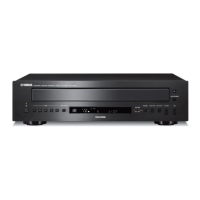
Yamaha CD-C600BL - User Manual

Yamaha CD-C600BL
20 pages
Print Icon
To Next Page IconTo Next Page
Loading...
Compact Disc Changer
Changeur Compact Disc
OWNER’S MANUAL
MODE D’EMPLOI
UCA

Questions and Answers

  • D
    danielbowmanSep 12, 2025
    Why is there no sound from DIGITAL OUT jacks on my Yamaha CD Player?
    • K
      Kimberly GuerraSep 12, 2025
      If you are not hearing sound from a component connected to the DIGITAL OUT jacks on your Yamaha CD Player, PURE DIRECT might be turned on. Turn PURE DIRECT off or make an analog connection.
  • K
    Kimberly MartinSep 14, 2025
    What to do if Yamaha CD-C600BL disc tray does not close completely?
    • R
      Robert TrujilloSep 14, 2025
      If the disc tray on your Yamaha CD Player does not close completely, a foreign object might be obstructing the tray. Carefully check the disc tray and remove any foreign object.

Summary

Important Safety Instructions

Operation Precautions

Laser Safety Information

Details on the unit's laser and potential eye hazards.

Loading and Playing Discs

Program Playback (Audio CD)

How to program and play tracks from Audio CDs.

PLAYXCHANGE Function

Allows changing discs during playback without interruption.

Playing Back iPod;USB Device

Playable Disc and File Formats

MP3 and WMA File Formats

Details supported MP3 and WMA file formats and bitrates.

Supported Disc Types

Lists compatible CD, CD-R, CD-RW, and CD-TEXT disc types.

Using Advanced Setup

Troubleshooting

Specifications

Audio Section Specifications

Technical specifications for the audio performance.

Laser Diode Properties

Technical specifications related to the laser diode.

General Specifications

General specifications like power requirements, dimensions, and weight.

Yamaha CD-C600BL Specifications

General IconGeneral
TypeCD Player
Frequency Response2 Hz - 20 kHz
Total Harmonic Distortion0.0025%
Output Level2.0 V
Standby Power Consumption0.3 W
Playable MediaCD, CD-R, CD-RW
Channels2
Digital Audio OutputCoaxial

Related product manuals