EasyManua.ls Logo

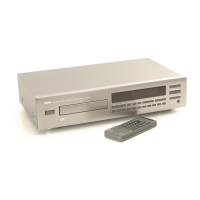
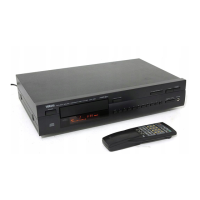
Yamaha CDX-497 - Service Manual

Yamaha CDX-497
30 pages
Print Icon
To Next Page IconTo Next Page
Loading...
101016
P.O.Box 1, Hamamatsu, Japan
SERVICE MANUAL
IMPORTANT NOTICE
This manual has been provided for the use of authorized YAMAHA Retailers and their service personnel.
It has been assumed that basic service procedures inherent to the industry, and more specifically YAMAHA Products, are already
known and understood by the users, and have therefore not been restated.
WARNING: Failure to follow appropriate service and safety procedures when servicing this product may result in personal
injury, destruction of expensive components, and failure of the product to perform as specified. For these reasons,
we advise all YAMAHA product owners that any service required should be performed by an authorized
YAMAHA Retailer or the appointed service representative.
IMPORTANT: The presentation or sale of this manual to any individual or firm does not constitute authorization, certification or
recognition of any applicable technical capabilities, or establish a principle-agent relationship of any form.
The data provided is believed to be accurate and applicable to the unit(s) indicated on the cover. The research, engineering, and
service departments of YAMAHA are continually striving to improve YAMAHA products. Modifications are, therefore, inevitable
and specifications are subject to change without notice or obligation to retrofit. Should any discrepancy appear to exist, please
contact the distributor's Service Division.
WARNING: Static discharges can destroy expensive components. Discharge any static electricity your body may have
accumulated by grounding yourself to the ground buss in the unit (heavy gauge black wires connect to this buss).
IMPORTANT: Turn the unit OFF during disassembly and part replacement. Recheck all work before you apply power to the unit.
CONTENTS
TO SERVICE PERSONNEL ...................................... 2–4
PREVENTION OF ELECTROSTATIC DISCHARGE .... 5
FRONT PANELS ............................................................ 6
REAR PANELS .......................................................... 6–8
REMOTE CONTROL PANELS ...................................... 8
SPECIFICATIONS / 参考仕様 ........................................ 9
INTERNAL VIEW ........................................................... 9
REPAIR NOTES / 修理上の留意点 .............................. 10
HOW TO MANUALLY EJECT THE TRAY /
手動でトレーを開く方法 ........................................... 10
DISASSEMBLY PROCEDURES / 分解手順.......... 11–12
TEST MODE / テストモード .................................. 13–14
IC DATA ................................................................. 15–19
BLOCK DIAGRAM ....................................................... 20
WIRING DIAGRAM ...................................................... 21
PRINTED CIRCUIT BOARDS................................ 22–24
SCHEMATIC DIAGRAMS ...................................... 25–26
REPLACEMENT PARTS LIST .............................. 28–29
REMOTE CONTROL.................................................... 30
2006 All rights reserved.
This manual is copyrighted by YAMAHA and may not be copied or
redistributed either in print or electronically without permission.
CDX-497/CDX-397
'06.07
COMPACT DISC PLAYER
CDX-497/CDX-397

Other manuals for Yamaha CDX-497

Questions and Answers

  • S
    Susan RuizAug 15, 2025
    Why is my Yamaha CDX-497 CD Player remote control not working?
    • B
      Billy CunninghamAug 15, 2025
      If the Yamaha CD Player remote control isn't working, the batteries might be weak, so try replacing them. Also, make sure you're within 6 meters and a 60° radius of the unit. Direct sunlight or certain types of lighting can also interfere with the remote control sensor, so try repositioning the main unit.
  • A
    audreyhowardAug 18, 2025
    What to do if there is no sound from my Yamaha CDX-497?
    • K
      Kristina HernandezAug 18, 2025
      If you're not getting any sound from your Yamaha CD Player, check the output cable connections to ensure they are properly connected and not defective. Also, verify that your amplifier controls are set to the correct input selection. If you have a CDX-497 model, make sure the OUTPUT LEVEL +/– buttons are not set at minimum; adjust the volume accordingly.
  • M
    Monica HarperAug 21, 2025
    Why does the sound skip on my Yamaha CDX-497?
    • A
      Anna CamposAug 21, 2025
      If the sound skips on your Yamaha CD Player, it could be due to vibrations or impacts affecting the unit. Try relocating the unit to a more stable surface. Additionally, a dirty disc can cause skipping, so clean the disc carefully.
  • D
    dunderwoodAug 25, 2025
    What to do if my Yamaha CDX-497 CD Player playback does not start?
    • C
      Connie JonesAug 25, 2025
      If playback doesn't start on your Yamaha CD Player, check the disc for damage and replace it if necessary. If there is moisture on the laser pickup, wait 20 to 30 minutes after switching the unit ON before trying again. Ensure the disc is loaded with the label side up and that it's clean. If using a CD-RW, make sure it's correctly recorded and playable with this unit. Also, make sure that the disc is a standard disc playable with this unit.
  • V
    Virginia AdamsAug 27, 2025
    Why does my Yamaha CD Player sound hum?
    • K
      kimberlyshafferAug 28, 2025
      If your Yamaha CD Player is humming, ensure the audio cables are securely connected. If the problem continues, the cables may be defective and need replacement.
  • R
    Robert KingAug 30, 2025
    Why is the playback delayed on my Yamaha CDX-497 CD Player?
    • R
      Richard RogersAug 30, 2025
      If playback on your Yamaha CD Player is delayed or starts at the wrong place, the disc may be scratched or damaged. Check the disc carefully and replace it if needed.
  • M
    Michael LoganSep 2, 2025
    How to reduce noise from tuner on Yamaha CDX-497?
    • N
      Nancy MitchellSep 3, 2025
      To reduce noise from a nearby tuner affecting your Yamaha CD Player, move the tuner and the main unit farther apart.
  • C
    Christina MathewsSep 5, 2025
    What to do if TV functions strangely when Yamaha CD Player remote is used?
    • K
      Kristine CameronSep 5, 2025
      If your TV functions strangely when using the Yamaha CD Player remote, the remote might be interfering with the TV's remote control sensor. Try relocating the main unit away from the TV or cover the TV’s remote control sensor.
  • S
    Sara KnoxSep 8, 2025
    Why is there noise from inside of the Yamaha CDX-497 disc tray?
    • C
      Carrie MillerSep 8, 2025
      If you hear noise from inside the disc tray of your Yamaha CD Player, the disc may be warped. Try replacing the disc.
  • A
    Andrew HillSep 12, 2025
    Why is there no sound from the headphones on my Yamaha CDX-497 CD Player?
    • M
      marynavarroSep 12, 2025
      If you're not getting any sound from the headphones on your Yamaha CDX-497 CD Player, check if the OUTPUT LEVEL +/– buttons are set at minimum. Adjust the volume using these buttons.

Summary

Service Personnel Information

Electrostatic Discharge Prevention

Guidelines and procedures to prevent component damage from static electricity.

Front Panel Description

Overview of the CD player's front panel controls, indicators, and layout.

Rear Panel Description

Overview of the CD player's rear panel connections, ports, and labels.

Remote Control Panel Layout

Diagram and explanation of the buttons and functions on the remote control.

Specifications and Details

Audio Performance Specifications

Technical details on frequency response, harmonic distortion, and signal-to-noise ratio.

General Unit Specifications

Information on power supply, consumption, dimensions, weight, and finish options.

Internal Component Overview

Identification and listing of internal PCBs and major components.

Repair and Maintenance Procedures

Repair Notes and Considerations

Important notes regarding component replacement and unit repair.

Manual Tray Ejection Guide

Step-by-step instructions for manually ejecting the disc tray.

Disassembly Procedures

Top Cabinet Removal

Instructions for removing the top cabinet of the unit.

Front Panel Assembly Disassembly

Steps to remove and detach the front panel assembly.

CD Mechanism Removal

Procedure for safely removing the CD mechanism unit.

PCB Removal and Disconnection

Steps for disconnecting and removing various printed circuit boards (PCBs).

Test Mode Operation

Test Mode Guide

Instructions for entering, operating, and canceling the unit's test mode.

IC Data Information

IC21 TC94 A54 (Main PCB) Details

Pin assignments and functional descriptions for the TC94A54 IC.

Motor Driver IC Details

IC22 TA2125 Motor Driver Function

Pin details and functional description of the TA2125 motor driver IC.

DAC IC Details

IC71 CS4392 DAC Functionality

Pin assignments and functional description for the CS4392 DAC IC.

Block Diagram

Wiring Diagram

Printed Circuit Board Layouts

Main PCB Layouts (Top View)

Top view diagrams for Main (1) and Main (2) printed circuit boards.

Front PCB Layouts (Top View)

Top view diagrams for Front (1) and Front (3) printed circuit boards.

Main PCB Views

Main PCB Layouts (Bottom View)

Bottom view diagrams for Main (1) and Main (2) printed circuit boards.

Front PCB Views

Front PCB Layouts (Top View)

Top view diagrams for Front (1), (2), (3), (4), and (5) printed circuit boards.

Yamaha CDX-497 Specifications

General IconGeneral
Frequency range2 - 20000 Hz
Signal-to-Noise Ratio (SNR)105 dB
Total Harmonic Distortion (THD)0.003 %
CD-RW playbackYes
File typeMP3, WMA
Device typeHiFi CD player
Product colorBlack
Dimensions (WxDxH)435 x 87 x 287 mm
Weight and Dimensions IconWeight and Dimensions
Weight3500 g

Related product manuals