22
CD-C600
CD-C600
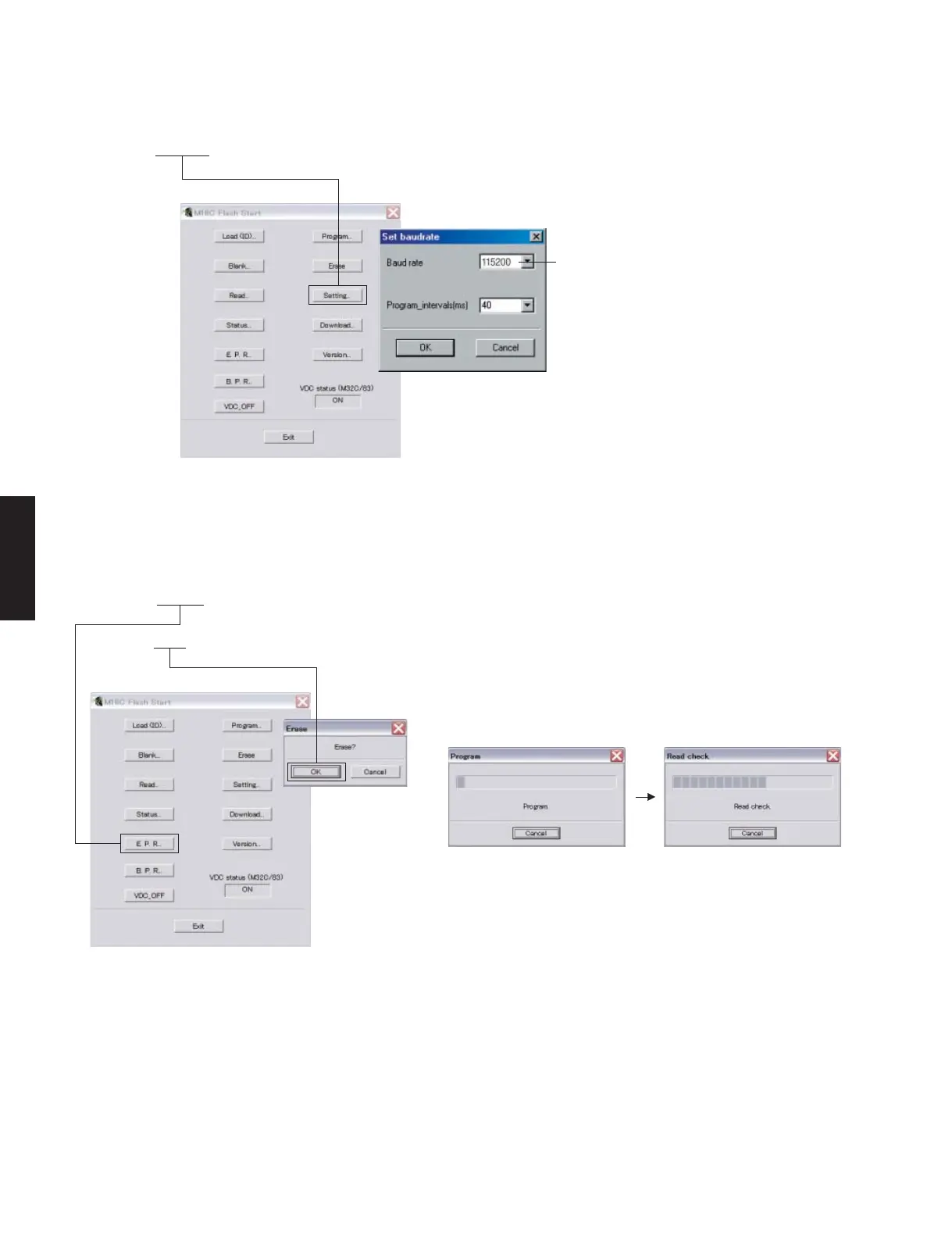
7. Click [E.P.R.], then the “Erase” screen appears. (Fig. 7)
8. Click [OK] to start writing. (Fig. 7)
6. Click [Setting], and set the baud rate. (Fig. 6)
Fig. 6
Select 115200 bps for the baud rate and 40 ms for
the program intervals.
* Reduce the baud rate if a transmission error
occurs frequently.
Fig. 7
Writing being executed.



 To Next Page