9
English
Note
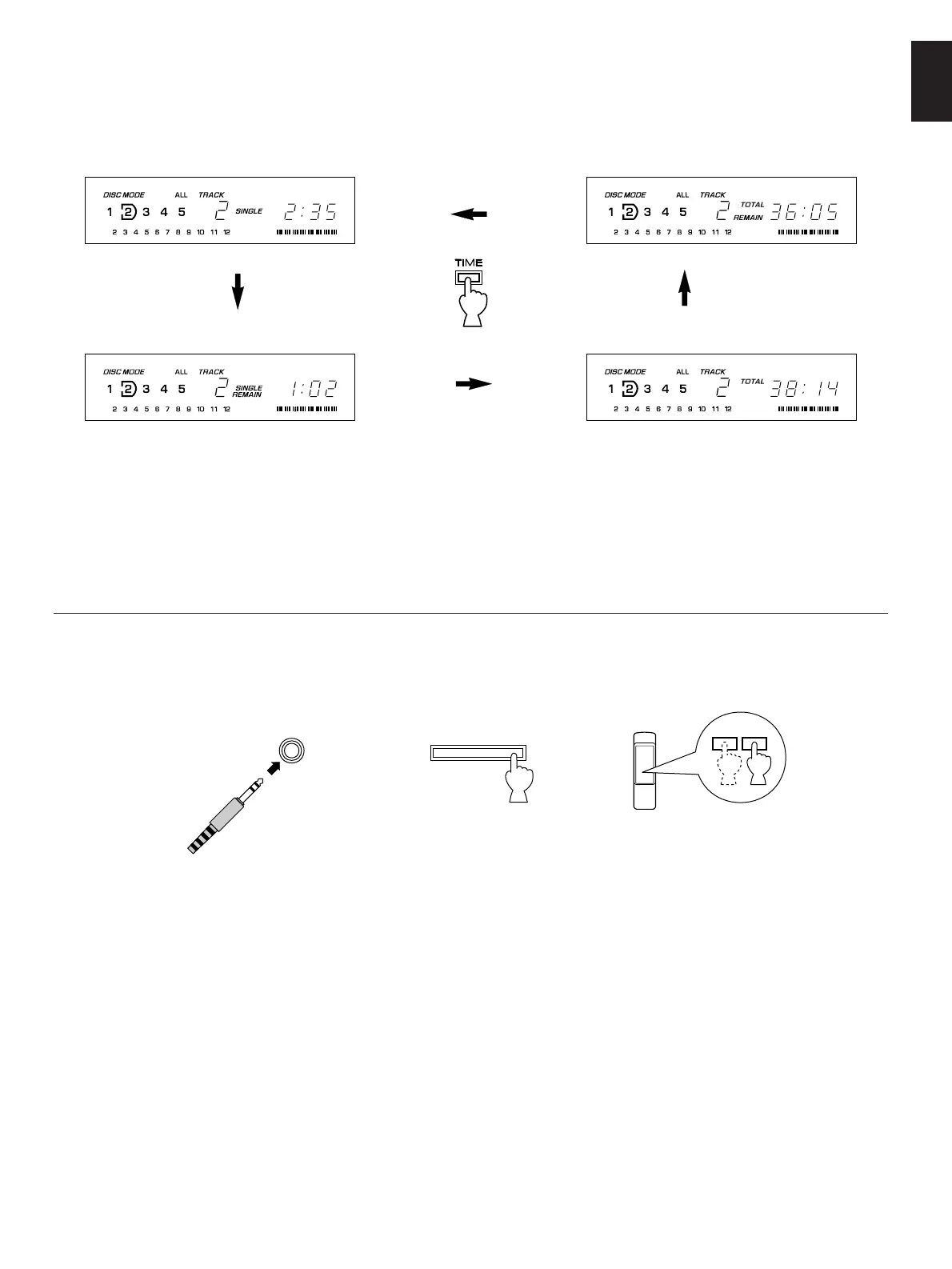
The remaining time
➁
will not be displayed for track number
21 or higher.
Selecting time displays
You can select any of the four time displays by pressing the TIME display mode-select button.
When you listen with headphones
Connect the headphones to the PHONES jack and adjust the volume by using the OUTPUT LEVEL control. At that time, note
that this adjustment will also vary the level of the signal output to the amplifier.
➀
Elapsed time of the track now playing
➁
Remaining time of the track now playing
➂
Total disc play time
➃
Total remaining time on the disc


 To Next Page