EasyManua.ls Logo

Yamaha CDC-745 - User Manual

Yamaha CDC-745
24 pages
Print Icon
To Next Page IconTo Next Page
Loading...
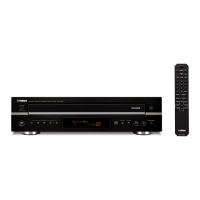
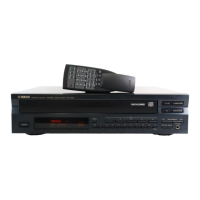
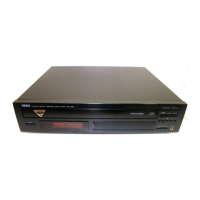
Natural Sound Compact Disc Player
5-Disc Carousel Auto-Changer
PLAYXCHANGE; Disc Changing Capability while Playing Another
Random Access Programmable Play
Random-Sequence Play
Single Track/Entire Disc/All Disc Repeat Play
Automatic Tape-Programming
Automatic Peak Level Searching Capability
Program Data Filing Capability
Disc Scanning Capability Useful for Disc Searching or Disc Checking
Display Brightness Changing Capability
CD Synchronized Recording with a Compatible YAMAHA Tape Deck
Optical Digital Output
Remote Control Capability
IMPORTANT!
Please record the serial number of this
unit in the space below.
Model:
Serial No.:
The serial number is located on the rear
of the unit.
Retain this Owner’s Manual in a safe
place for future reference.
WARNING
TO REDUCE THE RISK OF FIRE OR
ELECTRIC SHOCK, DO NOT EXPOSE
THIS UNIT TO RAIN OR MOISTURE.
RISK OF ELECTRIC SHOCK
DO NOT OPEN
CAUTION: TO REDUCE THE RISK OF
ELECTRIC SHOCK, DO NOT REMOVE
COVER (OR BACK), NO USER-SERVICEABLE
PARTS INSIDE, REFER SERVICING TO
QUALIFIED SERVICE PERSONNEL.
The lightning flash with arrowhead
symbol, within an equilateral triangle,
is intended to alert you to the
presence of uninsulated “dangerous
voltage” within the product’s
enclosure that may be of sufficient
magnitude to constitute a risk of
electric shock to persons.
The exclamation point within an
equilateral triangle is intended to alert
you to the presence of important
operating and maintenance
(servicing) instructions in the
literature accompanying the
appliance.
Explanation of Graphical Symbols
CAUTION
Thank you for selecting this YAMAHA Compact Disc Player.
OWNER’S MANUAL
CONTENTS
Safety Instructions.................... 2
Connections ............................. 4
Identification of Components.... 5
Loading Discs/Disc Play........... 7
Random-Sequence Play ........ 11
Program Play.......................... 12
Repeat Play............................ 16
Index Search .......................... 16
Track Programming for
Recording to Tape...................17
CD Synchronized Recording...21
Notes about the Remote
Control Transmitter................. 22
Notes about Handling
Compact Discs....................... 22
Troubleshooting...................... 23
Specifications......................... 23
CDC-845 / 745

Questions and Answers

  • A
    Antonio HopkinsAug 17, 2025
    Why is there no sound coming from my Yamaha CDC-745?
    • A
      Alicia PhillipsAug 17, 2025
      If there's no sound from your Yamaha CD Player, check the output cable connections to ensure they are properly connected. If the problem continues, the cables may be defective. Also, make sure that the amplifier controls are set to the correct input selection.
  • O
    Olivia WilliamsAug 20, 2025
    What to do if my Yamaha CDC-745 sound skips?
    • W
      wkempAug 20, 2025
      If the sound from your Yamaha CD Player skips, it might be due to vibrations or impacts affecting the player. Try relocating the player to a more stable surface. Also, the disc may be dirty, so try cleaning it.
  • J
    James SmithAug 23, 2025
    How to fix a humming sound from my Yamaha CDC-745 CD Player?
    • D
      Donald LopezAug 23, 2025
      To fix a humming sound from your Yamaha CD Player, ensure that the audio cables are securely connected. If the humming persists, the cables might be defective and need replacement.
  • M
    millerrobertAug 26, 2025
    What to do if my Yamaha CDC-745 remote control transmitter does not work?
    • W
      Wayne VanceAug 26, 2025
      If the remote control transmitter for your Yamaha CD Player isn't working, first replace the batteries with new ones. If it still doesn't work, check if direct sunlight or strong lighting is hitting the remote control sensor on the main unit, and change the unit's position if necessary.
  • N
    Nancy AllenAug 28, 2025
    What to do if play does not begin on Yamaha CD Player?
    • L
      Larry WalkerAug 28, 2025
      If play does not begin on your Yamaha CD Player, make sure the disc is loaded with the label side up. If it still doesn't work, the disc may be dirty, so try cleaning it.
  • D
    David BennettAug 30, 2025
    Why Yamaha CDC-745 does not switch on?
    • T
      twardAug 31, 2025
      If your Yamaha CD Player doesn't switch on when you press the power switch, ensure that the power cord is securely connected.
  • D
    Daniel PetersonSep 3, 2025
    What causes noise from inside of the disc tray of my Yamaha CDC-745?
    • B
      Bryan HicksSep 3, 2025
      Noise from inside the disc tray of your Yamaha CD Player may be caused by a warped disc. Replace the disc to resolve this issue.
  • Z
    Zachary CurrySep 5, 2025
    What to do if the Yamaha CDC-745 disc tray does not close completely?
    • A
      alejandro52Sep 5, 2025
      If the disc tray on your Yamaha CD Player does not close completely, check for any foreign objects obstructing the tray and carefully remove them.
  • D
    Deborah CruzSep 8, 2025
    Why is play delayed or starting at the wrong place on my Yamaha CDC-745?
    • J
      Jasmine DunnSep 8, 2025
      If play is delayed or begins at the wrong place on your Yamaha CD Player, the disc may be scratched or damaged. Inspect the disc carefully and replace it if necessary.
  • L
    Lawrence GordonSep 12, 2025
    What causes a disc number to not illuminate on my Yamaha CDC-745 display?
    • M
      Martin MorganSep 12, 2025
      If a disc number does not illuminate in the display of your Yamaha CD Player, ensure the disc has been loaded correctly (label side up). The disc might also be damaged, so check it carefully and replace it if needed. Also, if there is moisture on the laser pickup, wait 20 to 30 minutes after switching the unit ON before trying to play a disc.

Summary

Safety Instructions

Connections

Component Identification

Disc Playback Operations

Loading Discs and Initiating Play

Instructions for loading discs and starting playback, including PLAYXCHANGE.

Playback Control and Display Information

Stopping play, direct/skip play modes, and understanding display data.

Random-Sequence Playback

Program Playback

Tape Recording Features

CD Synchronized Recording

Automatically synchronizes CD playback with tape deck recording.

Troubleshooting Guide

Technical Specifications

Yamaha CDC-745 Specifications

General IconGeneral
Disc Capacity5
Number of Discs5
Frequency Response2 Hz - 20 kHz
Total Harmonic Distortion0.003%
Dynamic Range100 dB
OutputAnalog
Channels2
Power Consumption15 W
TypeCD Player
Harmonic Distortion0.003%
Output Voltage2 V
Output Level2 V
Digital OutputCoaxial, Optical

Related product manuals