
 To Next Page

K
Kathy SchwartzAug 18, 2025
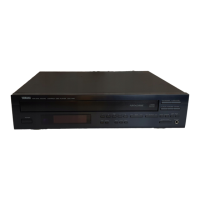
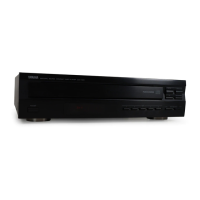
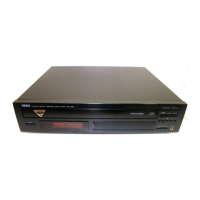
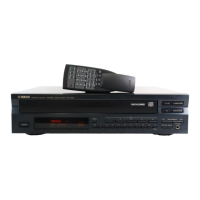
How to fix noise from Yamaha CDC-697 CD Player disc tray?
- JJessica PerezAug 18, 2025
If you hear noise from inside the disc tray of your Yamaha CD Player, the disc may be warped. Replace the disc.

How to fix noise from Yamaha CDC-697 CD Player disc tray?
If you hear noise from inside the disc tray of your Yamaha CD Player, the disc may be warped. Replace the disc.
Why Yamaha CD Player doesn't have sound?
If your Yamaha CD Player has no sound, check the output cable connections to ensure they are properly connected. If the problem continues, the cables may be defective. Also, verify that the amplifier controls are set to the correct input selection.
What to do if Yamaha CD Player sound skips?
If the sound on your Yamaha CD Player skips, it might be due to vibrations or impacts affecting the unit. Try relocating it. Also, the disc may be dirty, so try cleaning it.
What to do if Yamaha CDC-697 CD Player remote control transmitter does not work?
If the remote control for your Yamaha CD Player isn't working, first replace the batteries with new ones. If it still doesn't work, check if direct sunlight or strong lighting is interfering with the remote control sensor on the main unit and change the position of the main unit.
What to do if Yamaha CDC-697 CD Player doesn't turn on?
If your Yamaha CD Player fails to turn on or enters standby mode soon after being powered on, make sure the power cord is securely connected.
Why Yamaha CDC-697 CD Player sound hums?
If your Yamaha CD Player is humming, securely connect the audio cables. If the problem continues, the cables may be defective.
What to do if Yamaha CDC-697 playback does not start?
If playback on your Yamaha CD Player does not start, verify that the disc is loaded with the label side up. Also, check the disc for damage and replace it if necessary. Ensure the disc is clean.
What to do if Yamaha CDC-697 does not work normally?
If your Yamaha CD Player isn't working normally, it may be due to strong external noise or an incorrect operation. Turn off and disconnect the AC power from the wall outlet. After about 30 seconds, reconnect the power and try again.
What to do if Yamaha CD Player disc tray does not close completely?
If the disc tray on your Yamaha CD Player does not close completely, carefully check the tray for any foreign objects and remove them.
What to do if Yamaha CD Player playback is delayed?
If the playback on your Yamaha CD Player is delayed or starts at the wrong place, the disc may be scratched or damaged. Check the disc carefully and replace it if necessary.
Covers essential operating and installation safety rules, including warnings against water and opening the unit.
Details FCC regulations and interference guidelines for US customers, including corrective measures.
Essential warnings and guidelines before operating the unit, covering installation, environment, and maintenance.
How to connect the unit using analog LINE OUT or digital OPTICAL audio outputs.
Step-by-step guide to plugging the unit into a power outlet after all other connections are made.
Describes the purpose and location of each button on the unit's front panel, including POWER and DISC select.
Explains what each button on the remote control does, categorized by function like PLAY, SKIP, REPEAT.
Instructions for turning the device on, off, and into standby mode using front panel or remote.
Step-by-step guide to inserting discs into the tray and initiating playback.
Selecting play modes (1DISC/5DISCS) and starting playback from the first track.
Solutions for unit not turning on, entering standby, or operating normally.
Troubleshooting playback errors, skipping, no sound, or delayed playback.
Detailed audio response, distortion, signal-to-noise ratios, and dynamic range.
Power requirements, dimensions, weight, and laser diode properties.
Warnings against direct exposure to laser beams when the unit's cover is open.
 General
| Frequency range | 10 - 20000 Hz |
|---|---|
| Signal-to-Noise Ratio (SNR) | 106 dB |
| Total Harmonic Distortion (THD) | 0.003 % |
| CD-RW playback | Yes |
| Device type | HiFi CD player |
| Product color | Black |
| Dimensions (WxDxH) | 435 x 116 x 403 mm |
 Weight and Dimensions
| Weight | 5500 g |
|---|