12
➀
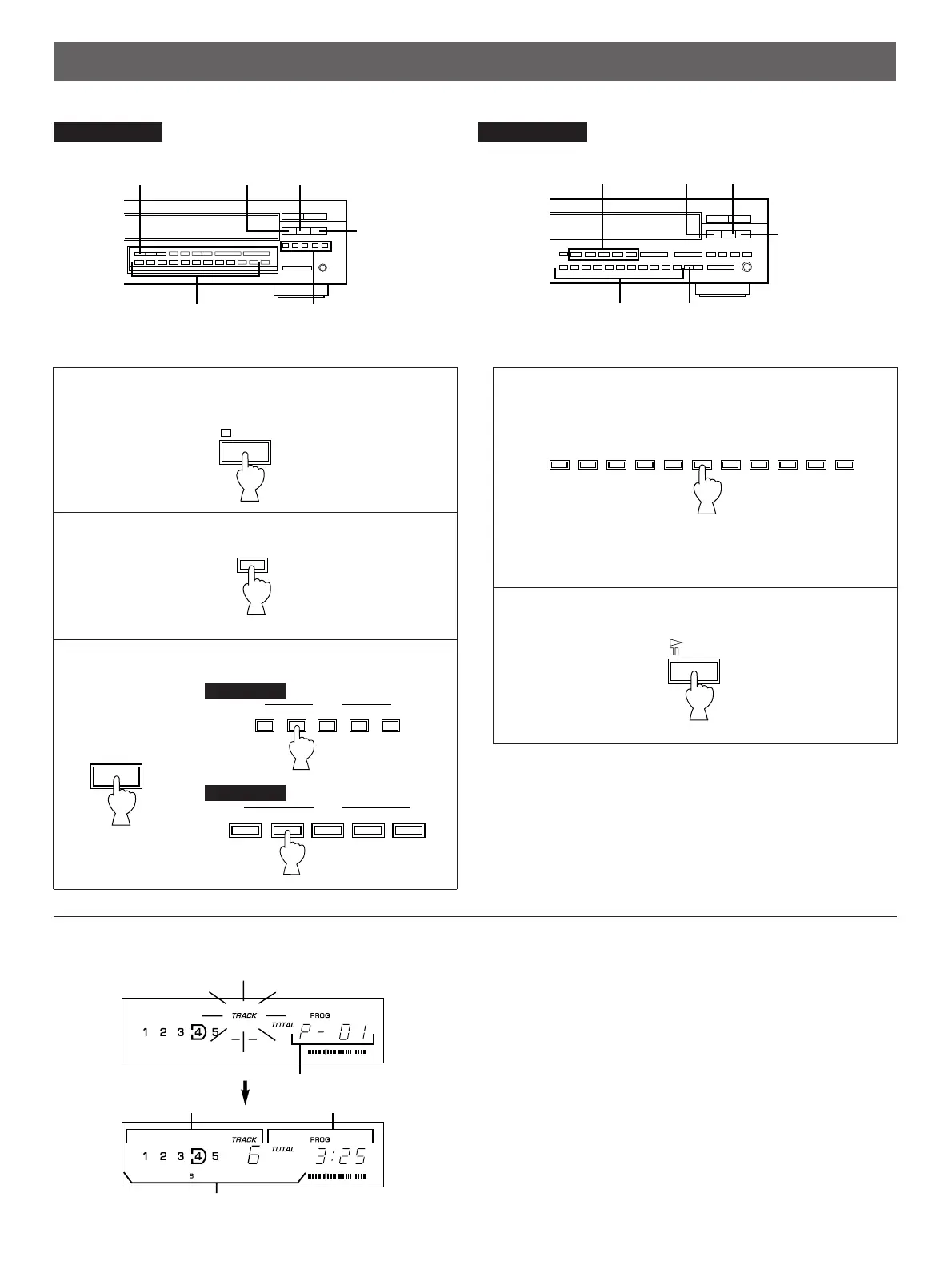
Shows the program number for the track to be set next.
➁
Shows the selected disc and track number.
➂
Shows the total time of the tracks currently programmed.
➃
Shows only the numbers of programmed tracks on the
selected disc.
* If “P-01” does not appear in the display after the PROG
button is pressed, press the TIME display mode-select
button.
* If the total time exceeds 99 minutes and 59 seconds, the
time will not be displayed.
1
Stop the unit.
2
3
If necessary, select the desired disc.
4
Select the desired track.
5
When the programming is completed;
* Repeat step 3 – 4 to set more programs.
Display information during programming
or


 To Next Page