Installing I/O Cards
5
DA824—Owner’s Manual
Installing I/O Cards
This section explains how to install mini YGDAI cards in the DA824.
1
Turn off the DA824.
2
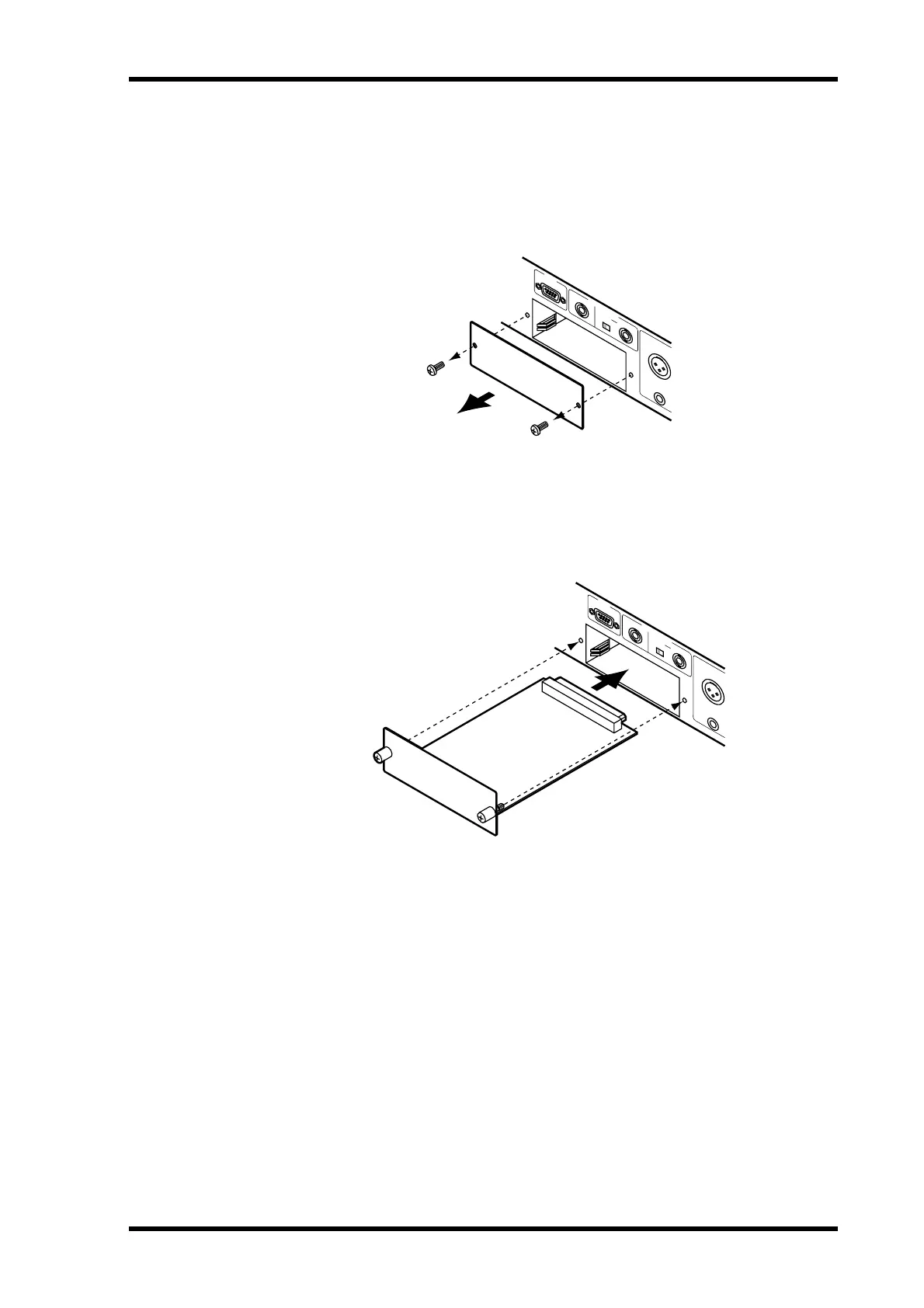
Undo the two fixing screws and remove the slot cover, as shown below.
Keep the cover and fixing screws in a safe place for future use.
3
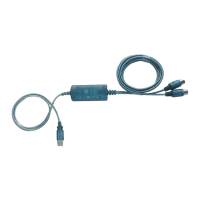
Insert the card between the guide rails and slide it all the way into the slot,
as shown below. You may have to push firmly to plug the card into the DA824
connector.
4
Secure the card using the attached thumbscrews. Do not leave the thumb-
screws loose, as the card will not be grounded correctly.
SLOT
COM
T
H
R
U
75Ω IN
O
N
O
F
F
WORD CLOCK
8
8
SLOT
COM
T
H
R
U
75Ω IN
O
N
O
F
F
WORD CLOCK
8
8


 To Next Page