2
Chapter 2—Touring the DA824
DA824—Owner’s Manual
2 Touring the DA824
Front Panel
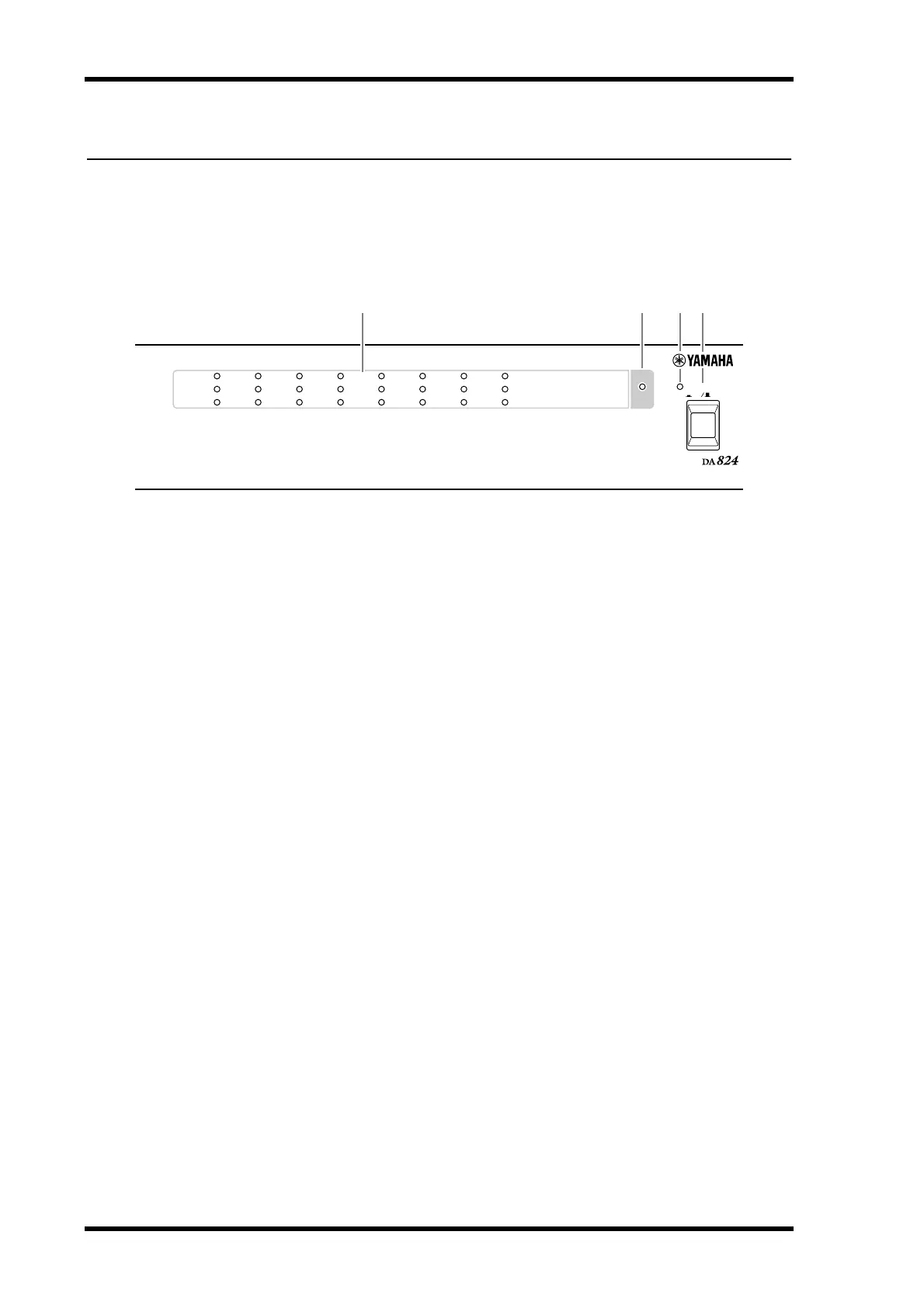
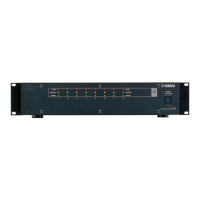
A
PEAK, NOMINAL & SIGNAL indicators
These indicators show the signal level of each channel.
PEAK
—This indicator lights up when the signal level is 3 dB below full-scale output.
NOMINAL
—This indicator lights up when the signal level is 14 dB below full-scale
output.
SIGNAL
—This indicator lights up when the signal level is 34 dB below full-scale out-
put.
B
LOCK indicator
This indicator shows whether or not the DA824 is locked to the wordclock source. See
“Wordclocks” on page 8 for more information.
C
POWER indicator
This indicator lights up when the DA824 is powered up.
D
POWER switch
This switch is used to turn on the power to the DA824. It’s recessed to prevent accidental
operation. See “Turning On the Power” on page 1 for more information.
ON OFF
POWER
DA CONVERTER
LOCK
PEAK
SIGNAL
NOMINAL
PEAK
SIGNAL
NOMINAL
1 2345678
21 43


 To Next Page